The best monitors for a dual-monitor setup
A second screen changes the shopping list. The panel weight stops being trivia and becomes the figure your arm is rated against, swivel decides whether you face glass or a bezel seam, and the stand's travel has to match the screen beside it. These five are ranked on what their makers publish about all four.
By Stephen V.Last reviewed
The four specs a pair cares about
Panel-only weight is per arm, not per pair. Swivel is how far each screen toes inward. Every figure is the manufacturer's own.
| # | Monitor | Size / resolution | Panel-only weight | Swivel | Height travel | USB-C upstream | Price |
|---|---|---|---|---|---|---|---|
| 1 | 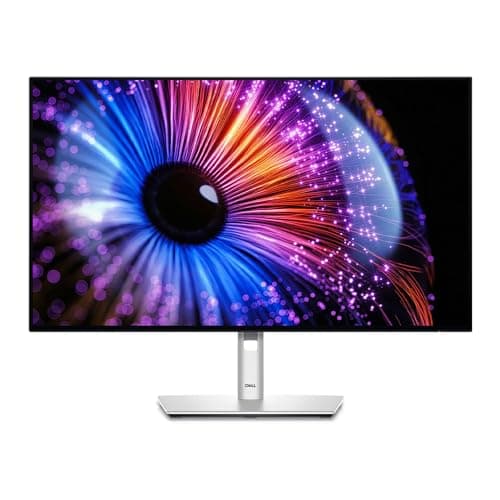 1. Dell UltraSharp 27 Monitor (U2724D) The matched 27-inch pair
| 27", 2560 x 1440 @120 Hz | 9.90 lb | ±45° | 150 mm | Data only | |
| 2 | 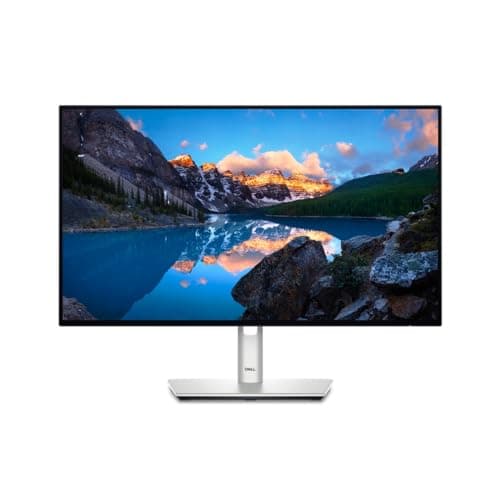 2. Dell UltraSharp 24 Monitor (U2424H) Two screens on the smallest budget
| 23.8", 1920 x 1080 @120 Hz | 7.76 lb | ±45° | 150 mm | — | |
| 3 | 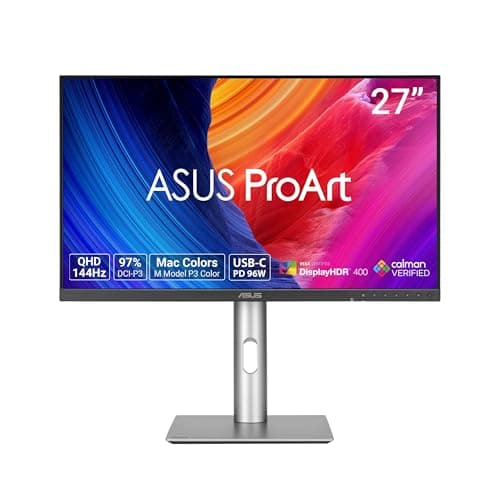 3. ASUS ProArt Display PA278CGRV A color-critical pair, with one cable to a laptop
| 27", 2560 x 1440 @144 Hz | 4.7 kg (10.36 lb) | ±30° | 0–130 mm | 96W PD | |
| 4 | 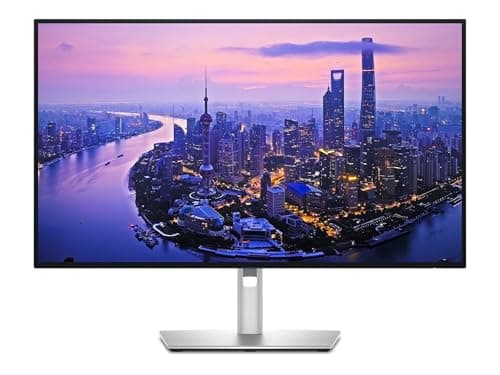 4. Dell UltraSharp 27 4K Thunderbolt Hub Monitor (U2725QE) A laptop, a hub and a second screen hanging off it
| 27", 3840 x 2160 @120 Hz | 11.51 lb | ±45° | 5.91" | Thunderbolt, up to 140W EPR | |
| 5 | 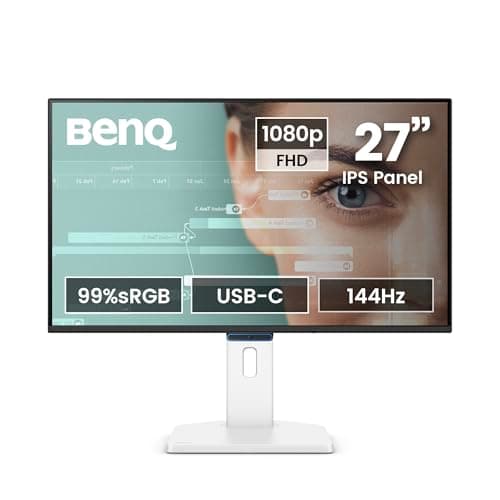 5. BenQ GW2790TC A second screen beside a monitor you already own
| 27", 1920 x 1080 @144 Hz | 4.2 kg (9.26 lb) | 45°/45° | 150 mm | 20W PD |
Read column two against your arm, per head. The dual mounts we rank publish 22 lb per monitor(VIVO STAND-V002, screens 13–30″) and 4.4–26.4 lb per arm(HUANUO HNDS7, screens 13–40″) — every panel above is inside both weight windows, so weight is not the thing that will catch you out. Size is: the ASUS ProArt PA329CRV we rank on the general roundup is 31.5″, which is past the VIVO’s published 30″ ceiling even though its 14.77 lb panel weight fits fine. Each maker labels the weight field differently — Dell “panel only - for VESA mount”, ASUS “net weight without stand”, BenQ “net weight without base” — and all five publish a 100 x 100 mmVESA pattern. We have no published DisplayPort-out or MST figure for any of these panels, so count your own computer’s video outputs rather than assuming one screen can feed the next.
Prices and stock as of November 8, 2026, from Amazon’s API. They change; we show a live number or none at all. #ad — we earn a commission.
The short answer: two Dell UltraSharp U2724D panels. Dell publishes the figure a dual arm is rated against and labels it plainly — 9.90 lbpanel-only — and the pair brings ±45° of swivel, 150 mm of travel and a three-year advance-exchange warranty each. On a tighter budget, two U2424H panels are the lightest and cheapest matched pair here. If one screen has to charge a laptop, make the U2725QE the primary and put something cheaper beside it.
A second screen changes the spec sheet
Most monitor advice is written for one monitor, and it quietly assumes the screen sits in the middle of your desk on its own stand. Add a second panel and four specs that barely registered start doing real work.
Panel-only weightstops being trivia. The moment two screens go on a mount, the number your arm is rated against is the weight of the panel with the stand removed — per arm, not per pair — and most listings quote the boxed weight or the weight with the stand instead. Dell is unusually honest about this: its spec pages carry a field labeled “weight (panel only - for VESA mount)”. ASUS publishes “net weight without stand” and BenQ “net weight without base”, which are the same idea in different words.
Swivel matters in a way it never does on one screen. A side-by-side pair puts the inner edges in front of you and the outer edges away, so both panels have to toe inward or you spend the day looking at glass at an angle and a bezel seam head-on. Dell publishes ±45°, BenQ 45°/45°, ASUS ±30°. That fifteen-degree difference per side is the most under-discussed dual-setup spec there is.
Height travel has to be shared. Two tops that do not line up is the thing visitors notice and you stop noticing, to the detriment of your neck. Matched panels solve it; mixed panels mean the shorter published range is your real range.
And the upstream cable becomes a planning problem rather than a detail, because now you need video to two places and ideally power to one laptop. This is where published figures run out fastest, and where we are going to be careful below.
What to look for, in order
First, the panel-only weight against your arm, per head. The dual mounts we rank publish 22 lb per monitor (VIVO STAND-V002) and 4.4–26.4 lb per arm(HUANUO HNDS7). Every panel on this page clears both. If you are shopping outside this page, do the same check with the real figure, not an estimate — how much does a monitor weigh shows where makers hide it.
Second, the published screen-size limit.This is the one that actually catches dual buyers, because weight looks fine and the arm still will not take the panel: the VIVO dual mount publishes 13–30″, the HUANUO 13–40″. So the 31.5″ ASUS ProArt PA329CRV we rank on the general monitor roundup — whose 14.77 lb panel weight is comfortably inside both windows — is out of range on the VIVO purely on size. Check the size range and the weight range as two separate gates.
Third, swivel, then matched travel. Buy the pair identical if you can, and prefer the wider swivel if you cannot. Dual monitor ergonomics covers the arrangement these numbers are in service of: primary square-on, secondary angled in, both tops at the same height.
Fourth, the longevity figure. As everywhere on this site, the third Spec Line slot is the one that outlives the purchase, and on a pair it counts twice. Both Dells carry a 3-year Advanced Exchange with Premium Panel Exchange; ASUS publishes a 3-year zero-bright-dotwarranty, which is a dead-pixel promise rather than a duration claim; and BenQ’s own specification page states no warranty period at all.
The cabling question, answered honestly
The thing everyone wants is one cable from a laptop running two screens. Here is what the published specs let us say.
They let us say what the hubsdo. Dell rates the U2725QE’s Thunderbolt connection at up to 140W EPR— video, data and laptop charging over one lead. ASUS publishes 96W of USB-C power delivery on both ProArt panels. BenQ publishes 20W, which is phone-and-tablet territory. And Dell marks the U2724D’s USB-C upstream port “data only”— no video, no charging, which is the single most common misread in that line.
What they do not let us say is that any of these panels will pass a signal through to the next one. None of the specification pages we cite publishes a DisplayPort-out or MST capability, and we are not going to infer one from silence or from a forum post. So plan on one video output per panel from your computer, go and count the ports on the machine you actually own, and treat a hub-equipped monitor as the thing that tidies the laptop connection rather than the thing that feeds the second screen. If the cable sprawl behind two screens is the real problem, that is a cable management job — cable management for dual monitors is the page for it.
Desk and arm come before the second monitor
One structural warning, because it is the mistake that costs the most. Two 27-inch panels need desk depthas much as width: both screens have to sit far enough back that you are not scanning with your whole head, and OSHA’s own guidance puts the preferred viewing distance between 20 and 40 inches. On a 24-inch-deep desk with two monitors on their stands, you will be at the near end of that whether you like it or not.
Depth is also what decides whether an arm helps: an arm buys back the stand’s footprint and lets both panels push toward the wall. The best desks for dual monitors covers surface size and the clamp edge a dual mount needs, and how much desk space for dual monitors does the arithmetic. Spend there before you upgrade either panel.
What we can’t tell you
We have not had these five monitors on a desk, side by side, in pairs. Every figure above is the manufacturer’s own published number, read at the source and cited below — Dell’s product pages, ASUS’s technical specification pages, BenQ’s spec page — and the dual arms’ windows are the ones cited on our own dual arm roundup.
So we cannot tell you how closely two units of the same model match for color out of the box, how thin the bezels feel once two are touching, or whether a particular laptop will drive two of them at full refresh. Panel-to-panel variation is real and nobody publishes a tolerance for it. What we can do is tell you which published numbers a pair of screens makes important, which panels clear the arms we rank on both weight andsize, and where one maker’s port label quietly contradicts what the buyer assumed. That is the method, and the rest is a return window.
The picks, in detail
1. The matched 27-inch pair
Dell UltraSharp 27 Monitor (U2724D)
The pair to buy: 1440p at 27 inches, 150 mm of stand travel, ±45° of swivel to toe each panel inward, and a 9.90 lb panel-only weight Dell labels as such — so it fits every dual arm we rank, twice.
- Height adj
- 150 mm
- Panel wt
- 9.90 lb
- Warranty
- 3 yr + panel
Buy two of these and almost every dual-setup problem disappears before it starts. Identical panels mean identical height ranges, identical bezels and identical color, which is the whole reason a matched pair looks like one workspace and a mismatched pair looks like two computers.
For mounting, the figure that matters is the one Dell actually prints and labels: “weight (panel only - for VESA mount)” 9.90 lb, against 14.46 lb with the stand. Against the dual arms we rank — the VIVO at 22 lb per monitor and the HUANUO at 4.4–26.4 lb per arm— a 9.90 lb panel sits comfortably inside both windows, and at 27″ it is inside both published size ranges too. Two of them on one dual mount is the least risky combination in our coverage.
The dual-specific luxury is the ±45° of swivel. A side-by-side pair wants both panels angled inward so you are looking at glass rather than at an edge, and Dell gives you fifteen degrees more of that per side than ASUS does. Add 150 mm of stand travel and ±90° of pivot if you want the second screen in portrait, and the stand alone handles most dual arrangements before you spend anything on an arm.
The catch is the one Dell buries in its port list, and it bites hardest when you are planning cables for two screens: the USB-C upstream port is “data only”. No video, no laptop charging. Video has to arrive over DisplayPort or HDMI on both panels, and your laptop still needs its own charger. If the fantasy was one cable to a laptop driving two screens, this is not the model — and nothing on this page does that on its own either.
Good
- 150 mm (5.9″) of height travel, the most on this page alongside the other Dells and the BenQ — enough range that the top of the screen can be brought to or below your seated eye line instead of you adapting to it
- Dell publishes the number a monitor arm actually needs and labels it plainly: “weight (panel only - for VESA mount)” 9.90 lb, against 14.46 lb with the stand. Almost nothing else in the category is that explicit
- Full rotation set — -5°/+21° tilt, ±45° swivel, ±90° pivot — so it turns portrait without an arm, which matters if you read long documents or code
- 3-Year Advanced Exchange Service plus Premium Panel Exchange: Dell ships the replacement before you send the old one back, and the panel term is separate cover for the part most likely to fail visibly
- 2560 x 1440 at 120 Hz on an IPS Black panel, with an ambient light sensor Dell describes as “auto brightness and color temperature adjustment” — the same idea as the lamp half of a well-lit desk, handled by the screen
Not so good
- The USB-C upstream port is listed by Dell as “data only”. It will not carry video and it will not charge a laptop. If you want one cable to your laptop, this is the wrong model in the line and the U2725QE below is the right one
- QHD, not 4K. At 27 inches that is a visibly coarser pixel grid than the 4K picks here, and no amount of stand travel changes it
- Using the built-in USB hub means running a second cable to the computer alongside the DisplayPort or HDMI lead, because the upstream port is data only. “Fewer cables” is not one of the reasons to buy this one
- Dell's page states the panel is “certified by TÜV for 5-star eye comfort” but publishes no flicker specification of its own, so the eye-comfort claim rests on the certificate rather than on a figure you can compare
- It is a plain gray office monitor with no speakers worth the name. Nobody buys this one for the look of it
Don’t buy it if: you want to run your laptop down one cable. Dell marks this model's USB-C upstream port “data only”, so the video still has to come over DisplayPort or HDMI and the laptop still needs its own charger. Buy the U2725QE for that, or accept two cables and save the difference.
$368.75 −5%
Price as of November 8, 2026. #ad — we earn a commission.
2. Two screens on the smallest budget
Dell UltraSharp 24 Monitor (U2424H)
The cheapest honest route to a matched pair, and the lightest panel here at 7.76 lb — which is the figure that decides whether a cheap dual arm will hold them. 1080p at 24 inches is the trade.
- Height adj
- 150 mm
- Panel wt
- 7.76 lb
- Warranty
- 3 yr + panel
Two 24-inch panels is the configuration most dual setups actually want and most buyers talk themselves out of. Side by side, two 24s occupy roughly the desk width of a 48-inch ultrawide without the price or the single point of failure, and at 1920 x 1080 neither panel needs scaling gymnastics to be readable.
It is also the easiest pair to mount. Dell publishes 7.76 lbpanel-only — the lightest figure on this page — which leaves the most headroom on any dual arm, and the most margin if you later add a dual mount whose published ceiling is modest. The stand matches the 27-inch model where it counts: 150 mm of height travel, ±45° swivel, ±90° pivot, 100 x 100 mm VESA. Dell’s 3-year Advanced Exchange with Premium Panel Exchange applies to both, which on a pair means two panels covered rather than one.
The honest limits. 1080p across 23.8″is noticeably coarser than 1440p at 27″, and on two panels you are looking at that pixel pitch all day, not occasionally. Dell publishes a TÜV 4-stareye-comfort rating here against the 27-inch model’s 5-star. And if your work is spreadsheets or code, the extra vertical pixels on the 1440p pair will do more for you than anything else on this page.
Good
- 7.76 lb panel-only weight — the lightest here, and inside the published range of every monitor arm this site ranks, though still above the 7 lb minimum an Ergotron LX needs to stay put. The minimum, not the maximum, is the spec people miss
- The full 150 mm of stand travel and the complete tilt/swivel/pivot set, on a screen small enough for a desk that cannot push a 27-inch panel far enough back
- 23.8 inches at 1920 x 1080 is a comfortable pixel density — the same panel resolution that looks coarse at 27 inches looks fine here
- 3-Year Advanced Exchange Service with Premium Panel Exchange, identical cover to the 27-inch UltraSharps
- Dell states it is “certified by TÜV for 4-star eye comfort” and ENERGY STAR certified, and the panel runs at 120 Hz rather than the 60 Hz an office monitor at this size often settles for
Not so good
- It is a 1080p monitor at a price where 1440p panels exist. You are buying the stand, the ports and the warranty, and the panel is the part you are not getting a bargain on
- 24 inches is genuinely small if you keep two documents side by side. Before you choose it over a 27, check the actual depth of your desk — the size question is a distance question first
- Only one screen's worth of space means you will likely want a second one eventually, and two 24s on one desk is a different purchase from one 27
- Like the U2724D, its USB-C provision is not a laptop-charging dock — if one-cable docking is the goal, this is not the model
- No speakers worth using, and the styling is pure corporate refresh-cycle
Don’t buy it if: your desk is 30 inches deep or more and you have the room. At that distance a 27-inch screen is the better use of the space, and OSHA's preferred viewing range tops out at 40 inches — you are not going to run out of room for the bigger panel. Buy the 24 when the desk, not the budget, is the constraint.
Price as of November 8, 2026. #ad — we earn a commission.
3. A color-critical pair, with one cable to a laptop
ASUS ProArt Display PA278CGRV
The pair for color work, and the only panel here whose maker publishes a gamut figure and a flicker-free line in the same table: 100% sRGB, 97% DCI-P3, 96W of USB-C power. It swivels 15° less per side than the Dells.
- Height adj
- 0–130 mm
- Panel wt
- 4.7 kg
- Warranty
- 3 yr ZBD
If both screens have to agree about color, buy two of these. ASUS publishes 100% sRGB and 97% DCI-P3 for the PA278CGRV, which is a real published gamut figure rather than a marketing adjective, and a pair of identical ProArt panels is the cheapest way to get two screens that will not argue about a skin tone.
The dual-practical feature is the 96W USB-C power delivery. One of the two panels can carry video, data and laptop charging on a single lead, which keeps a two-screen desk to one cable going to the laptop and one ordinary video cable going to the second panel. It also publishes “Flicker-free: Yes” and a 3-year zero-bright-dotwarranty — on two panels, a dead-pixel policy is twice as likely to matter as it is on one.
Two real trade-offs against the Dells, both published. Swivel is ±30°rather than ±45°, so each panel toes in less, which is the one spec on this page that a pair notices and a single screen does not. And height travel is 0–130 mmagainst Dell’s 150 mm — fine on its own, but if you ever mix one of these with a Dell, the shorter range is the one that limits where the two tops can line up. Panel-only weight is 4.7 kg(10.36 lb), inside both dual arms’ windows.
Good
- ASUS publishes the gamut numbers plainly — “Color Space (sRGB) : 100%” and “Color Space (DCI-P3) : 97%” — which is more than most makers in this bracket print anywhere
- 96W USB-C power delivery: one cable to a laptop, at a fraction of the Thunderbolt Dell's price
- “Net Weight without Stand : 4.7 kg (10.36 lbs)” — published in both units, unprompted, which is exactly the number an arm needs
- “Flicker-free : Yes” and “Low Blue Light : Yes” as explicit spec-sheet lines rather than marketing prose, and a 144 Hz maximum refresh rate that a 60 Hz office panel cannot match
- The LCD ZBD warranty is published as three years — zero bright dot, which is a stated panel-defect promise rather than a general hardware term
Not so good
- Height adjustment is “0~130mm”, 20 mm less travel than the Dells and the BenQ. On a tall desk or for a tall sitter that is the difference between reaching your eye line and not
- Swivel is +30°/-30° against the Dells' ±45°, so it turns less far toward a second person or a second screen
- QHD at 27 inches, same pixel density as the U2724D — this is not the pick if you want 4K text
- ASUS publishes the three-year term as an “LCD ZBD Warranty” on the spec sheet rather than spelling out a full advance-exchange service the way Dell does. Read what your retailer's service actually includes before you count on it
- At 6.6 kg with the stand it is a solidly heavy 27-inch monitor, and the color-work positioning means you are paying something for gamut coverage you may never use for spreadsheets
Don’t buy it if: you are tall, or your desk is fixed and high. 130 mm of travel is the shortest here, and on a desk you cannot lower, the stand is the only adjustment you have. Either take one of the 150 mm picks or budget for an arm on day one.
Price as of November 8, 2026. #ad — we earn a commission.
4. A laptop, a hub and a second screen hanging off it
Dell UltraSharp 27 4K Thunderbolt Hub Monitor (U2725QE)
The one-cable anchor for a two-screen desk: 4K at 120 Hz with a Thunderbolt hub Dell rates at up to 140W EPR. The most expensive thing on this page by a distance, and the hub is most of why.
- Height adj
- 5.91″
- Panel wt
- 11.51 lb
- Warranty
- 3 yr exchange
The honest use for this monitor in a dual setup is as the primary— the panel your laptop connects to, powered and charged over one Thunderbolt lead that Dell rates at up to 140W EPR, with the peripherals plugged into the monitor rather than the laptop. The second screen is then a cheaper panel driven however your machine prefers.
It is the best panel here in isolation: 4K at 120 Hz, the same ±45° swivel and ±90° pivot as its siblings, 5.91″ of stand travel, and a published 11.51 lb panel weight that still fits both dual arms we rank.
The cautions are mostly about money and risk. It costs roughly twice the U2724D, and a pairof them is a serious outlay for a home office — buying two hubs when one would do is the most common way to overspend on this page. One Thunderbolt cable also means one point of failure for power, video and every peripheral on the desk: when it goes, everything goes at once. And if your computer is a desktop tower, the hub is a docking station you will never dock anything to — take the U2724D instead and spend the difference on the second screen.
Good
- Thunderbolt power delivery “up to 140W EPR” — video, data and laptop charging over one cable, which is the entire reason to pay the difference over the U2724D
- 3840 x 2160 at 120 Hz on IPS Black. At 27 inches that is the pixel density the QHD picks here cannot match, and the refresh rate is unusually high for a docking monitor
- Same 5.91″ (150 mm) maximum adjustable height as the rest of the UltraSharp picks, with -5° to 21° tilt, ±45° swivel and ±90° pivot
- 3 Years Limited Hardware and Advanced Exchange Service — the replacement ships first, same as the U2724D
- Turning a laptop into a desktop with one plug is what removes the cable nest under most home desks in the first place; it is a monitor that does some of the job a whole hub and charger would otherwise do
Not so good
- Roughly twice the price of the U2724D and several times the cheapest monitor here. The 4K panel and the Thunderbolt hub are both real, and you are paying for both whether you use both or not
- Dell does not label a panel-only weight on this page. It prints “Weight (Approximate)” 11.51 lb beside “Weight with Stand (Approximate)” 15.56 lb — we read the smaller number as the head, and we are telling you it is not labeled the way the U2724D's is
- 11.51 lb puts the head in the upper half of the narrowest arm range we have ranked (4.4–15.4 lb on the cheapest gas-spring arm on this site), so it is worth checking your arm's published range rather than assuming — which Dell's vaguer weight label here makes harder than it needs to be
- One Thunderbolt cable means one point of failure for power, video and every peripheral hanging off the monitor. When it goes, everything goes at once
- It is a 27-inch screen at a 32-inch price. If sheer area is what you want rather than density and docking, the ProArt 32 further down gives you more of it for less
Don’t buy it if: your computer is a desktop tower. The Thunderbolt hub is most of this monitor's premium and a tower does not need it — you would be buying a docking station you will never dock anything to. The U2724D has the same stand and the same warranty for a lot less.
Price as of November 8, 2026. #ad — we earn a commission.
5. A second screen beside a monitor you already own
BenQ GW2790TC
The cheapest way to add a competent second screen: 27 inches, 150 mm of travel, 4.2 kg without the base and 20W of USB-C. BenQ's own spec page states no warranty period at all.
- Height adj
- 150 mm
- Panel wt
- 4.2 kg
- Warranty
- 3 yr parts
Not every dual setup is two new monitors. The commonest version is “I have one screen and I want another”, and this is the pick for that: a 27-inch panel with a 150 mm-travel stand that matches Dell’s range, 45°/45° swivel, a 90° pivot for portrait, and 100 x 100 mm VESA so it can go on an arm beside whatever you already have.
At 4.2 kg(about 9.3 lb) without its base it is the second-lightest panel here, which matters when you are adding a screen to an arm that is already carrying one. BenQ also publishes the eye-comfort paperwork in detail — TÜV Eye Comfort 3.0, EyeSafe 2.0and flicker-free technology — and 20W USB-C power delivery, enough for a tablet or a phone but not a laptop.
Two things to weigh. 1920 x 1080 across 27″is the coarsest pixel pitch on this page, and putting it beside a 1440p panel makes the difference obvious every time you drag a window across — pair it with a similar screen, not a sharper one. And BenQ’s specification page states no warranty period: the support terms exist elsewhere, but the document we cite for every other figure on this monitor does not carry one, so the longevity slot is weaker than either Dell’s three-year advance exchange or ASUS’s three-year zero-bright-dot cover.
Good
- 150 mm of height adjustment at the cheapest price on this page — the spec that usually disappears first when a monitor gets cheap, and the one that decides whether it fits you
- Tilt runs -5˚ to 35˚, a wider forward-and-back range than any Dell here, plus 45˚/45˚ swivel and 90˚ pivot
- TÜV certificates listed explicitly on the spec page — Eye Comfort 3.0, EyeSafe 2.0 and Low Blue Light — alongside “Flicker-free Technology”, which for a budget panel is more disclosure than the category norm
- Three years of parts and labor, published on BenQ's own US warranty page, on a monitor that costs a fraction of the UltraSharps
- 4.2 kg without the base — roughly 9.3 lb by our conversion — so a mid-range arm handles it comfortably
Not so good
- 1920 x 1080 across 27 inches. That is the coarsest pixel grid on this page by a distance, and no feature list compensates: text is simply softer than on the QHD and 4K picks
- USB-C power delivery is 20W. That charges a phone, not a laptop — do not buy this expecting one-cable docking
- BenQ's warranty page states “parts and labor only (No advance replacement)”, so a failure means being without your screen while it is repaired, unlike Dell's advance-exchange service
- BenQ publishes the weight without the base in kilograms only on the US spec page, so the pound figure you need for an arm's rating is a conversion you (or we) have to do
- The spec page publishes no warranty period at all — you have to go to a separate warranty page to find the three-year term, which is a documentation gap even though the answer is a good one
Don’t buy it if: you read text all day and you can stretch. 1080p at 27 inches is the compromise in this monitor, and it is the one you will look at for eight hours. The U2424H gives you the same resolution on a smaller, sharper screen; the U2724D gives you a sharper one at the same size.
Price as of November 8, 2026. #ad — we earn a commission.
Where these numbers came from
- BenQ GW2790TC Specifications — BenQ's own US spec page (source of the 27″ IPS panel, 1920x1080 at 144 Hz, the “Height Adjustment : 150 mm”, the -5˚–35˚ tilt, 45˚/45˚ swivel and 90˚ pivot, the 100x100 mm VESA wall mount, the 6.7 kg net weight and 4.2 kg net weight without base, the 20W USB-C power delivery, the TÜV Eye Comfort 3.0 / EyeSafe 2.0 / Low Blue Light certificates and Flicker-free Technology; the spec page states no warranty period) — read 2026-09-15
- BenQ GW2790TC Warranty — BenQ's own US warranty page (“Three (3) year from the purchase date by the original retail purchaser”, “parts and labor only (No advance replacement)”) — read 2026-09-15
The small stuff that finishes the job
Inexpensive parts that make the main purchase work properly. They are not picks and they are not ranked — each one is here because this page describes the job it does, and each carries the same published-spec treatment as everything else we link.
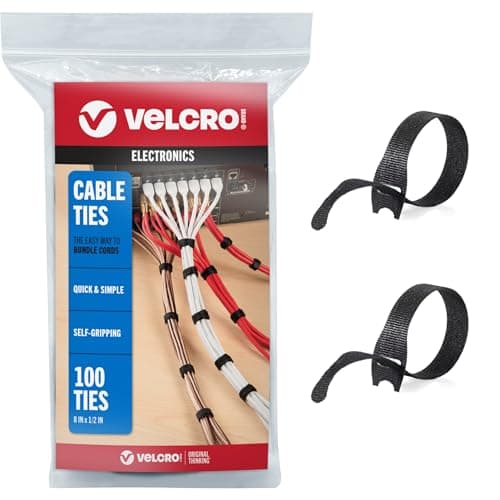
VELCRO Brand ONE-WRAP Cable Ties
Two screens double the cable count at the back of the desk — and on arms, the bundle has to flex every time either panel moves.
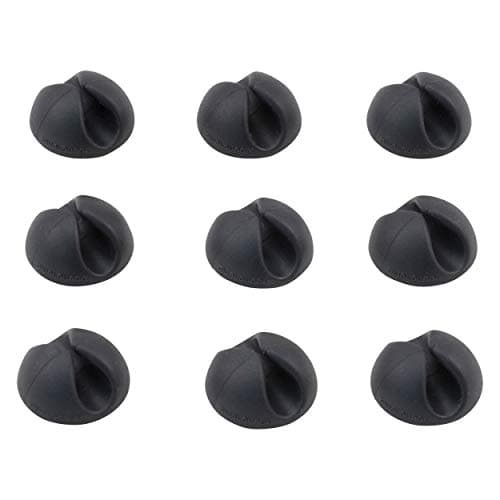
Bluelounge CableDrop Mini
Keeps the second panel's video cable from disappearing behind the desk when you unplug a laptop.
Prices as of November 8, 2026, from Amazon’s API. They change; we show a live number or none at all. Why these are affiliate links.
Common questions
Should both monitors be the same model?
If you can, yes — and the reason is published rather than aesthetic. Two of the same model share a height-travel range, a bezel width, a panel generation and a color response, which is what makes a pair read as one surface. Mix models and the shorterheight range becomes your working limit: pair a Dell (150 mm) with an ASUS ProArt (0–130 mm) and you can only line the tops up inside the 130 mm the ASUS allows. Mixing resolutions is the more jarring version — dragging a window from a 1440p 27″ to a 1080p 27″ changes its physical size. If you must mix, match the resolution and live with the travel.
Will a dual monitor arm hold either of these?
Check two published numbers, not one. The dual mounts we rank state 22 lb per monitor (VIVO STAND-V002) and 4.4–26.4 lb per arm(HUANUO HNDS7) — and both also publish a screen sizerange, 13–30″ and 13–40″ respectively. Every panel on this page is inside both weight windows; the thing that catches people is size, which is why a 31.5″ ProArt is out on the VIVO. Also use the panel-onlyweight, never the boxed or with-stand figure — how much does a monitor weigh explains the difference, and VESA and weight ratings covers the pattern.
One dual arm or two single arms for two monitors?
A dual arm is tidier and clamps once; two singles position independently and let you mix screen sizes without fighting a shared crossbar. The published trade is weight concentration — a dual mount puts both panels’ load through one clamp point, which is worth checking against your desk rather than only against the arm. We set the whole decision out on dual monitor arm vs two single arms, and if the desk underneath moves, the clamp question gets its own page at the best monitor arms for a standing desk.
Can I run two screens from one cable to my laptop?
Not from anything on this page on its own, and we are not going to imply otherwise: none of these specification pages publishes a DisplayPort-out or MST capability for us to quote. What ispublished is the hub side — the U2725QE’s Thunderbolt connection at up to 140W EPR and ASUS’s 96WUSB-C power delivery — which gets you one cable to the primarypanel carrying video, data and charging, with the second screen driven by another output on the machine. So the practical question is how many video outputs your computer has. Count them before you buy, and note that Dell marks the U2724D’s USB-C upstream port “data only”— it carries neither video nor power.
Is two 24-inch monitors better than one 27-inch, or an ultrawide?
Two 24s give you more total pixels and a hard physical divide between windows, which is the part people actually like; an ultrawide gives one continuous surface with no bezel seam and one cable, and a single 27″ is simply cheaper and smaller. The honest differences are ergonomic as much as anything: a pair means one screen is off-center unless you angle both, which is why the swivel column above matters. We compare the two-screen and one-wide-screen routes on ultrawide vs dual monitors, and the positioning rules for a pair are on dual monitor ergonomics.
Should the second monitor be in portrait?
It is worth trying, and every panel here supports it on its own stand: Dell publishes ±90° of pivot, ASUS +90°/-90°, BenQ 90°. Portrait suits long documents, code and chat columns, and it keeps the secondary screen’s width from pushing your primary off-center. Two practical notes: a rotated panel’s top edge ends up considerably higher, so check it against the monitor height guide rather than eyeballing it, and some panels shift color noticeably off-axis in portrait. Our vertical monitor page covers who it actually helps.
Sources
Every figure on this page comes from one of these. If a manufacturer doesn’t publish a number, we print “—” rather than estimate it.
- Dell UltraSharp 27 Monitor — U2724D, Dell's own US product page (source of the 2560 x 1440 at 120 Hz IPS Black panel, the 150 mm maximum adjustable height, the -5°/+21° tilt, -45°/+45° swivel and -90°/+90° pivot, the 100 mm x 100 mm VESA pattern, the 9.90 lb “weight (panel only - for VESA mount)” and 14.46 lb weight with stand, the port list including “1 x USB-Type C upstream port (data only)”, the ambient light sensor, the TÜV 5-star eye comfort certification, and the 3-Year Advanced Exchange Service with Premium Panel Exchange) — read 2026-09-15
- Dell UltraSharp 24 Monitor — U2424H, Dell's own US product page (source of the 23.8″ viewing size, the 1920 x 1080 at 120 Hz IPS panel, the 150 mm maximum adjustable height, the -5°/+21° tilt, -45°/+45° swivel and -90°/+90° pivot, the 100 mm x 100 mm VESA pattern, the 7.76 lb panel-only weight and 11.86 lb weight with stand, the TÜV 4-star eye comfort certification, and the 3-Year Advanced Exchange Service with Premium Panel Exchange) — read 2026-09-15
- ASUS ProArt Display PA278CGRV — ASUS's own US technical specification page (source of the 27″ IPS panel, 2560x1440 at a 144Hz maximum refresh rate, the “Color Space (sRGB) : 100%” and “Color Space (DCI-P3) : 97%” figures, the “Height Adjustment : 0~130mm”, the +23°/-5° tilt, +30°/-30° swivel and +90°/-90° pivot, the 100x100mm VESA pattern, the 6.6 kg (14.55 lbs) net weight and 4.7 kg (10.36 lbs) net weight without stand, the 96W USB-C power delivery, “Flicker-free : Yes”, “Low Blue Light : Yes”, and “LCD ZBD Warranty : Yes(3 yr)”) — read 2026-09-15
- Dell UltraSharp 27 4K Thunderbolt Hub Monitor — U2725QE, Dell's own US product page (source of the 3840 x 2160 at 120 Hz IPS Black panel, the 5.91″ maximum adjustable height, the -5° to 21° tilt, -45° to 45° swivel and -90° to 90° pivot, the 100 x 100 VESA pattern, the “Weight (Approximate)” 11.51 lb and “Weight with Stand (Approximate)” 15.56 lb figures, Thunderbolt power delivery “up to 140W EPR”, and the 3 Years Limited Hardware and Advanced Exchange Service) — read 2026-09-15
- BenQ GW2790TC Specifications — BenQ's own US spec page (source of the 27″ IPS panel, 1920x1080 at 144 Hz, the “Height Adjustment : 150 mm”, the -5˚–35˚ tilt, 45˚/45˚ swivel and 90˚ pivot, the 100x100 mm VESA wall mount, the 6.7 kg net weight and 4.2 kg net weight without base, the 20W USB-C power delivery, the TÜV Eye Comfort 3.0 / EyeSafe 2.0 / Low Blue Light certificates and Flicker-free Technology; the spec page states no warranty period) — read 2026-09-15
- BenQ GW2790TC Warranty — BenQ's own US warranty page (“Three (3) year from the purchase date by the original retail purchaser”, “parts and labor only (No advance replacement)”) — read 2026-09-15
Read next
The best monitors for a home office
The general ranking these five come from, including the 31.5-inch ProArt this page only names as a caution.
Dual monitor ergonomics
Where to put the pair once you own it: the primary square-on, the secondary angled, and what that does to your neck.
The best dual monitor arms
The per-arm weight windows and published screen-size limits this page keeps checking your panels against.
Ultrawide vs dual monitors
The other way to buy more screen: one continuous surface and one cable, against two panels and a seam.
The best desks for dual monitors
The surface underneath — depth for two panels at a sane viewing distance, and clamp edges that take a dual mount.
The best monitors for eye strain
The same panels ranked on the eye-comfort paperwork instead: flicker-free lines, TÜV ratings and brightness figures.