Lighting
Lighting
The daylight half of the name. Lighting is the least contested part of a home office and the one most likely to be quietly ruining your evenings — a bright screen in a dark room is the whole problem.
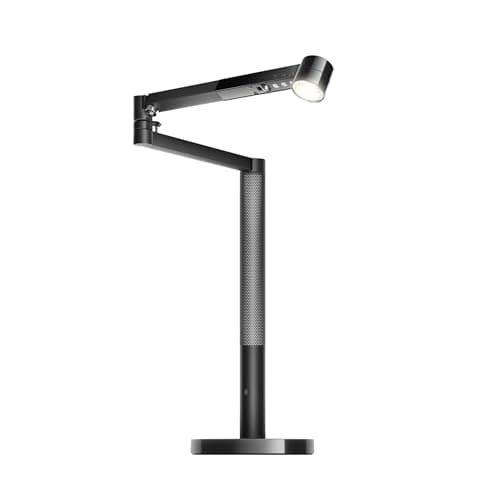
Best Desk Lamp
The best desk lamps for a home office
Two lamps on published Kelvin, CRI and rated life — and why the lower CRI number won.
Top pick: Dyson Solarcycle Morph Desk Light (CD06)
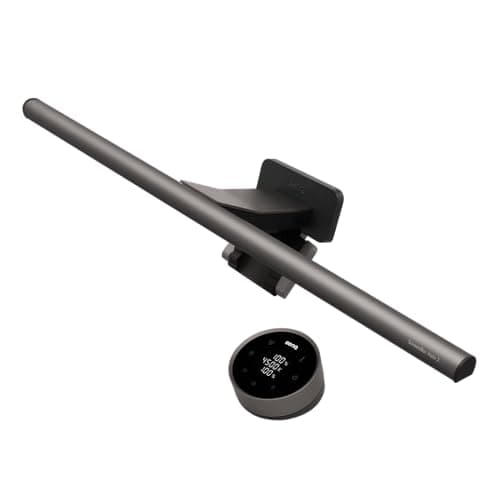
Best Light Bar
The best monitor light bars
Four bars on published Kelvin, CRI and rated life — and an honest look at why two of the CRI figures are blank.
Top pick: BenQ ScreenBar Halo 2
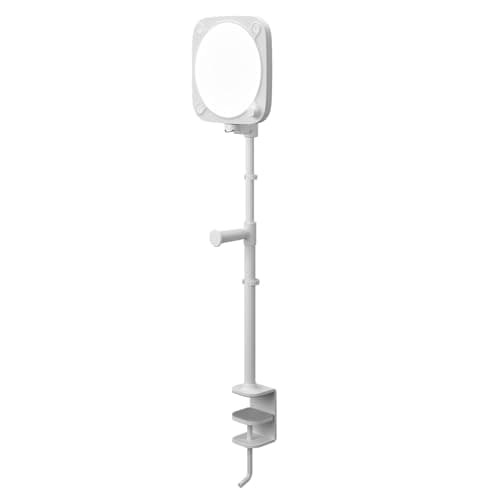
Best Video Call Light
The best video call lighting
Five lights ranked on published lumens, Kelvin range and warranty — plus the power-supply trap that quietly costs you 60% of the brightness you paid for.
Top pick: Elgato Key Light Neo with Clamp
Compared
Desk lamp vs monitor light bar
Two products, two different problems. Which one you need comes down to a single question about your desk.
Guide
What does a monitor light bar actually do?
The mechanism, plainly, before you spend anything — including the ten-second test for whether you need one.
Guide
Lighting for eye strain: what the sources actually say
OSHA and CCOHS recommend office light levels roughly 2.6x apart. What each actually published, why they differ, and what we can't tell you.
Guide
Lighting for video calls
The one desk job where CRI stops being trivia — plus the two free fixes that beat any lamp.
Guide
What color temperature is best for a home office?
Kelvin explained plainly — warm vs. neutral vs. cool, how CRI changes the picture, and why two lighting makers give different 'best for office' ranges.
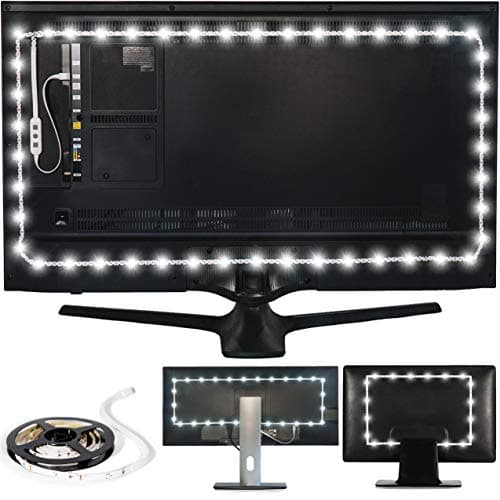
Best Bias Light
The best bias lighting for a monitor or TV
Five strips for behind the monitor, ranked on published 6500K accuracy — including the one RGB entry we kept on the list specifically to show why it's the wrong tool for the job.
Top pick: Luminoodle Bias Lighting, Backlight Kit for Monitors up to 24″
Guide
How to light a home office, in three layers
Ambient, task and bias light solve three different problems. Where each layer goes and how bright it wants to be — every number sourced, our arithmetic labeled.
Guide
How to reduce screen glare
Two kinds of glare, the free repositioning that kills both, and the narrow case where a light bar or lamp helps — because it adds light without touching the glass.
Guide
Are monitor lights worth it?
The plain worth-it verdict on screen bars, bias lights and desk lamps — plus the free test to run before you buy one.
Guide
Where to put a desk lamp
Opposite your writing hand to kill shadows, beside the screen and never over it to avoid glare — the placement rules that matter more than the lamp.
Guide
How many lumens do you need for a desk?
Why lumens is the wrong unit, what OSHA and CCOHS specify in lux and foot-candles, and how the monitor changes the target.
Guide
What is CRI, and why it matters
CRI (Ra) in plain English — what the number means, the deep-red catch a high score can hide, and how it differs from color temperature and lumens.
Compared
Floor lamp vs desk lamp for a home office
A desk lamp lights the work; a floor lamp lights the room. Two layers, not rivals — how to tell which you need, and when the answer is one of each.
Guide
Are LED desk lamps better?
For almost every desk, yes: LEDs run cooler, cheaper and longer than incandescent, halogen or CFL, and switch on instantly. The honest exception is the cheap LED, with its own flaws.
Guide
Are full-spectrum desk lamps worth it?
"Full-spectrum" is an unregulated marketing term. What it gestures at is color rendering (CRI) and color temperature — so buy on those, plus enough glare-free light, not the slogan.
Guide
What is flicker-free lighting?
Flicker is the rapid rise and fall of a light's output. Where LED flicker comes from, why it worsens when dimmed, and a free phone-camera test to spot it — honestly, with no medical claims.
Compared
Clamp desk lamp vs freestanding
A clamp lamp frees the desk surface and locks to the edge but needs a compatible one; a weighted freestanding lamp goes anywhere but eats a footprint. Feature by feature, honestly.
Compared
Bias lighting vs monitor light bar
Not rivals: bias lighting lifts the dark wall behind the screen to soften the surround, while a light bar puts task light on the desk without hitting the screen. Which you need, or both.
Compared
Desk lamp vs overhead lighting
Overhead lighting gives even room fill but leaves the desk shadowed and can glare on the screen; a desk lamp aims adjustable light at the work. Why the answer is usually both, and when one alone is enough.
Compared
Swing-arm vs gooseneck desk lamp
A swing-arm lamp reaches far and repositions across a big desk but takes more room; a gooseneck bends anywhere in a small footprint but reaches short. Feature by feature, honestly.
Guide
Is a desk lamp with a USB port worth it?
When a built-in USB port on a desk lamp genuinely helps, when a dedicated charger or power strip beats it, and why the lamp's light quality still decides the purchase.
Guide
How to position a monitor light bar
Seat it centered on the top bezel, aim the head down at the desk and not your eyes or the screen, balance brightness and color temperature with the room, and check for reflections from your seat -- CCOHS guidance, no medical claims.
Compared
Dimmable vs non-dimmable desk lamp
A dimmable lamp matches brightness to the room and the time of day; a non-dimmable lamp is simpler and cheaper with one fixed output. How to choose, and why dimming is not the same as color temperature.
Compared
Rechargeable vs plug-in desk lamps
Cordless freedom and a clean desk versus constant brightness and no battery to degrade. What each power source actually costs you day to day, and over three years.
Compared
Desk lamp for reading vs computer work
Reading wants bright light on the page; screen work wants softer light off the glass. Same lamp, different placement and brightness — here is how to switch between them.
Guide
How to choose a desk lamp
The specs that actually decide a desk lamp — brightness, color, CRI, flicker, mount, dimming — in the order to weigh them, then straight to the pick.
Guide
How desk lighting affects sleep
Evening light is a timing cue, not eye damage. Why cooler, brighter desk light late can make winding down harder, and how warm and dim helps.
Compared
BenQ ScreenBar Halo 2 vs ScreenBar Pro
Identical published front-light figures, 15W against 8.5W, and one bar has a backlight. Which BenQ to buy, decided from BenQ's own two spec tables rather than from the model names.
Guide
How long do LED desk lamps last?
Rated lives from 25,000 to 181,000 hours, and only one of them cites a threshold. What L70 means, why a bare hour count is not a measurement, and which part of a desk lamp actually dies first.
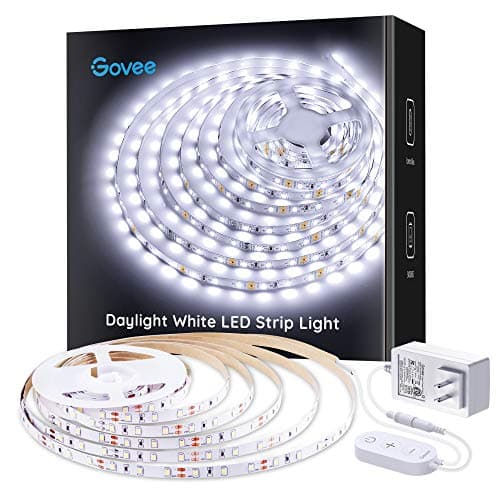
Best Bias Lighting for Two Screens
The best bias lighting for dual monitors
Only one kit in our coverage publishes enough length — 16.4 ft — to light two monitors from a single run and one control box. The other three are single-screen kits you buy twice, and one of them publishes no length at all.
Top pick: Govee Cool White LED Strip Lights 16.4ft, 6500K, Dimmable
$16.99Amazon$19.99 −15%
Best Lighting for a Windowless Office
The best lighting for a home office with no windows
A window does four jobs: ambient, task, screen and face. Five picks, one per layer, ranked on published illuminance and color temperature — including the only lamp in our coverage whose rated life names a standard.
Top pick: Dyson Solarcycle Morph Desk Light (CD06)
Guide
How to set up bias lighting behind a monitor
Six steps, three published numbers and the one mistake that turns a bias light into a glare source. Plus the kit sizing nobody checks until the strip is already on the panel.
The problem is contrast, not darkness
A bright screen in a dim room is the whole issue, and it is worth being precise about why. OSHA’s computer-workstation guidance puts it directly: “High contrast between light and dark areas of the computer screen, horizontal work surface, and surrounding areas can cause eye fatigue and headaches.”
Your eyes keep re-adjusting between a luminous rectangle and a dark surround. The fix is not a brighter room or a dimmer screen — it is narrowing the gap between them. That is what all of this equipment is actually for.
Where the authorities disagree, and why
There is no single correct lux number for a desk, and any page that gives you one is picking a side without telling you. OSHA suggests 20–50 foot-candles for office work, rising to 73 foot-candleswhere LCD monitors are in use — roughly 785 lux by our conversion, and note OSHA publishes foot-candles, not lux. Canada’s CCOHS puts “performance of computer tasks” at 75–300 lux, and hedges its own general 300–500 lux office figure as “not a must” that applies only where no task lamp is in use.
Those are both real, both citable, and they do not agree. The reason is that the monitor is itself a light source, so the question was never “how many lux” — it is how well the desk brightness matches the screen brightness. We work through the whole thing here, conflict and all.
How the category divides
Monitor light bars clamp to the top of your screen and throw light forward onto the desk without hitting the screen. They solve the contrast problem specifically, and they are the right answer for most desks.
Desk lamps light the whole surface. Better if you work with paper, take video calls, or want the desk usable when the screen is off. The lamps that publish real specs are a small field.
Most people need one, not both.
There is a third option that does neither job: bias lightinggoes behind the screen to lift the wall brightness and cut the contrast your eyes fight in a dark room — an eye-comfort fix, not a task light.
Not sure any of it is worth buying? We answer that plainly — including the free ten-second test to run before you spend.
The CRI problem nobody mentions
Every product here leads with a CRI number, and CRI is weaker than the marketing implies. Ra is an average over eight low-saturation test colors and it excludesR9 — deep red, the sample that matters most for skin tones. A lamp can average Ra95 and still render reds badly. CRI is only one axis of the spec, too — the other is color temperature, the Kelvin number, and a high-CRI lamp can still be the wrong warmth for the hour.
The stronger point comes from the CIE, the international body that defined CRI in the first place. They have published a position statement saying Ra “does not agree well with overall perceived color rendering” for LEDs, that the problem is specifically bad for narrow-band LED sources, and that the metric needs replacing. CRI was first published in 1965 and last improved in 1974.
So every Ra>95 sticker on a 2026 lamp is a 52-year-old formula that the organization which wrote it has said in writing is not fit for the light source it is being applied to. It is free to read; it is in our sources.
What the money buys
Honesty about the numbers, oddly. The most expensive lamp we looked at publishes a lowerCRI than the cheaper ones — and it is the better-documented product, because it is the only one that publishes R9 at all, and the only lighting brand on this site that cites an actual standard for its rated-life figure. Everyone else’s 50,000-hour claim rests on a single blanket FAQ line citing nothing.
Which is a good reminder that a bigger number and a better number are different things.
The mistake people make
Buying a light bar for a room that is already well lit. If your problem is not screen-versus-room contrast, this equipment solves nothing. And if you are on video calls, the requirement inverts entirely — you need light on your face, not on your desk, which is a different product — and the five worth ranking split into two Kelvin ranges that do not contain one another.
Two lighting pages deal with the specs rather than the rooms: the ScreenBar Halo 2 against the ScreenBar Pro, where BenQ publishes identical front-light figures for both and nearly twice the wattage for one, and how long LED desk lamps last, where exactly one product in this hub states a threshold with its hour count.