Cable Management
Cable Management
The least glamorous category here and the one with the best ratio of effort to result. An hour and forty dollars is usually the whole job — unless your desk moves, in which case the rules change.

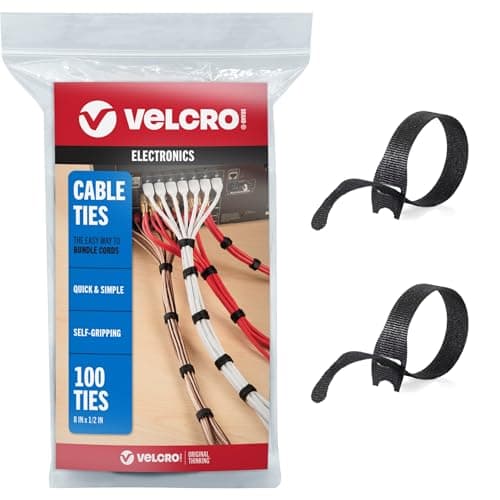
Best Cable Fix
The best under-desk cable management
Two products, three blank spec slots. Why 'Cycle Life: Medium' is the most honest thing VELCRO publishes.
Top pick: VELCRO Brand ONE-WRAP Cable Ties
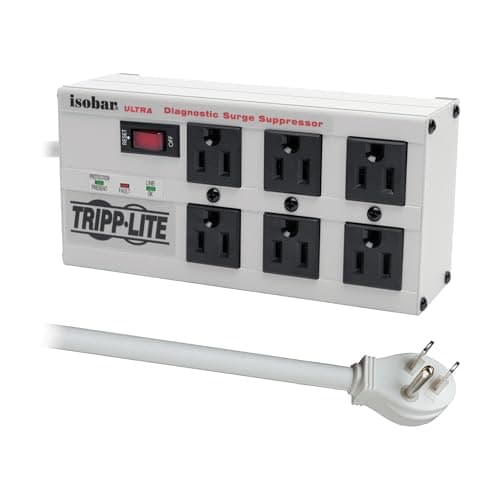
Best Surge Protector
The best surge protectors for a home office desk
Four strips on published joules, outlets and warranty — including the $300,000-guarantee unit whose own warranty is one year, and the metal box you can mount under the desk.
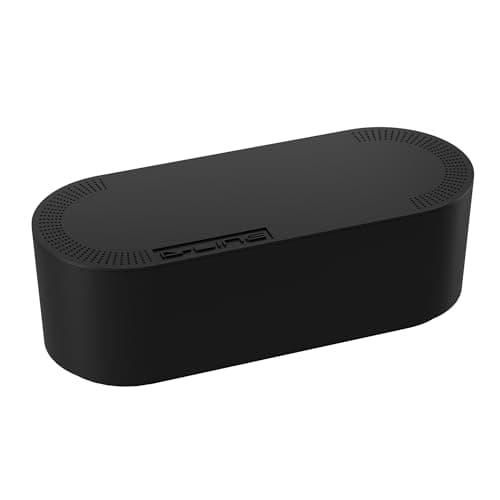
Best Cable Box
The best cable management boxes
The only cable product on this site citing a named safety standard — plus the two D-Line figures we refused to print.
Top pick: D-Line Cable Management Box (Large)
$27.99Amazon$30.19 −7%
Compared
Trays vs sleeves vs clips
Four formats, four jobs. Which combination your desk needs — and which format has the least evidence behind it.
Guide
Cable management for a standing desk
The travel arithmetic for four real desks, why the fix is one cable rather than twelve, and the mistake that unplugs your monitor at full height.
Guide
Cable management for a desk in the middle of a room
The hardest cable layout there is. Why one drop beats twelve, and why the floor crossing is the part to solve first.
Guide
How to hide desk cables
The sequence that gets it done in one pass, and why bundling first is the mistake everyone makes.
Guide
Cable management for dual monitors
Two screens roughly double the cords meeting at one point. Cut the count at the source with a dock or daisy-chain, bundle each screen with a service loop, and gather everything into one run down.
Guide
Cable management without drilling
The no-screw toolkit for renters and glass desks — adhesive channels, hook-and-loop and clamp-on trays — and the honest limits of what tape can hold.
Compared
Power strip vs surge protector for a desk
A power strip only splits outlets; a surge protector adds joule-rated protection. Why most desks want the second — and how a standing desk changes the routing.
Guide
How many outlets do you need for a desk?
Inventory the loads at a real desk, add headroom for growth, choose a surge-protected strip, and wire it without daisy-chaining or overloading the circuit.
Compared
Velcro ties vs zip ties for cables
Reusable hook-and-loop straps vs one-time zip ties - adjustability, over-tightening and cable damage, standing-desk movement, and when a permanent tie still wins.
Compared
Cable raceway vs cable tray
A raceway hides a run along a wall or desk leg; a tray corrals the tangle under the top. Different halves of the problem — compared on install, capacity, looks, and standing desks.
Guide
How to cable manage a laptop dock
Route the dock's fan-out permanently to a tray and leave one reachable lead to the laptop, so you undock with one hand and the mess never comes back.
Guide
How to label cables at a desk
Label both ends of each cable with its destination, do it before you bundle, favor the plug end near the power strip, and re-label when you re-route, so you never crawl under the desk to unplug the wrong plug again.
Compared
Magnetic vs adhesive cable clips
Stick-on clips go on almost any surface but are permanent and can leave residue; magnetic clips grip steel and reposition freely but need a ferrous surface. How to match the clip to the material your desk is made of.
Guide
How to hide a power strip under a desk
Mount the strip to the underside of the desk or a leg, keep it off the floor, and size it up front so you never overload it or chain on a second one.
Guide
How to hide cables on the floor
Route floor cables around the room instead of straight across, cover any walkway crossing with a floor cord protector, and never tuck a cord under a rug or run a permanent desk on a thin temporary extension cord.
Guide
How to shorten cables on a desk
Take up excess cable length without cutting: coil it over-under, strap it with velcro, clip the run, hide the rest in a box, or buy shorter.
Guide
How to install an under-desk cable tray
Choose screw-in, clamp-on, or adhesive by whether you can drill, place it central and shallow, mind the load, and route the strip inside.
Guide
How to route cables through a desk grommet
Feed connectors through in the right order, size the hole to your fattest plug, choose brush or cap, and drop the cables into an under-desk tray.
Guide
Do you need a surge protector for a standing desk?
Yes, for what is plugged in around it — but the standing-desk specs are cord length and mounting, not joules. Published cords of 6 and 7 ft, two strips with keyhole slots, one that clamps to the desk edge.
The best ratio of effort to result on the whole site
An hour and about forty dollars is usually the entire job, and unlike almost everything else here it is permanent once done. Cables do not wear out, go out of date, or need replacing in three years.
Which is why this hub is short on products and long on method. There is very little to buy, and most of what people buy they did not need.
Unless your desk moves
A sit-stand desk changes every requirement in this category, and it is the single most common day-two problem in the whole home-office world.
A desk with twenty inches of travel needs twenty inches of slack at every cable, routed so that nothing snags, nothing pulls a plug at full extension, and the loop does not drag on the floor when you sit back down. Get it wrong and the desk will eventually unplug your monitor mid-meeting, or worse, pull a power brick off a shelf. The method is here, and it is worth reading before the desk arrives rather than after.
How the category divides
Trayshold the mass — power strip, bricks, hubs — under the desk so it travels with the desk rather than dangling. Boxes do the same job on the floor and hide a power strip in a room where the underside of the desk is visible. Sleeves gather a bundle into one line. Clips stop individual cables falling behind the desk when you unplug them. Most people need two of the four.
What we found looking for specs here
This is the least-documented category on the site by a distance, and it is worth saying why that matters.
The most-recommended under-desk tray on Amazon comes from a brand with no manufacturer website at all. Every spec it has — the material, the fire-retardancy claim, the dimensions — exists only in its own Amazon listing copy. There is nothing to check it against. We did not rank it, and that is not a slight on the product; it is that the product cannot meet a standard of “show me where that number came from” because there is nowhere for it to come from.
Meanwhile the biggest name in cable ties publishes no cycle count at all. Their own technical data sheet rates durability as “Cycle Life — Medium”— a descriptive scale, not a number. Any “1,000 reuses” figure you see online is unsourced.
And one cable clip’s Amazon listing claims it fits cables roughly twicethe diameter the manufacturer’s own site states. When a retailer and a manufacturer disagree about the manufacturer’s product, the manufacturer wins.
Exactly one product in this category cites a real safety standard, and it is a plastic box.
The order to do it in
Unplug everything and start from the wall. Get the mass off the floor and onto the desk first — power strip into a tray, bricks in the tray, not hanging. Then run each cable to its device with the slack it needs (twenty inches if the desk moves, near-zero if it does not). Then gather what runs in parallel into a sleeve. Then clip the two or three cables you actually unplug regularly — a phone cable, a laptop charger — so they do not vanish behind the desk. Then stop.
The full walkthrough is here, and if your desk floats in the middle of a room rather than against a wall, that is a genuinely different problem.
The mistake people make
Buying a big kit of everything. You need a tray, probably a sleeve, and a handful of ties. The rest of the kit will sit in a drawer for a decade, which is its own kind of clutter.