The best monitor arms for a standing desk
A desk that moves asks two things of a monitor arm that a fixed desk never does: the clamp has to fit a thicker, often braced edge, and the counterbalance has to hold position through a posture change you make all day. These five are ranked on what their makers publish about both.
By Stephen V.Last reviewed
What each arm publishes about fitting a moving desk
Four columns, and column two is the one a standing desk makes you care about. Only one maker in our coverage fills it in.
| # | Arm | Mounting | Desk thickness published | Weight range | Warranty | Price |
|---|---|---|---|---|---|---|
| 1 | 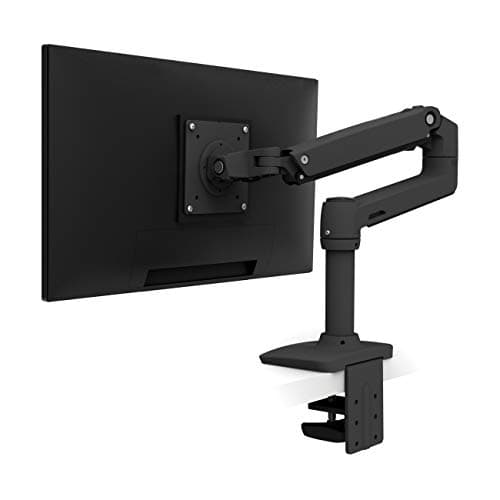 1. Ergotron LX Desk Mount Monitor Arm Most monitors on most sit-stand tops
| Clamp or grommet | — | 7–25 lb | 10 yr | $190.00$219.00−13% Check Price on Amazon |
| 2 |  2. HUANUO TitanLift Heavy Duty Monitor Arm A thick top, a heavy screen, and a published jaw range
| Clamp or grommet | 0.8–3.5″ | 6.6–44 lb | — | |
| 3 | 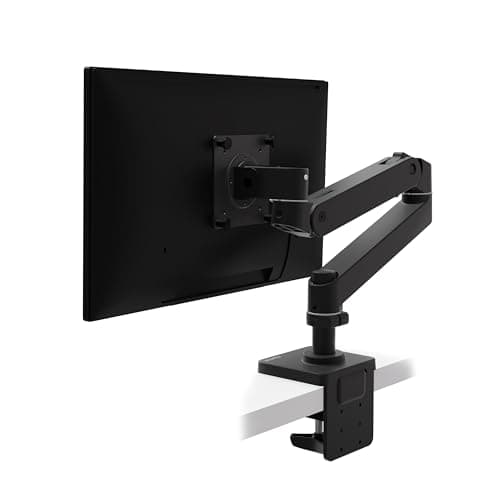 3. Ergotron LX Pro Desk Mount Monitor Arm A light panel that the plain LX would not hold
| Clamp or grommet | — | 4–22 lb | 10 yr | $189.99$199.00−5% Check Price on Amazon |
| 4 | 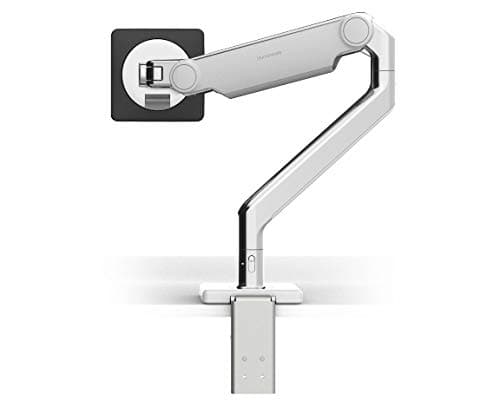 4. Humanscale M2.1 Buying the arm once
| Clamp or grommet | Stated in the install manual | 5–15.5 lb | 15 yr | |
| 5 | 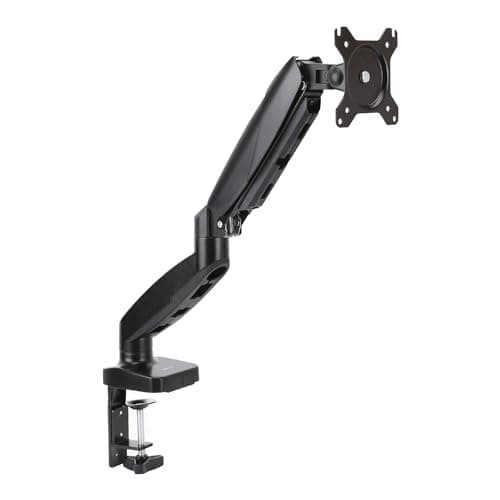 5. Amazon Basics Gas Spring Single Monitor Arm Getting the screen off the desk for the least money
| Clamp or grommet | — | 4.4–15.4 lb | 1 yr |
The dashes in column two are the reason this page exists. HUANUO publishes a jaw range on its own listing. Humanscale documents clamp and grommet mounting with stated edge and panel thickness limits in the M2.1 installation manual — a document worth opening before you buy, though we do not reprint its figures. Ergotron publishes the clamp-or-grommet option and no jaw range we can cite: ergotron.com returns 403 to automated access, and we will not copy a thickness figure off a retailer listing to fill a column. Weight ranges are the ones cited on the monitor arm roundup and the heavy-duty roundup. The warranty column is a published term, not a durability measurement — nobody publishes cycle data for posture changes, and neither do we.
Prices and stock as of November 8, 2026, from Amazon’s API. They change; we show a live number or none at all. #ad — we earn a commission.
The short answer: the Ergotron LX, because it publishes the widest weight window of any arm we rank (7–25 lb, both ends), carries 13″ of its own travel, and is covered for ten years. If your sit-stand top is thick or braced under the edge, the HUANUO TitanLiftis the only arm here that publishes the thickness its clamp accepts — 0.8″ to 3.5″ — and if your panel is light, the LX Pro drops the floor to 4 lb.
Why a sit-stand desk changes which arm you want
That an arm belongs on a standing desk is settled on its own page: the surface is set to your hands, your eyes are a separate reference that moves by a different amount when you stand, and a screen bolted to the top cannot correct for either. That is the geometry argument, and this page assumes it.
What is left is a hardware question, and a sit-stand desk tilts it in three specific ways. The clamp has to close on a top that may be thicker than a conventional desk and may have a steel apron or cross-brace immediately under the edge. The counterbalancehas to hold position through a posture change you make several times a day, which means your monitor has to sit inside the arm’s published window rather than at an end of it. And the arm’s own travel has to cover the gap between how far the desk rises and how far your eyeline does.
None of those is a different categoryof arm — there is no such thing as a standing-desk-specific monitor arm, and anyone selling you one is selling you a sticker. They are the ordinary specs, weighted differently.
What to look for, in order
First, the mounting options and the thickness. Every arm on this page can mount by C-clamp or through a grommet hole, which is what saves you when the clamp will not seat. The thickness question is where the category lets you down: only HUANUO publishes a jaw range, Humanscale states limits inside its installation manual, and Ergotron publishes the option without a figure we can cite. So get a tape measure on your own top before you order, and check the underside of the edge for a brace while you are there.
Second, the weight floor as well as the ceiling.Almost every competing roundup prints only the maximum, and the minimum is the number that decides whether the arm holds a screen up. Below the floor a counterbalanced arm creeps upward; above the ceiling it sags no matter how you tension it. Four of the five arms here publish both ends — 7–25 lb, 6.6–44 lb, 4–22 lb, 4.4–15.4 lb — and Humanscale publishes two slightly different minimums in two of its own documents. Go and read your monitor’s real weight off its spec sheet rather than guessing: how much does a monitor weigh is the short version.
Third, the arm’s own travel. On a fixed desk you set the height once. On a sit-stand desk you are asking the arm to make up a gap in both directions, several times a day, which is the one place a published lift figure earns its place in a buying decision. The LX states 13″; the TitanLift states 19.6″ of height adjustment and 22.5″ of extension; Humanscale and Amazon Basics publish no travel figure for their arms at all.
Fourth, the longevity figure. As everywhere on this site, the third Spec Line slot is the one that survives the purchase, and here it splits the page cleanly: 15 years from Humanscale, 10 from both Ergotrons, 1 from Amazon Basics, and nothing at all published by HUANUO. That is a comparison of published terms, not of durability — but it is the only forward-looking promise any of these makers actually writes down.
The column almost nobody fills in
We built the comparison table for this page expecting the clamp range to be the easy column. It is the emptiest one.
HUANUO states 0.8″ to 3.5″on its own listing, which is a usable number: measure your top, check it falls inside, done. Humanscale’s M2.1 installation manual documents clamp and through-desk mounting with stated edge and panel thickness limits, which is the next best thing — a document you can open before you buy. Ergotron publishes that the LX “mounts by C-clamp or grommet” and, as far as we can read its own material, no jaw range; ergotron.com returns 403 to automated access and the figure is not in our Phase 0 record either. Amazon Basics publishes a weight window and a screen-size limit and nothing about the desk.
We could fill that column from a retailer listing in about four minutes. We are not going to, because a clamp range copied off somebody else’s description of a product is exactly the figure that turns out to be wrong on the one desk it mattered for. A dash is an honest gap; a wrong jaw range is a returned arm and a gouged desk edge.
What the moving desk does to your cables
One thing an arm makes slightly worse before it makes it better. A sit-stand desk drags every cable up and down all day; put the monitor on an arm and the arm’s travel stacks on top of the desk’s, so the video and power runs have to survive a longer sweep than either alone would ask for.
The fix is mechanical and it is not optional: a deliberate service loop with enough slack to feed out at full standing height, gathered and routed so it does not pool into the lift mechanism when the desk drops. Too tight and it unplugs itself or drags the run; too loose and it fouls the frame. Reusable ties are better than zip ties here because you will get the length wrong the first time. The routing, step by step, is on standing desk cable management.
What we can’t tell you
We have not clamped any of these arms to a sit-stand desk and raised it a thousand times. Nobody publishes cycle data for that, which is why there is no claim on this page that a moving desk wears an arm out faster, and no table column pretending to rate “standing desk durability”. Everything above is read off the manufacturers’ own published material — weight windows, mounting options, travel, warranty terms — and cited so you can check it.
What we also cannot tell you is whether a particular clamp will bite yourdesk edge without flexing the top, because that depends on a specific frame, a specific thickness and a specific brace we have never seen. Measure it, prefer a grommet mount if the edge is braced or unusually thick, keep your monitor inside the published weight window rather than at either end, and buy the longest warranty you can justify — which is as far as published specs go before hands on the hardware takes over.
The picks, in detail
1. Most monitors on most sit-stand tops
Ergotron LX Desk Mount Monitor Arm
The widest published weight window of any arm we rank — 7 to 25 lb, both ends stated — with 13 inches of its own travel and ten years of warranty. On a desk that gets re-aimed twice a day, that combination is the whole argument.
- Weight range
- 7–25 lb
- VESA
- MIS-D 75/100, ≤34"
- Warranty
- 10 yr
A sit-stand desk changes which arm specs matter rather than which arm is good. You will move this thing every time you change posture, which puts the weight window and the warranty ahead of almost everything else — and on both, the plain LX is the arm to beat.
7 to 25 lb, with Ergotron publishing both ends. The ceiling is the highest of the counterbalanced single arms here and covers most 32″ panels; the floor is the number to check against your own screen, because a counterbalanced arm below its minimum drifts upward and one above its maximum sags. Either failure gets worse on a desk you keep re-aiming, because you notice it twice a day instead of never.
It also brings 13″ of vertical travel in the arm itself. That matters more here than on a fixed desk: when the surface rises to standing height your eyeline rises by a different amount, so the arm has to make up a gap in eitherdirection — the mechanism the standing-desk arm guide sets out in full. And it mounts by C-clamp or grommet, which is the escape hatch when a sit-stand frame runs a cross-brace exactly where a clamp wants to bite.
The honest catches. The 7 lb flooris the highest of the counterbalanced singles here — a stripped 24″ panel can land under it, which is what the LX Pro below exists for. Ergotron does not publish a clamp jaw range we can print, so you still have to measure your own top. And the 10,000-cycle motion figure quoted for this arm is Ergotron’s own internal test, not a third-party standard.
Good
- 25 lb ceiling — the highest of any arm here, and enough for most 32" panels
- 10-year warranty, published on the product page rather than implied
- 13" of vertical travel
- Ergotron publishes both ends of the weight range, which most brands do not
- MIS-D covers both 75×75 and 100×100, the two patterns nearly every monitor uses
Not so good
- The 7 lb floor is the highest of the three counterbalanced single arms here — a light 24" panel may sit under it
- Ergotron's 10,000-cycle motion test is their own internal test, with no third-party standard cited
- No UL, ANSI or BIFMA claim of any kind — like every arm on this page
Don’t buy it if: your monitor weighs under about 7 lb. A bare 24" panel with the stand removed can land at 5–6 lb, and below the floor a gas-spring arm will not hold position — it drifts down. The LX Pro's 4 lb minimum exists for exactly this case.
$219.00 −13%
Price as of November 8, 2026. #ad — we earn a commission.
Where these numbers came from
2. A thick top, a heavy screen, and a published jaw range
HUANUO TitanLift Heavy Duty Monitor Arm
The only arm in our coverage that publishes the number a standing desk actually makes you check: it clamps or grommet-mounts to tops from 0.8 to 3.5 inches thick. It also holds 44 lb and states no warranty term at all.
- Weight range
- 6.6–44 lb
- VESA / size
- 75/100mm, ≤49″
- Warranty
- —
Here is the finding that sent this page to second place rather than fifth. Every arm here mounts by clamp or grommet. Exactly one tells you what thickness of desk the clamp will accept: HUANUO publishes 0.8″ to 3.5″for the TitanLift on its own listing. On a sit-stand desk that is not trivia — a solid-wood or laminate sit-stand top can run thicker than a cheap fixed desk, and the frame may put steel under the edge where the jaw needs to close.
The rest of the spec is built for a big screen on a moving surface: 6.6 to 44 lb with both ends published, 22.5″ of extension and 19.6″of height adjustment, +50/-50° tilt, and support for panels up to 49″. If you run an ultrawide and push it back at standing height, that extension range is the thing you use every day.
The counterweight is the third Spec Line slot, and it is a dash. HUANUO publishes no warranty term of any kindon this listing — against Ergotron’s ten years and Humanscale’s fifteen, that is the entire trade for the price. Its VESA head caps at 100 × 100 mm, so a 200 mm pattern needs an adapter, and the 50,000-cycle and 3×-load figures it quotes are its own internal tests rather than an independent certification.
Good
- 44 lb ceiling — matched only by the ULTRARM here, and well above the Ergotron — for entry-level money
- Publishes both ends of the range, 6.6 to 44 lb, so the floor is low enough for a mid-weight panel as well as a heavy one
- Fits screens from 17″ up to a 49″ ultrawide, with +50/-50° tilt, 180° swivel and 360° rotation
- Generous articulation for the price — up to 22.5″ of extension and 19.6″ of height
- Clamps or grommet-mounts to desks from 0.8″ to 3.5″ thick
- HUANUO states it passed a 50,000-cycle motion test and a 3x static-load test — its own tests, but published
Not so good
- No published warranty term of any kind — the third Spec Line slot is a dash, and against Ergotron's 10 years that is the whole trade for the lower price
- VESA caps at 100×100mm, so a big 40″+ panel that uses the 200mm pattern will not fit without an adapter
- The 50,000-cycle and 3x-load figures are HUANUO's own internal tests, not a third-party standard
- It is an Amazon-native brand with no history to fall back on if something goes wrong out of the return window
- A gas/spring movement rather than the Ergotron's cylinder-free mechanical one — the realistic long-term failure mode for the category
Don’t buy it if: your screen uses a 200×200 VESA pattern, or a published multi-year warranty is what makes you comfortable spending. The TitanLift caps at 100mm and states no warranty term — the Ergotron and the Hexcal take 200mm, and Ergotron backs it for a decade.
Price as of November 8, 2026. #ad — we earn a commission.
Where these numbers came from
- HUANUO TitanLift Heavy Duty Monitor Arm (B0DQ19YC9H) — Amazon product listing (HUANUO's own): up to 44 lb (6.6–44 lb range), max VESA 100 x 100mm, +50/-50° tilt, 50,000-cycle and 3x load tests; the listing publishes no warranty term — read 2026-07-29
- HUANUO TitanLift Heavy Duty Monitor Arm (B0DQ19YC9H) — HUANUO's own Amazon listing, the source of the only published clamp range in our coverage: “clamps or grommet-mounts to desks from 0.8″ to 3.5″ thick”, alongside the 6.6–44 lb range, 100 × 100mm maximum VESA, 22.5″ extension and 19.6″ of height (figure recorded at the read shown; the listing publishes no warranty term) — read 2026-07-29
3. A light panel that the plain LX would not hold
Ergotron LX Pro Desk Mount Monitor Arm
The 4 lb floor — the lowest of any counterbalanced arm we rank — on the same ten-year warranty as the standard LX. It is the arm for a light panel, and it is not the upgrade the name implies.
- Weight range
- 4–22 lb
- VESA
- MIS-D, ≤34"
- Warranty
- 10 yr
Say the plain thing first: the LX Pro is not a better LX, it is a differently ranged one. The floor drops from 7 lb to 4 lb; the ceiling drops from 25 lb to 22 lb. Which one you want depends entirely on which end of the window your monitor sits near, and the model names tell you nothing useful about that.
On a sit-stand desk the light end is where people get caught. A modern 24″ or 27″ panel with the factory stand removed can come in at five or six pounds, which is underthe plain LX’s minimum — and an under-weighted counterbalanced arm creeps upward on its own. On a desk that never moves you might live with that; on one you re-aim every time you stand, you will be fighting it all day. The Pro’s 4 lb floor is the fix, and it keeps the same 10-year term and the same clamp-or-grommet mounting.
Its limits are real and worth stating: the 22 lb ceiling is three pounds lessthan the cheaper, older LX, so a heavy 32″ rules it out entirely. Ergotron publishes no cycle-test figure for this model where it does for the LX. And like every Ergotron here, no clamp jaw range we can print — so get a tape measure on your own top first. Weigh the panel properly before you choose between the two: see how much does a monitor weigh.
Good
- 4 lb minimum — the lowest floor of any counterbalanced arm here, by 1 lb
- Same 10-year warranty as the standard LX
- The right answer for a light panel that the standard LX would not hold up
Not so good
- 22 lb ceiling — 3 lb LESS than the cheaper, older LX, despite the "Pro"
- Ergotron publishes no cycle-test figure for this model, unlike the LX
- The name strongly implies a straight upgrade. It is not one.
Don’t buy it if: your monitor is over 22 lb. The plain LX holds 25 and generally costs less — this is the one case where the "Pro" is unambiguously the wrong purchase, and the model name actively works against you.
$199.00 −5%
Price as of November 8, 2026. #ad — we earn a commission.
Where these numbers came from
4. Buying the arm once
Humanscale M2.1
Fifteen years, named in Humanscale's own terms, on a mechanical spring rather than a gas cylinder — plus a counterbalance indicator you set before the monitor goes on. It was also superseded in January 2026, and the number now shown on its own product page belongs to the replacement.
- Weight range
- 5–15.5 lb
- VESA
- 75/100mm
- Warranty
- 15 yr
If the plan is to buy one arm and keep it as long as the desk, this is the longest published commitment in our coverage: 15 years, with Humanscale naming the M2.1 explicitly in its terms rather than waving at a brand-wide promise. The mechanism is a mechanical spring counterbalance rather than a gas cylinder, which removes the failure mode a long warranty usually has to cover.
Two things about it suit a moving desk specifically. The counterbalance indicator lets you set the tension to match your screen beforeyou hang it, which is the difference between an arm that holds its position through a posture change and one that sinks a centimeter each time. And Humanscale’s desk-mount installation manual documents both clamp and through-desk grommet mounting with stated edge and panel thickness limits — the document to read before you buy if your sit-stand top is unusually thick or has an apron.
Now the trap, because it is live and it is on Humanscale’s own site. The M2.1 was replaced by the M2 Pro in North America on 26 January 2026, and the /m-21URL now leads with M2 Pro material including “up to 22 lbs”. That figure is the replacement’s. The arm this entry links is rated 5 to 15.5 lb— the second-lowest ceiling here, and genuinely too low for a heavy panel. Humanscale’s own two documents also disagree about the minimum (5 lb in the capacity sheet, 5.5 lb in the install manual), and it publishes no travel figure for the arm at all. If the counterbalance indicator is green, you have the 15.5 lb arm, whatever the listing said.
Good
- 15-year warranty — the longest here, and Humanscale names the M2.1 explicitly in its terms rather than covering it with a vague brand-wide promise
- Mechanical spring counterbalance rather than a gas cylinder
- A counterbalance indicator that lets you set tension before the monitor goes on
- Publishes separate, lower limits for curved screens (12.5 lb) and notebook holders (10.5 lb) — detail almost nobody else gives
Not so good
- SUPERSEDED: replaced by the M2 Pro in North America on 26 January 2026
- The "up to 22 lbs" now shown on Humanscale's own /m-21 page is the M2 Pro's figure, not this arm's
- Humanscale's own two documents disagree about the minimum — 5 lb in the capacity PDF, 5.5 lb in the installation manual
- 15.5 lb ceiling is the second-lowest here
- Humanscale does not publish a lift/travel figure for this arm
Don’t buy it if: you are buying from a listing that advertises 22 lb. That figure belongs to the M2 Pro, which is a different arm. If the counterbalance indicator is green, you have bought this one — 15.5 lb — regardless of what the listing said.
Price as of November 8, 2026. #ad — we earn a commission.
Where these numbers came from
- Humanscale M2.1 / M2 Pro product page — the URL now leads with M2 Pro figures — read 2026-07-16
- Humanscale Monitor Arms Weight Capacity (PDF, v20240301) — M2.1 at 5–15.5 lbs (2.3–7 kg) — read 2026-07-16
- Humanscale M2.1 Desk Mount installation manual (PDF) — states 5.5–15.5 lbs (2.5–7 kg) — read 2026-07-16
- Humanscale M/Class monitor arm upgrade page — M2 Pro replaces M2.1, NA launch 26 January 2026, green vs red indicator — read 2026-07-16
- Humanscale terms and conditions — warranty table naming M2.1 at 15 years — read 2026-07-16
5. Getting the screen off the desk for the least money
Amazon Basics Gas Spring Single Monitor Arm
The cheapest way to get a screen off a moving surface, with a published 4.4–15.4 lb window and a one-year warranty. The spec is first-party for an unusual reason: Amazon owns the brand, so the listing is the spec sheet.
- Weight range
- 4.4–15.4 lb
- VESA
- 75/100, 15–27"
- Warranty
- 1 yr
A sit-stand desk is the one place where even a cheap arm earns its money immediately, because the alternative — a riser, a stack of books, the monitor’s own stand — cannot re-aim at all once the surface moves. If the budget is gone after the desk, this gets the screen onto something that articulates for very little.
It publishes both ends of its window, 4.4 to 15.4 lb, which several pricier brands do not, and that 4.4 lb flooris the lowest of any counterbalanced arm we rank — useful for the light panels that trouble the plain LX. The figures are first-party in a way that looks like a retailer listing and is not: Amazon owns Amazon Basics, so there is no separate manufacturer page being paraphrased.
What you give up is everything after the purchase. One year of warranty against ten and fifteen above it, on a gas-spring mechanism whose realistic failure mode is exactly the sag a long warranty exists to cover. The 15.4 lb ceiling and 27″ screen limitare the tightest envelope here, it publishes no travel figure, and no clamp jaw range — so measure your top and keep the box.
Good
- Publishes both ends of the weight range — 4.4 to 15.4 lb — which several pricier brands do not
- 4.4 lb floor is the lowest of any counterbalanced arm here
- By a distance the cheapest arm on this page
Not so good
- 1-year warranty against 10 from Ergotron and 15 from Humanscale
- 15.4 lb ceiling and a 27" screen limit — the tightest envelope here
- No lift/travel figure published
- No cycle test, and no third-party standard claimed
Don’t buy it if: you plan to keep it. The arm itself may well outlast its cover, but one year against ten is the entire argument for spending more — and a gas spring that has sagged is exactly the failure a long warranty is for.
Price as of November 8, 2026. #ad — we earn a commission.
Where these numbers came from
The small stuff that finishes the job
Inexpensive parts that make the main purchase work properly. They are not picks and they are not ranked — each one is here because this page describes the job it does, and each carries the same published-spec treatment as everything else we link.
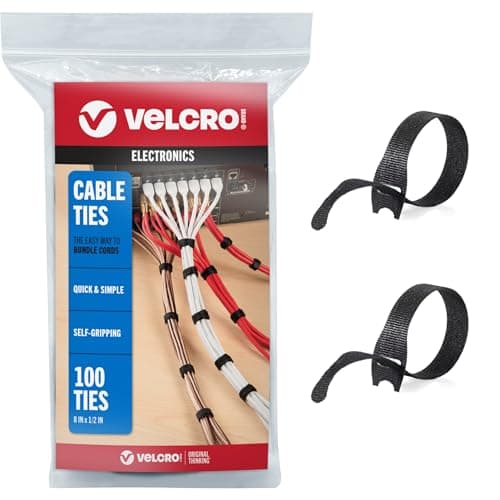
VELCRO Brand ONE-WRAP Cable Ties
A sit-stand desk drags every cable up and down all day. Reusable ties let you re-do the service loop after the first attempt comes up short at full height.
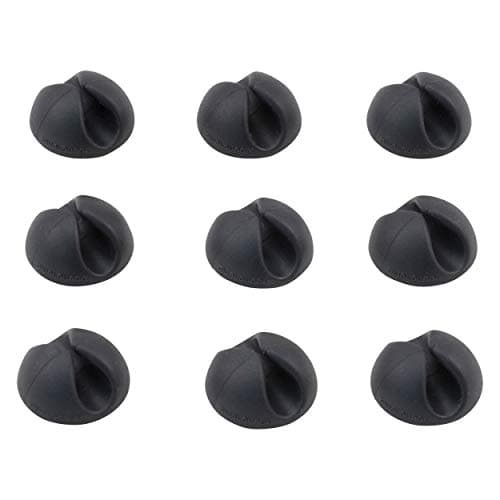
Bluelounge CableDrop Mini
Keeps the cables you unplug daily from dropping behind the desk each time it rises.
Prices as of November 8, 2026, from Amazon’s API. They change; we show a live number or none at all. Why these are affiliate links.
Common questions
Will a monitor arm clamp fit a standing desk?
Measure the top before you buy, because this is the one desk where the answer is often no. Arms mount either by a C-clamp over the edge or through a grommet hole in the surface, and a sit-stand top can be thicker than a clamp’s jaw expects — or have a steel apron or cross-brace running right under the edge where the clamp needs to close. Of the arms here, only HUANUO publishes its range (0.8″ to 3.5″); Humanscale states thickness limits in the M2.1 install manual. If the clamp will not seat, plan a grommet mount instead — every arm on this page offers both. The full fit check is on will a monitor arm fit my desk.
Do I need a monitor arm at all if the whole desk goes up?
Yes, and the reason is a reference mismatch rather than a preference. A desk height — sitting or standing — is set from your hands; a monitor is an eyes problem, and your eyeline does not rise by the same amount the surface does when you stand. A screen resting on the desk climbs exactly as far as the desk travels, so the height that was right seated is wrong standing, and the tilt and distance are wrong too. Only a mount that moves independently can re-aim for both postures. The geometry is laid out on why a monitor arm matters more on a standing desk.
Does a standing desk need a heavier-duty arm than a fixed desk?
Not heavier-duty — better matched. The load on the arm is your monitor’s weight either way, and nobody publishes cycle data showing that posture changes wear an arm out faster, so we are not going to claim it. What a moving desk does change is how often a mismatch annoys you: an arm set up outside its published weight window drifts up or sags down, and on a desk you re-aim twice a day you will notice that every time. Weigh the panel, put it in the middle of the arm’s range rather than at an end, and tension the counterbalance properly — see VESA and weight ratings.
How much cable slack does a monitor on a standing desk need?
Enough to survive the desk’s full travel with the arm extended, which is more than people expect because the two stack. The desk climbs, and the arm adds its own range on top — 13″ on the LX. Too little slack and the cable goes taut at standing height, pulling its own plug or dragging the whole run; too much, badly routed, and it pools into the lift mechanism when the desk drops. The fix is a deliberate service loop, gathered so it feeds out and back cleanly. We walk through the routing on standing desk cable management.
Is a dual arm a problem on a sit-stand desk?
It is the same two checks, doubled, plus one more. Both screens have to sit inside the arm’s published per-head weight window, the clamp has to carry twice the moment at the desk edge, and the cable service loop now has two video runs and two power runs in it. The arms here are single mounts; if you need two screens, the published ranges and the mounting options are set out on the dual monitor arm roundup, and the choice between one dual arm and two singles — which matters more on a desk you re-aim — is on dual arm vs two single arms.
Sources
Every figure on this page comes from one of these. If a manufacturer doesn’t publish a number, we print “—” rather than estimate it.
- Ergotron LX Desk Monitor Arm (45-241-026) product page — weight range, VESA, lift, warranty — read 2026-07-16
- Ergotron LX Desk Monitor Arm specification sheet (PDF) — read 2026-07-16
- Ergotron LX Pro Desk Mount Monitor Arm (45-682) product page — weight range, VESA, warranty — read 2026-07-16
- Humanscale M2.1 / M2 Pro product page — the URL now leads with M2 Pro figures — read 2026-07-16
- Humanscale Monitor Arms Weight Capacity (PDF, v20240301) — M2.1 at 5–15.5 lbs (2.3–7 kg) — read 2026-07-16
- Humanscale M2.1 Desk Mount installation manual (PDF) — states 5.5–15.5 lbs (2.5–7 kg) — read 2026-07-16
- Humanscale M/Class monitor arm upgrade page — M2 Pro replaces M2.1, NA launch 26 January 2026, green vs red indicator — read 2026-07-16
- Humanscale terms and conditions — warranty table naming M2.1 at 15 years — read 2026-07-16
- Amazon Basics Gas Spring Single Monitor Arm — Amazon is the brand owner, so this listing is the manufacturer's spec — read 2026-07-16
- HUANUO TitanLift Heavy Duty Monitor Arm (B0DQ19YC9H) — Amazon product listing (HUANUO's own): up to 44 lb (6.6–44 lb range), max VESA 100 x 100mm, +50/-50° tilt, 50,000-cycle and 3x load tests; the listing publishes no warranty term — read 2026-07-29
- HUANUO TitanLift Heavy Duty Monitor Arm (B0DQ19YC9H) — HUANUO's own Amazon listing, the source of the only published clamp range in our coverage: “clamps or grommet-mounts to desks from 0.8″ to 3.5″ thick”, alongside the 6.6–44 lb range, 100 × 100mm maximum VESA, 22.5″ extension and 19.6″ of height (figure recorded at the read shown; the listing publishes no warranty term) — read 2026-07-29
Read next
VIVO vs UPLIFT standing desk
The desk under the arm: what the cheap electric desk and the expensive one publish about floor height, capacity and top thickness.
Why a monitor arm matters more on a standing desk
The geometry behind this page: the desk is set to your hands, your eyes are a separate reference, and a fixed riser cannot serve two postures.
The best monitor arms
The general ranking, where the Ergotron and Humanscale weight windows on this page are researched in full.
The best heavy-duty monitor arms
If your screen is past 25 lb — including the TitanLift's 44 lb ceiling and the arms above it.
Standing desk cable management
The service loop a moving desk forces on you, which the arm's own travel makes longer.
Will a monitor arm fit my desk?
The clamp, grommet and edge checks to run with a tape measure before you order.
How much does a monitor weigh?
Read the real figure off your panel's spec sheet — it decides which of these arms can hold it.