The best under-desk keyboard trays
Almost everyone buying a keyboard tray is trying to fix the same thing: a desk that is too tall. So we ranked on the number that decides it — the drop below the desktop — and found that the category can barely agree on what it is measuring from.
By Stephen V.Last reviewed
Quick picks
Ranked, with the manufacturer’s own longevity figure next to each one. Tap a row to jump to the full write-up.
| # | Product | Best for | Longevity | Price |
|---|---|---|---|---|
| 1 | 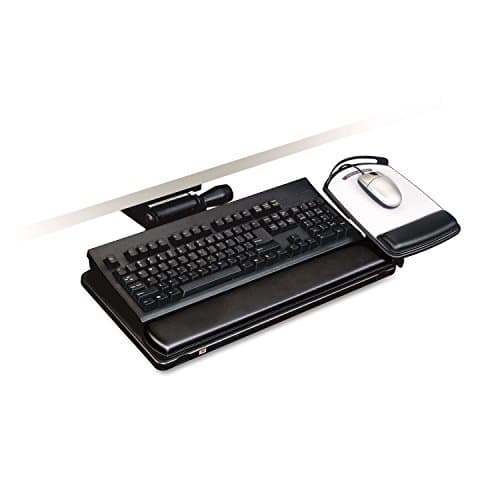 3M Easy-Adjust Keyboard Tray, Adjustable Platform, 23″ Track (AKT150LE) The most drop published by anyone here — six inches below the mounting surface — with height and tilt on separate controls and a lifetime warranty on the arm. It is also the one that needs the deepest desk and the most drilling. | A desk that is genuinely too tall | Lifetime arm / 5 yr platformWarranty | |
| 2 | 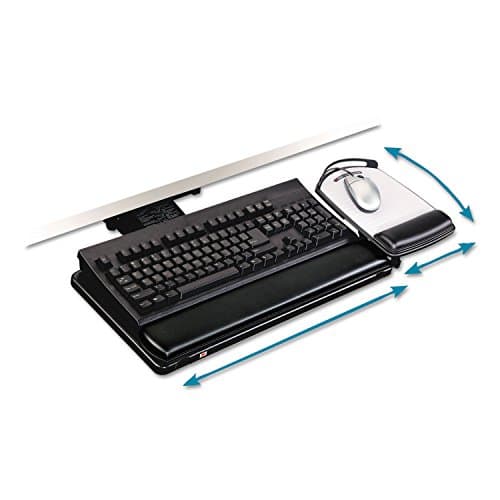 3M Knob-Adjust Keyboard Tray, Adjustable Platform, 17.75″ Track (AKT80LE) The same published-numbers discipline and the same lifetime arm warranty as the flagship, on a shorter track for a shallower desk. You give up an inch and a half of drop and independent control of tilt — and you still have to drill it. | A shallower desk, without giving up the arm | Lifetime arm / 5 yr platformWarranty | |
| 3 | 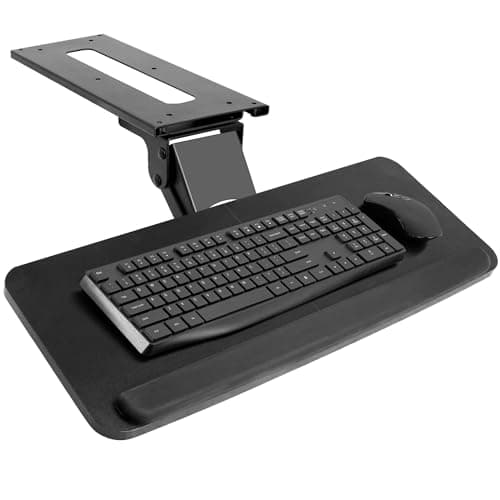 VIVO MOUNT-KB03B Under Desk Keyboard Tray Publishes −22° of backward tilt — the most on this page by a distance, from the cheapest bolt-on here. What it does not publish is where its five inches of height range actually start, which is why the first slot is a dash. | The most negative tilt for the least money | 3 yrWarranty | $53.99Amazon $69.99 −23% |
| 4 | 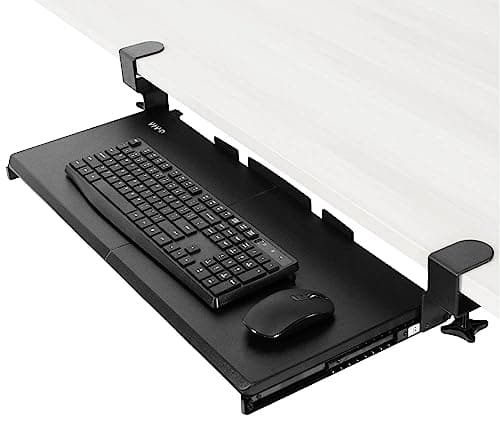 VIVO MOUNT-KB05E Clamp-on Keyboard Tray The only tray here that tells you exactly where it ends up — and the honest consequence is that it ends up 2.75 inches down at most. It clamps on without tools and clears your desk. It will not fix a desk that is too tall. | No drilling, and a bigger platform | 3 yrWarranty |
Prices as of Sep 7, 2026, from Amazon’s API. They change; we show a live number or none at all.
Nearly everyone shopping for a keyboard tray is trying to solve one problem, and it is not clutter. It is that the desk is too tall.
That is not a hunch. It falls out of the arithmetic we publish on the desk height calculator: working from ANSUR anthropometric medians, a seated desk height comes out at roughly 26.6″ for the median man and 24.4″ for the median woman, while a conventional fixed desk hands you 29″. So the median man is typing about two and a half inches too high and the median woman about four and a half. A keyboard tray is the cheapest device that closes that gap without replacing the desk.
Which makes the ranking criterion obvious. The spec that decides this purchase is how far below the desktop the tray actually goes. Everything else — platform size, wrist rests, swivel, gel pads — is secondary to whether the thing reaches your elbows.
And that is where the category falls apart. Not because the number is hard to publish, but because the four manufacturers we could read publish it from three different starting points, or do not publish it at all.
What we ranked on, and why
OSHA writes the criteria for us, in one sentence about keyboard trays: “The keyboard tray should: Be adjustable in height and tilt. Provide adequate leg and foot clearance.” Height, tilt, clearance. So:
- Drop below the desktop. The published figure for how far the tray goes down, and the datum it is measured from. This is the ranking spec.
- Tilt range, negatively.Forward tilt is the direction that hurts — OSHA’s own line is “Do not use keyboard feet if they increase bending of the wrist”. Backward tilt is the direction worth paying for, and it is the thing a tray can do that a keyboard mostly cannot.
- Warranty, in years. The longevity slot, as on every product page here. A tray is a moving mechanism carrying a load for several thousand hours a year.
What we deliberately did not rank on: gel wrist rests, mouse-pad surfaces, recycled content, and anything to do with how a tray looks. Also not ranked: comfort. We have not typed on any of these, and a comfort verdict from someone who has not is an invented one.
The datum problem
Here is the finding, and it is the reason this page exists in this shape.
3M measures from the mounting surface. Its AKT150LE datasheet says the tray “can easily be raised up to 4 inches above and 6 inches below the mounting surface”. The mounting surface is the undersideof your desktop — the face the track screws to.
VIVO measures its clamp-on tray from the desk surface. The KB05E page says “Orientation: Tray sits 1.5″ to 2.75″ below the desk surface”. That is the top— the side you rest your hands on.
VIVO measures its bolt-on tray from nothing at all. The KB03B page, same template, says only “Height Adjustment Range: 5″”. Five inches of travel, starting somewhere unstated.
Mount-It! does not publish a height figure at allon the model whose spec block we could read, despite the bullet points on that same page promising that “height adjustability helps create an ergonomic working environment”.
You cannot line those four up in a column and compare them, and we have not pretended to. Converting between the first two needs your desktop’s thickness — which sits between the two datums — and the platform’s own thickness, which works in the opposite direction. Neither is published as part of either figure. So treat the drops as accurate to about an inch, take a tape measure to your own desk, and remember which end each manufacturer is counting from.
Why two of the four are 3M
This is not brand loyalty and 3M has not paid for anything. It is what happens when you rank a category on a spec only some of it publishes.
3M puts out a per-model datasheet that states the track length, the minimum mounting depth the track needs, the tilt range in degrees in both directions, the travel above and below the mounting surface, and a warranty split three ways across the arm, the platform and the wrist rests. It even prints a comparison table of its own models on the same sheet, which is a manufacturer inviting you to notice that its cheaper arm drops less far. We did not have to go looking for those numbers; they were the document.
VIVO earns its two places for a related reason. It publishes a genuine spec block on its own site — capacity, tray size, tray thickness, track dimensions, minimum desktop thickness, warranty — at a fraction of 3M’s price, and on the clamp-on tray it publishes the single clearest height figure in this entire roundup. That the figure happens to be small is a fact about clamp-on trays, not a failure of disclosure. We would rather rank a manufacturer that tells you its product only drops two and three-quarter inches than one that says “height adjustable” and leaves you to find out.
The constraint nobody advertises: your knees
Every inch a tray drops is an inch taken out of the space your legs live in. OSHA publishes exactly one desk dimension and this is it: “Clearance for the legs, under the desktop, should generally be between 20-28 inches (50-72 cm) high.”
A tray hangs directly into that band. Take a 29″ desk: the underside sits an inch or so lower depending on the top, and a six-inch drop from there puts the mechanism somewhere in the low twenties above the floor — still inside OSHA’s stated range, but at the bottom of it, and with your thighs already occupying part of it. That is our arithmetic rather than OSHA’s, which is precisely why you should do it on your own desk rather than take ours: floor to underside of desktop, minus the drop you intend to use, checked against your legs in the chair you actually sit in.
This is also why the biggest drop is not automatically the best buy. It is the best range. If your gap is two inches, a tray that can go six is being bought for adjustability you will not use, and the deeper mechanism still has to fit under there.
The related trap from the same OSHA page: “A keyboard tray that is too small can cause you to move the mouse to a position of the desk that requires you to reach.” A tray that fits the keyboard and exiles the mouse back onto the desktop has taken one joint’s problem and given it to another. Platform width is on this page for that reason and not for tidiness.
What we did instead of testing
We have not mounted any of these trays. No desks were drilled, no arms were adjusted, no wrists were measured. What we did was read each manufacturer’s own datasheet or product specification, pull the three numbers that decide the purchase, and link every one so you can check us. Our methodology pagesets out how that works and what it cannot tell you — and for keyboard trays there is a lot in the second category. Whether an arm feels solid under a heavy hand, whether a slide rattles after a year, whether a knob stays where you put it: none of that is in a datasheet, and for that half, owner reviews are more use than we are.
Where a manufacturer does not publish a number, the Spec Line shows an em-dash. There are two on this page and both are deliberate. VIVO publishes no tilt figure for the KB05E anywhere on its product page, and no drop position for the KB03B — only a range. We could have converted either into a plausible-looking number and nobody would have queried it. That is exactly the reason not to.
How to actually choose
Do the free part first. Measure your seated elbow height, run it through the calculator, and subtract the answer from your desk height. That difference is the only number that matters, and it costs nothing to find.
If the gap is four inches or more, you need one of the 3M arms — the AKT150LE if your desk has 23-1/4″ of clear depth underneath, the AKT80LE if it is shallower than that. Both bolt on. If the gap is small and what you actually want is negative tilt, the VIVO KB03B publishes more of it than anything else here for a fraction of the money. And if you cannot modify the desk at all, the KB05E clamps on, holds the most weight, gives you the biggest platform, and is honest with you about only going down two and three-quarter inches.
One last thing, and it is the most useful sentence on the page: a tray fixes the height of your hands and nothing else. Your monitor is still where it was, and it was probably set relative to a desk that was too tall to begin with. Once the keyboard moves down, read the monitor height guide and re-check the screen, because the two are set from the same eyeline and you have just moved one of them.
The picks, in detail
1. A desk that is genuinely too tall
3M Easy-Adjust Keyboard Tray, Adjustable Platform, 23″ Track (AKT150LE)
The most drop published by anyone here — six inches below the mounting surface — with height and tilt on separate controls and a lifetime warranty on the arm. It is also the one that needs the deepest desk and the most drilling.
- Drop below desk
- 6″
- Tilt range
- +10° / −15°
- Warranty
- Lifetime arm / 5 yr platform
This is the only product on the page that publishes enough drop to actually solve the problem people buy keyboard trays for.
3M’s datasheet states it plainly: the tray “can easily be raised up to 4 inches above and 6 inches below the mounting surface”. Set against our own desk-height arithmetic — where the median seated desk height lands at 26.6″ for men and 24.4″ for women, both under the 29″ a conventional desk gives you — six inches is the first number in this category with headroom to spare rather than a number you have to hope is enough.
The second thing it publishes is that height and tilt are separate adjustments. That reads like a detail and is not. On a single-knob tray, the angle you want and the height you want are the same control, so arriving at both is a negotiation. Here you set the height, then dial the tilt knob to an angle, and the arm prints both back at you as read-outs. A setting you like becomes a number you can write down — which matters more than it sounds if anyone else ever uses the desk.
The tilt range is +10° forward and −15° backward. Backward is the useful direction: it slopes the surface away from you, which is the geometry we go through on wrist and keyboard position, and it is the thing a keyboard’s own flip-out feet do in reverse.
Two honest limits. The 23″ track needs 23-1/4″ of clear mounting depth, which is a real measurement to take before ordering rather than after — a modesty panel, a front rail or a shallow desk all end it. And the warranty is three warranties: lifetime on the arm, five years on the platform, one year on the gel wrist rests. The headline term covers the part least likely to fail.
Good
- 6″ below the mounting surface is the largest published drop on this page, and the only one with enough range to cover the gap our own desk-height arithmetic produces for a shorter adult
- Height and tilt are adjusted independently — 3M's datasheet makes the point explicitly, and it matters, because one knob for both means you cannot fix one without disturbing the other
- −15° of backward tilt, which is the direction that actually helps, and a printed figure rather than a photograph of a sloped tray
- The arm carries height and tilt read-outs, so a setting you like is a number you can write down and return to
- Lifetime warranty on the arm and five years on the platform — the longest published cover here by a wide margin
- Articulating mouse platform mounts on the left or the right, and the keyboard platform slides laterally, which is the fix for OSHA's “tray too small” complaint
Not so good
- Needs a minimum 23-1/4″ mounting depth for its 23″ track — measure the clear run under your desktop before ordering, because a front rail or a drawer box ends the conversation
- The gel wrist rests are covered for one year, not five and not lifetime — same box, three different warranty terms
- Bolts to the underside of the desk. That is holes in your desk, and it rules out glass tops outright
- Much the most expensive thing on this page, and most of what you are paying for is the arm rather than the platform
- 3M measures the 6″ from the mounting surface, not from the top of your desk, so your desktop's own thickness sits outside the published figure
Don’t buy it if: your desk has less than 23-1/4″ of clear depth underneath, or you cannot drill it. Both are hard stops rather than compromises. The AKT80LE below answers the first one — same brand, same warranty structure, on a track that needs five inches less depth. Nothing on this page answers the second one well any more: 3M has discontinued its adhesive-mount arm, so a desk you cannot drill leaves you the clamp-on VIVO and its much smaller drop.
Price as of Sep 7, 2026. #ad — we earn a commission.
Where these numbers came from
2. A shallower desk, without giving up the arm
3M Knob-Adjust Keyboard Tray, Adjustable Platform, 17.75″ Track (AKT80LE)
The same published-numbers discipline and the same lifetime arm warranty as the flagship, on a shorter track for a shallower desk. You give up an inch and a half of drop and independent control of tilt — and you still have to drill it.
- Drop below desk
- 4.5″
- Tilt range
- +15° / −15°
- Warranty
- Lifetime arm / 5 yr platform
This is the answer to the one objection the AKT150LE cannot answer: a desk too shallow for a 23″ track.
The track is 17.75″, and 3M states the space you need under the desktop to mount it is “24″ W x 18″ D”— against the 23-1/4″ of clear depth the flagship demands. Five inches of clearance is the difference between a tray that fits under a desk with a modesty panel or a front rail and one that does not, and it is the practical reason to buy this arm over the better one.
It used to be the answer to a second objection too, and it is not any more. Until this year the short-track slot here was held by the AKT65LE, which mounted with adhesive Command Strips instead of screws — the tray for a rented desk or a top you were not willing to drill. 3M no longer sells it, and nothing in the current range replaces that trick. This arm bolts on. If you genuinely cannot make holes, the clamp-on VIVO KB05E further down is now the only route on this page, and you should read its drop figure before you get attached to the idea.
What you give up against the flagship is precision. One knob sets height and tilt together: loosen it, position the tray, re-tighten. In practice that means finding an angle you like and then discovering it came with a height you did not choose, or the reverse. It is workable and it is not the same object as the AKT150LE, where the two controls are separate.
The drop is 4.5″ below the mounting surface, which covers the median-man gap our calculator produces with room, and lands close to the median-woman gap without much margin. The tilt range is +15° / −15°, marginally wider forward than the AKT150LE and identical in the direction that matters. And unlike the tray it replaces, this one carries the adjustable keyboard and mouse platforms rather than a single fixed board, so the mouse sits left or right and moves independently.
One honest note on the paperwork, because this page is built on published numbers. 3M publishes a downloadable workspace datasheet for the AKT150LE and published one for the discontinued AKT65LE, and we link both. For the AKT80LE there is no equivalent sheet we could find, and 3M’s own product page for it refuses automated access. Every figure above therefore comes from 3M’s own listing copy, word for word, which is a real source and a thinner one than a datasheet. We would rather say that than let this entry look better documented than it is.
Good
- 4.5″ below the mounting surface is the second-largest published drop here, and comfortably more than either clamp-on or bolt-on tray further down
- 3M states it needs 24″ W × 18″ D of clear space to mount, against the AKT150LE's 23-1/4″ track — over five inches less depth, which is the whole reason this model is on the page
- ±15° of tilt — slightly more forward travel than the AKT150LE, and the same −15° backward, which is the direction that does the work
- Same warranty structure as the flagship: lifetime on the arm, five years on the platform, one year on the gel wrist rests
- Carries the highly adjustable keyboard and mouse platforms rather than a fixed all-in-one board, so the mouse can sit left or right and be positioned separately — the fix for OSHA's “tray too small” complaint, on the cheaper of the two 3M arms
- Swivels 360° and stows completely under the desk, and the gel wrist rest and Precise Mouse Pad come in the box rather than as an upsell
Not so good
- One knob controls height and tilt together — you loosen it, set the position and re-tighten, so the two settings are not independent the way they are on the AKT150LE
- Only 1.25″ of travel above the mounting surface, against 4″ on the AKT150LE, so it is much less useful on a desk that is too low
- It bolts on. There is no adhesive-mount option in 3M's current range at all — the tool-free AKT65LE that used to hold this slot is discontinued, so “I cannot drill this desk” now points you to the clamp-on VIVO below and its much smaller drop
- 3M's own product page for this model refuses automated access and no workspace datasheet PDF is published for it the way one is for the AKT150LE — so every figure above is cited to 3M's listing copy rather than a spec sheet, which is a thinner paper trail than the flagship's
- The published recycled content is 25% preconsumer, well below the 70% figure 3M printed on the discontinued AKT65LE's sheet — worth knowing if that is why you were buying 3M
Don’t buy it if: your desk is more than about four inches too tall for you, or you want to change tilt without also changing height. Run the numbers first; if the gap is large, the extra inch and a half on the AKT150LE is the entire point of the price difference.
Price as of Sep 7, 2026. #ad — we earn a commission.
Where these numbers came from
- 3M Knob Adjust Keyboard Tray with Adjustable Keyboard and Mouse Platform, 17.75 in Track (AKT80LE) — 3M's own listing copy, and the source of every figure we print for it: “turn knob to adjust height +1.25″/-4.5″ from mounting surface and tilt +15°/-15°”, the highly adjustable keyboard and mouse platforms, the leatherette-covered gel wrist rest with Precise Mouse Pad, the 360° swivel, “Required space under surface needed to mount: 24″ W x 18″ D”, “25% Preconsumer Recycled Content”, and “Lifetime warranty on keyboard arm, five years on keyboard platform, and one year on gel wrist rests”. 3M's own product page for this model refuses automated access and no workspace datasheet PDF is published for it alongside the AKT65LE/AKT90LE/AKT150LE sheets, so this listing is the primary source we can actually read — read 2026-08-17
- 3M Tool-Free Installation Knob-Adjust Keyboard Tray, Standard Platform (AKT65LE) — 3M's own US workspace datasheet (PDF). Kept as a source because this page previously ranked the AKT65LE and the FAQ still answers for it: 17″ track, +15°/-15° tilt, 1.25″ above / 4.5″ below the mounting surface, 17-1/4″ minimum mounting depth, Command Strip installation. The product itself is no longer available — read 2026-08-17
3. The most negative tilt for the least money
VIVO MOUNT-KB03B Under Desk Keyboard Tray
Publishes −22° of backward tilt — the most on this page by a distance, from the cheapest bolt-on here. What it does not publish is where its five inches of height range actually start, which is why the first slot is a dash.
- Drop below desk
- —
- Tilt range
- +6° / −22°
- Warranty
- 3 yr
The tilt figure on this one is genuinely the best on the page, and it costs a fraction of the 3Ms.
VIVO publishes “Tilt: +6 to -22”for the KB03B. Twenty-two degrees of backward tilt is more than either 3M arm offers, and backward is the direction that does the work — the slope that lets a wrist stay in line with a forearm instead of bending up over the front edge. If negative tilt is what brought you here and your desk height is already right, this is a lot of the useful geometry for very little outlay.
Now the dash, which is the more instructive half of this entry.
VIVO’s spec block says “Height Adjustment Range: 5″”. That is five inches of travel. It does not say where the travel starts. A tray with five inches of range that begins level with the underside of your desk ends five inches down; one that begins two inches down ends seven. Those are different products for the purpose you are buying it for, and the published figure does not distinguish them.
The instructive part is that VIVO clearly knows how to state it the other way, because on its own clamp-on tray — the KB05E, ranked below — the same spec block says “Tray sits 1.5″ to 2.75″ below the desk surface”. That is a position, with a datum, and you can check it against your own measurements before buying. One manufacturer, one template, two kinds of number. We print the one that answers the question and a dash for the one that does not.
The other figure to take seriously is the 4.4 lb capacity. That is not a lot. A full-size mechanical keyboard on its own can be most of it, and this is a surface that slides.
Good
- −22° of backward tilt is the largest published negative angle on this page — 3M's arms stop at −15°
- 360° rotation, so the platform can be swung out of the way rather than only slid in and out
- VIVO publishes a real spec block on its own site — tray size, tray thickness, track size, minimum desktop thickness, capacity and warranty — which is more disclosure than most of this category manages at any price
- A published 5″ of height adjustment range, which is a lot of travel for the money even without a stated starting point
- 3-year warranty stated on VIVO's own product page rather than buried in a policy document
- VIVO names the accessory you need if you are mounting to a height-adjustable frame (MOUNT-SPACER01, sold separately) instead of leaving you to find out on assembly day
Not so good
- “Height Adjustment Range: 5″” is travel, not position — VIVO does not say where that range begins relative to your desktop, so it cannot be compared with 3M's “6″ below mounting surface” and we do not print it as if it could
- 4.4 lb weight capacity is the lowest here by some way; a heavy mechanical keyboard plus a mouse plus a wrist rest is not a hypothetical load
- Bolts on, so it needs a solid desktop and screws — and a minimum 5/8″ desktop thickness
- The 25 × 10″ platform is the smallest here, and OSHA's own note is that a tray too small pushes your mouse back onto the desk and out of reach
- Mounting to a sit-stand frame needs a spacer bracket VIVO sells separately, which is an extra purchase and an extra point of wobble
Don’t buy it if: you are buying a tray to fix a desk that is too tall. Not because it cannot help — five inches of range is plenty of travel — but because VIVO does not publish where that travel sits relative to your desktop, so you cannot check the fit before it arrives. If the height is the whole reason you are here, buy the number rather than the range.
$69.99 −23%
Price as of Sep 7, 2026. #ad — we earn a commission.
Where these numbers came from
4. No drilling, and a bigger platform
VIVO MOUNT-KB05E Clamp-on Keyboard Tray
The only tray here that tells you exactly where it ends up — and the honest consequence is that it ends up 2.75 inches down at most. It clamps on without tools and clears your desk. It will not fix a desk that is too tall.
- Drop below desk
- 1.5–2.75″
- Tilt range
- —
- Warranty
- 3 yr
This tray is on the page because of a number that argues against it, and that is exactly why it earns the place.
VIVO publishes, in its own spec block: “Orientation: Tray sits 1.5″ to 2.75″ below the desk surface”. Read that again with the datum in mind — the desk surface, meaning the top, the bit you rest your hands on. That is the measurement you actually want, and almost nobody in this category states it. Whether the answer flatters the product is a separate matter from whether the question was answered, and this is the only entry here where the answer is unambiguous.
The answer, though, is 2.75 inches at most. On the arithmetic we publish, the median man’s seated desk height comes out around 26.6″ against a 29″ desk — call it two and a half inches of gap, so this just about closes it. The median woman’s comes out at 24.4″, a gap of over four and a half inches, and no amount of adjustment on this tray reaches that. If you are buying to fix a tall desk and you are on the shorter half of that distribution, this is not the product; the 3M arms are.
What it is good at is the other reason people buy trays: getting the keyboard and mouse off the desktop entirely. The platform is the biggest here, the capacity is the highest here at 11 lb, it slides away a published 8.5″, and it clamps on without a single hole. For a rented desk or a shared one, that combination is hard to argue with.
Check two things before ordering. Your desktop must be between 0.5″ and 1.25″ thick for the clamps, and you need 32.5″ of clear edge, not the 26.8″ the tray itself measures.
Good
- The clearest published height figure in this roundup: “Tray sits 1.5″ to 2.75″ below the desk surface” — a position, with a datum, measured from the top of the desk
- C-clamps, so no drilling and no adhesive — it comes off as easily as it goes on, which matters if the desk is not yours
- 11 lb capacity, two and a half times the KB03B's, and the largest platform here at 26.8″ × 11″
- Slides out a published 8.5″, so it tucks fully away when you want the desk back
- 3-year warranty, stated on VIVO's own page
Not so good
- 2.75″ is the maximum drop, and on our own desk-height arithmetic that does not close the gap for a median-height woman on a 29″ desk — this is the honest limit of the whole clamp-on format
- VIVO publishes no tilt figure for it anywhere on the product page, so the second Spec Line slot is a dash — assume flat
- Clamps fit desktops 0.5″ to 1.25″ thick only; thicker tops and most desks with a lipped or molded edge are out
- The clamps add to the footprint — VIVO's own figure is 26.8″ of tray and 32.5″ including the clamps, so it needs more clear edge than the tray width suggests
- Amazon's listing title rounds the tray to 27″ and 33″ including clamps; VIVO's own page says 26.8″ and 32.5″. Trust the manufacturer if you are measuring to the half-inch
Don’t buy it if: your reason for wanting a tray is that your desk is too tall. VIVO deserves credit for publishing the number that tells you this, and the number tells you this: at most 2.75 inches. Buy it to get the keyboard off the desk, not to lower it meaningfully.
Price as of Sep 7, 2026. #ad — we earn a commission.
Where these numbers came from
Common questions
How far below the desk should a keyboard tray sit?
As far as it takes to get the keyboard to your seated elbow height, which is a number about you rather than about the tray. OSHA’s wording is “Elbows should be about the same height as the keyboard and hang comfortably to the side of the body”. On the arithmetic behind our desk height calculator, the median adult’s seated desk height works out at 26.6″ for men and 24.4″ for women, against the 29″ a conventional fixed desk gives you — so the gap a tray has to close is roughly two and a half inches for one and four and a half for the other. That is the measurement to take before you shop, and it is free.
Will a keyboard tray hit my knees?
It can, and this is the constraint the category never mentions. The only desk dimension OSHA publishes is a clearance one: “Clearance for the legs, under the desktop, should generally be between 20-28 inches (50-72 cm) high.” A tray hangs into exactly that space, and OSHA’s own requirement for a keyboard tray is that it “provide adequate leg and foot clearance”. The practical version: measure from your floor to the underside of your desk, subtract the drop you are planning to use, and check the result against your thighs while seated in the chair you actually use. A tray that solves your wrists and traps your legs has moved the problem, not fixed it.
Why is there a dash instead of a drop figure for the VIVO KB03B?
Because VIVO publishes a range of travel for it and not a position. “Height Adjustment Range: 5″”tells you the tray moves through five inches; it does not tell you where those five inches sit relative to your desktop, so it cannot answer “will this reach my elbow height”. The same manufacturer states it properly on its clamp-on KB05E — “Tray sits 1.5″ to 2.75″ below the desk surface” — which is why we can print a figure for that one. Where a number does not exist, we print an em-dash rather than a plausible guess. Our methodology page explains why.
Clamp-on or bolt-on?
Clamp-on if the desk is not yours to drill, or if you expect to move it. Bolt-on if you need the tray to go meaningfully below the desktop, because that is where the published drops are. The pattern on this page is consistent: the clamp-on tray tops out at 2.75″ below the desk surface, while the two bolt-on 3M arms publish 4.5″ and 6″ below the mounting surface. There used to be a middle option — 3M’s AKT65LE mounted with adhesive Command Strips and still published 4.5″ — but it is discontinued and nothing has replaced it. If you cannot drill, the clamp-on KB05E and its 2.75″ is now the honest ceiling.
What happened to the 3M AKT65LE?
3M discontinued it, and we replaced it on this page with the AKT80LE. The AKT65LE was the tool-free one — a 17″ track that mounted with 3M’s own adhesive Command Strips instead of screws, publishing 4.5″ of drop below the mounting surface, ±15° of tilt and the same lifetime-arm warranty as the rest of the range. If you are here because you were shopping for that model specifically, the honest summary is this: the AKT80LE gives you the same three headline numbers on the same knob-adjust arm, and adds the adjustable mouse platform — but it bolts on. 3M has no adhesive-mount keyboard arm in its current range at all, so if your reason for wanting the AKT65LE was a desk you could not drill, no tray on this page replaces it directly; the clamp-on VIVO KB05Eis the closest thing, at 2.75″ below the desk surface instead of 4.5″ below the mounting surface.
Is a keyboard tray better than just buying a lower desk?
A desk that adjusts is the better fix and the more expensive one, and we would rather say so on a page with buy buttons on it. A tray moves the input surface and leaves the desktop where it is, which is a compromise — your monitor, your writing surface and your desk edge all stay at the height they were. If you are replacing the desk anyway, work out your number first and buy a desk that reaches it. A tray is the answer when the desk is staying.
Why is Mount-It! not on this list?
Because we could not tie its published specifications to a specific listing. Mount-It! does publish a spec block per model number — for the MI-7135 it gives a 26.4 × 10″ tray, 15° tilt, 20° swivel, a 12.6″ slide and an 18.2 × 7″ track — but no height figure of any kind, on a product whose own bullet points promise “height adjustability”. Worse for our purposes, its retail listings do not print the model number, so there is no reliable way to know which spec sheet belongs to the listing you are about to buy. We rank products we can pin to a document and an ASIN at the same time. Fellowes is absent for a duller reason: its own product pages never finish loading their specification table for us, so every Fellowes figure available to us came from resellers rather than Fellowes.
Sources
Every figure on this page comes from one of these. If a manufacturer doesn’t publish a number, we print “—” rather than estimate it.
- 3M Easy-Adjust Keyboard Tray with Adjustable Platform, 23 in Track (AKT150LE) — 3M's own US workspace datasheet (PDF; source of the 4″ above / 6″ below mounting surface figures, the +10°/-15° tilt range, the 23″ track, the 23-1/4″ minimum mounting depth, and the lifetime-arm / five-year-platform / one-year-wrist-rest warranty split) — read 2026-07-24
- 3M Knob Adjust Keyboard Tray with Adjustable Keyboard and Mouse Platform, 17.75 in Track (AKT80LE) — 3M's own listing copy, and the source of every figure we print for it: “turn knob to adjust height +1.25″/-4.5″ from mounting surface and tilt +15°/-15°”, the highly adjustable keyboard and mouse platforms, the leatherette-covered gel wrist rest with Precise Mouse Pad, the 360° swivel, “Required space under surface needed to mount: 24″ W x 18″ D”, “25% Preconsumer Recycled Content”, and “Lifetime warranty on keyboard arm, five years on keyboard platform, and one year on gel wrist rests”. 3M's own product page for this model refuses automated access and no workspace datasheet PDF is published for it alongside the AKT65LE/AKT90LE/AKT150LE sheets, so this listing is the primary source we can actually read — read 2026-08-17
- 3M Tool-Free Installation Knob-Adjust Keyboard Tray, Standard Platform (AKT65LE) — 3M's own US workspace datasheet (PDF). Kept as a source because this page previously ranked the AKT65LE and the FAQ still answers for it: 17″ track, +15°/-15° tilt, 1.25″ above / 4.5″ below the mounting surface, 17-1/4″ minimum mounting depth, Command Strip installation. The product itself is no longer available — read 2026-08-17
- VIVO MOUNT-KB03B Under Desk Keyboard Tray — VIVO's own product page (source of the “Height Adjustment Range: 5″” wording, the +6 to -22 tilt, 360° rotation, 4.4 lb weight capacity, 25 × 10″ tray, 14.25 × 6″ track, 5/8″ minimum desktop thickness, the MOUNT-SPACER01 note for height-adjustable frames, and the 3-year warranty) — read 2026-07-24
- VIVO MOUNT-KB05E Clamp-on Keyboard Tray — VIVO's own product page (source of the “Tray sits 1.5″ to 2.75″ below the desk surface” wording, the 11 lb weight capacity, the 26.8″ (32.5″ including clamps) × 11″ tray, 0.6″ tray thickness, 8.5″ extension, 12.3″ track, and the 0.5″–1.25″ compatible desktop thickness; no tilt figure appears anywhere on it) — read 2026-07-24
- OSHA Computer Workstations eTool — Keyboards and Input Devices (“The keyboard tray should: Be adjustable in height and tilt. Provide adequate leg and foot clearance.” and “Elbows should be about the same height as the keyboard”) — read 2026-07-24
- OSHA Computer Workstations eTool — Desks (“Clearance for the legs, under the desktop, should generally be between 20-28 inches (50-72 cm) high.” and the note that a tray too small pushes the mouse out of reach) — read 2026-07-24
- Mount-It! MI-7135 Under Desk Computer Keyboard and Mouse Tray — Mount-It!'s own product page (publishes tray 26.4 × 10″, tilt 15°, swivel 20°, slide 12.6″ and an 18.2 × 7″ track, and NO height figure of any kind) — read 2026-07-24
- Mount-It! Product Registration & Warranty — “The Warranty Period for Mount-It! products purchased from Mount-It! extends for a Lifetime from the date of purchase”, limited to products “purchased from Mount-It! or its authorized dealers” — read 2026-07-24
Read next
How to set up a keyboard tray
Elbow height, negative tilt, mouse alongside.
Wrist and keyboard position
Why tilting the keyboard away from you is the direction that helps — the geometry every tray on this page is selling.
Desk height calculator
Work out the gap before you shop. The size of it decides which trays on this page can close it.
The best ergonomic keyboards
The other half of the same purchase, and the two boards that publish a real tilt figure.
Best standing desks
The alternative fix: move the whole desktop instead of hanging a second surface under it.