Monitor Arms
Monitor Arms
A monitor arm is the cheapest way to fix the single most common desk problem: a screen that is too low. It is also the component most often bought on the wrong spec — the weight range, not the maximum.

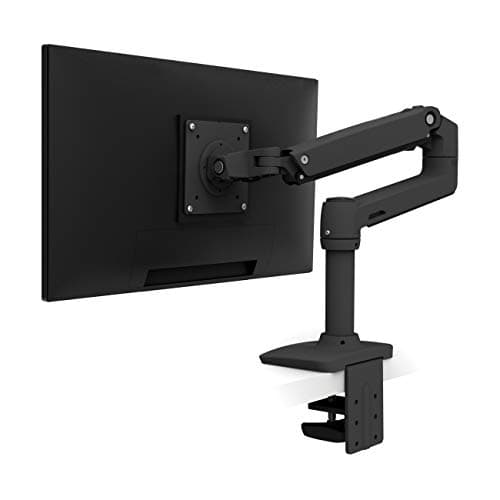
Best Monitor Arm
The best monitor arms
Four arms ranked on the weight floor, the VESA pattern and the warranty — including the one whose specs changed under its own URL.
Top pick: Ergotron LX Desk Mount Monitor Arm
$190.00Amazon$219.00 −13%
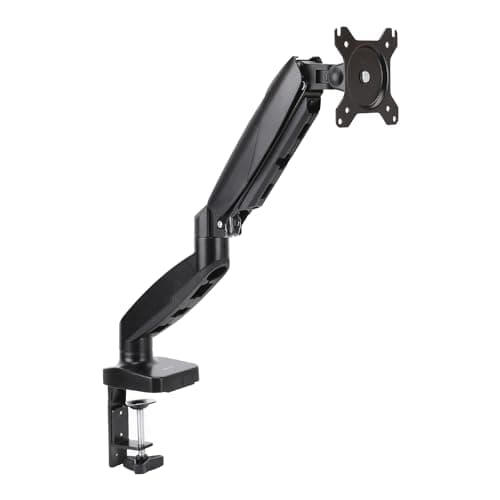
Best Budget Monitor Arm
The best budget monitor arms
Four arms under about $45, ranked on the weight floor the budget tier hides — including the $20 one with a 10-year warranty and the mechanical one with no gas cylinder to sag.
Top pick: Amazon Basics Gas Spring Single Monitor Arm
Compared
Ergotron LX vs Amazon Basics monitor arm
What eight times the price actually buys: 25 lb against 15.4, 34 inches against 27, and ten years against one — plus the published floor where the cheap arm wins.
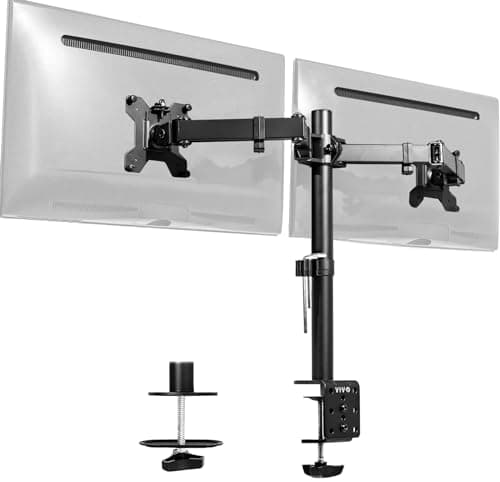
Best Dual Arm
The best dual monitor arms
Two dual mounts on weight range, VESA and warranty — and why a missing minimum weight is right on one of them.
Top pick: VIVO Dual Monitor Desk Mount (STAND-V002)
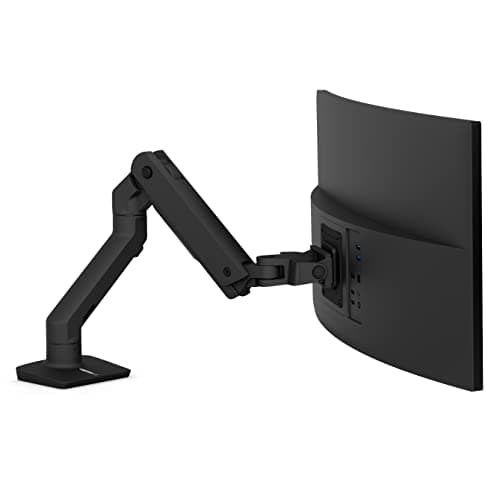
Best for Ultrawide
The best monitor arms for an ultrawide
One arm, and the reason there isn't a list: almost nothing is rated past 25 lb, and what is has a 20 lb minimum.
Top pick: Ergotron HX Desk Monitor Arm
Compared
Gas spring vs mechanical counterbalance
Gas spring, mechanical spring, or no counterbalance at all — the mechanism that decides whether an arm has a minimum weight.
Guide
VESA and weight ratings, explained
What VESA guarantees, what it doesn't, and the three misconceptions that make people buy the wrong arm.
Guide
Monitor height, distance and angle
Height, viewing distance and gaze angle — quoted from OSHA's own eTool rather than repeated from memory.
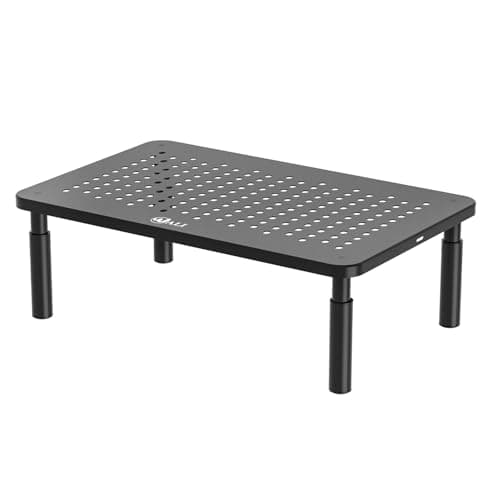
Best Monitor Stand
The best monitor stands and risers
Four monitor stands ranked on published lift height, weight capacity and warranty — and why a fixed riser is the budget trade-off against a monitor arm, not a replacement for one.
Top pick: WALI Computer Monitor Stand, 3 Height Adjustable (STT003)
$14.99Amazon$16.99 −12%
Compared
Monitor arm vs monitor stand
A stand raises the screen a fixed few inches for less money and no VESA mount. An arm reaches further, adjusts daily, and needs both. The honest spec-by-spec.
Compared
Single monitor vs dual monitors
One screen or two is an ergonomics question before it's a shopping question. The sourced comparison on centering, desk depth, mounting, cost, and the mixed research on productivity.
Guide
How much does a monitor weigh?
Real monitor weights by size, cited from the makers' spec sheets — and why the weight without the stand is the only one your monitor arm cares about.
Guide
How to install a monitor arm
The install in the order it actually has to happen — choose clamp or grommet, prove the desk fits, mount the VESA plate, tune the tension to the monitor's weight, route the cables, then set eye-level height.
Compared
Clamp vs grommet monitor mount
Both mounts come in the box. A clamp grips the desk edge and is fully reversible; a grommet bolts through the top and goes where a clamp can't. Which one you can use is decided by your desk, not the arm.
Guide
Will a monitor arm fit my desk?
Five things to measure before you buy a monitor arm — edge thickness, what is under the lip, desk strength, the weight range and VESA — so it fits the first time.
Guide
Why a monitor arm matters more on a standing desk
The desk is set to your hands; your eyes are a separate reference that moves by a different amount when you stand. That mismatch is why the screen needs to move independently of the surface — and why a fixed riser cannot.
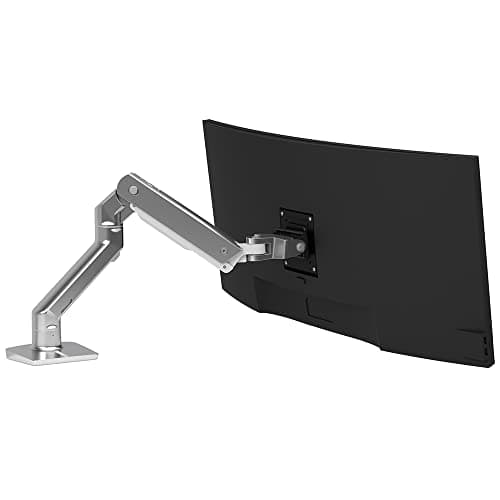
Best Heavy-Duty Monitor Arm
The best heavy-duty monitor arms
Five arms for big 34–57″ ultrawides and heavy 4K panels, ranked on weight range, 200mm VESA fit and warranty — including the honest answer to the “27 kg heavy-duty arm” search.
Top pick: Ergotron HX Desk Monitor Arm
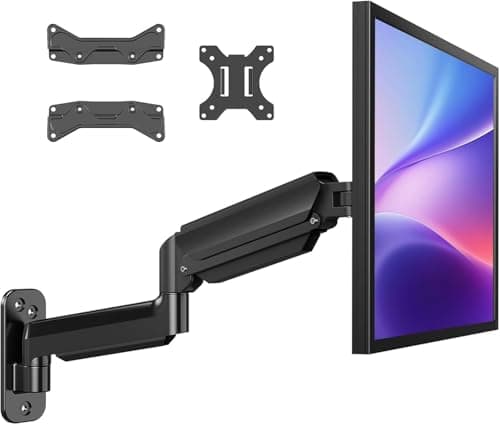
Best Wall Mount
The best monitor wall mounts
Four wall mounts on published weight range, VESA pattern and warranty — plus the spec that decides it and only one maker prints: what kind of wall it needs.
Top pick: HUANUO Single Monitor Wall Mount (WSS4)
Guide
How far should a monitor be from your eyes?
The published viewing-distance band, quoted from OSHA and the AOA - plus when screen size and desk depth stop you hitting it.
Guide
How to fix a sagging monitor arm
Droop, float, tilt or slip - the four faults behind a monitor arm that won't stay put, and the fix for each.
Guide
Do you need a monitor arm?
The one problem an arm actually fixes, who benefits most, and the honest case for not buying one.
Guide
How to mount a monitor without VESA holes
Why some monitors omit VESA holes, the adapter brackets that can add a mount, and the weight and warranty catches that decide whether it works.
Guide
Can you put a curved monitor on a monitor arm?
Yes, if it has VESA holes and fits the arm's weight range. Why the curve doesn't change the mount but can change the limit.
Compared
Monitor arm vs wall mount
A desk-clamp arm travels with you; a wall mount frees the desktop but needs studs and can't follow a standing desk. Room-by-room.
Guide
Can a monitor arm hold a laptop?
A laptop has no VESA holes, so you mount a tray and the arm holds the tray. When that beats a laptop stand, the weight-range trap, and dual laptop-plus-monitor setups.
Guide
How to choose a monitor arm
The ordered decisions - weight range vs monitor, VESA pattern, clamp or grommet, single/dual/heavy-duty, desk fit, gas-spring vs mechanical - each routing to the right roundup.
Guide
Do monitor arms damage desks?
A clamp can dent a soft edge, glass can crack under point pressure, and a thin top can sag or pull through — here's what causes each and how to mount an arm that leaves no mark.
Compared
Monitor arm vs laptop stand
A laptop stand raises the built-in screen but needs an external keyboard and mouse; a monitor arm floats a real display and frees the desk. When each wins, honestly.
Guide
Are monitor arms with USB ports worth it?
A built-in USB hub puts a port at screen height but is often an unupgradeable pass-through; the cable channel is the more durably useful feature. When the premium is worth paying, and when it isn't.
Guide
How to cable manage a monitor arm
Route the monitor's leads through the arm's built-in channels, leave a service loop at each pivot so the arm moves freely, then gather the slack at the base and merge it into the desk's main run.
Compared
Freestanding vs clamp monitor arm
A clamp or grommet arm bolts to the desk and frees the most surface but needs a suitable edge and thickness; a freestanding weighted base sits on top, works on glass or thin and delicate tops, and moves between desks, at the cost of footprint and a little steadiness.
Compared
Pole mount vs articulating monitor arm
A pole mount is a vertical post that stacks two or more screens cleanly and stands rock-steady; an articulating arm floats a single screen anywhere and dials in distance. Honest cons for each, and who each is for.
Guide
Can a monitor arm hold two monitors?
Yes, if it is a dual arm built for the job, not a single-screen arm doubled up. The deciding checks: each head matching its monitor's VESA pattern, each screen inside the per-head weight range, and a desk that can take the load.
Guide
Can you use a monitor arm on a glass desk?
Yes, with care: use the supplied pads, do not over-tighten, respect the thickness window, never drill a grommet, and consider a freestanding base.
Compared
Dual monitor arm vs two single arms
A dual arm shares one pole and clamp and costs less; two singles give independent range and suit mismatched or ultrawide-plus-vertical setups.
Compared
Ergotron LX vs LX Pro
The LX publishes 7–25 lb; the LX Pro publishes 4–22 lb. Same 10-year warranty, opposite ends of the weight window — and only one of them publishes a cycle-test figure.
Compared
Ergotron HX vs LX
7–25 lb against 20–42 lb, with a five-pound overlap. The LX is right for almost every monitor sold; the HX is right for the few over 20 lb — and it is the only arm we cover that reaches MIS-E and MIS-F.
The spec that decides it is the minimum, not the maximum
Every monitor arm advertises how much weight it holds. That is the wrong end of the number.
A gas-spring or counterbalanced arm is a spring fighting gravity. Load it below its minimum and the spring wins: the arm drifts upward and will not stay where you put it. The Ergotron HX is rated 20–42 lb— that 20 lb floor means it will simply not hold a normal 27″ monitor down. Most listings print “42 lb” and stop.
So read the range. And note the trap in the middle of the Ergotron line: the LX Pro is not a straight upgrade on the LX. It has a lower maximum (22 lb vs 25) and a lighterminimum (4 lb vs 7). Which is better depends entirely on your monitor, which is the opposite of what “Pro” implies.
The exception worth understanding
Not every arm has a minimum, and the ones that do not are not being sloppy. A non-counterbalanced mount — where you clamp the arm to a pole at a fixed height — has no spring to overcome, so there is no light-monitor failure mode and no minimum to publish. When a manufacturer publishes a maximum only, check whether it is a gas spring before you assume the spec is incomplete.
How the category divides
By mechanism: gas spring (pneumatic, adjusts with a finger), mechanical spring counterbalance (Ergotron calls theirs Constant Force; Humanscale uses a weight-compensating spring), or plain friction and clamps. The difference is here, and it decides both the minimum-weight problem above and how often you will re-tension it.
By what it carries: a single arm, a dual mount, or a heavy-duty arm for an ultrawide. The ultrawide field is thin, and honestly so: very few arms are rated for that weight at that leverage.
By what the money buys: the clearest test of that is the Ergotron LX against the Amazon Basics gas-spring arm — eight times the price, the same two VESA patterns, and one published spec where the cheap one wins.
And the first question, before any of that: do you need an arm at all? A fixed monitor stand costs a fraction and needs no VESA or clamp, but it only raises the screen a set few inches — the honest arm-versus-stand comparison is here.
VESA, in one paragraph
VESA’s mounting standard is a set of hole patterns on the back of your monitor. Most desktop monitors are 75×75mm or 100×100mm, both of which VESA calls MIS-D. Bigger and heavier screens use MIS-E (200×100mm, six holes) or MIS-F. The thing worth knowing: screen size is not the primary compatibility criterion — hole pattern and weight are. A 34″ monitor that weighs 12 lb is an easier problem than a 27″ that weighs 25. The full guide is here, including the arithmetic error we found in a major manufacturer’s own VESA table.
What the money buys
Warranty and adjustment quality. The range here runs from one year to fifteen. It also buys a real spec sheet: the premium brands publish weight ranges, lift distances, tilt angles and cycle-test counts, while the budget end frequently publishes a maximum and a photograph.
A caution on those cycle tests: where they exist, they are the manufacturer’s owninternal tests, and they measure different things. One brand’s 10,000-cycle motion test and another’s 20,000-cycle gas-spring test are not comparable, and neither is a third-party standard. In fact not one arm we looked at claims conformance to any external safety or durability standard — VESA is a mounting interface, not a durability rating.
The mistake people make
Buying the arm before checking what the monitor weighs — the weight withoutthe stand — and what pattern it uses. Both are on the manufacturer’s spec page and take thirty seconds. Then remember that an arm changes your monitor height, which means setting it correctly — and the popular “top of screen at eye level” rule turns out to be the weaker of the two positions in the literature.
And before the arm question, there is a bigger one: one screen or two. Two monitors cannot both sit centered on your eye line, which changes both the mount you need and the desk depth it takes.
And if you have narrowed it to two Ergotrons, read the LX against the LX Pro first: the “Pro” publishes a ceiling three pounds lower than the cheaper arm, and a floor three pounds lower too.