Dell UltraSharp alternatives
Most people price an UltraSharp for the panel and the stand. What actually separates the line is quieter and it is in writing: Dell publishes a separate promise about the screen itself, and ships the replacement before the broken one leaves your desk. So this page ranks the alternatives we cover on whether their makers print a panel-defect term — and only one brand does.
By Stephen V.Last reviewed
Compare the three
Ranked on the published panel-defect term, because that is the promise the UltraSharp line prints and almost nobody else does. Every cell is the manufacturer's own stated wording, cited in the write-up below it. An em-dash means they do not publish it; "not stated" means the term exists but the mechanism behind it is not described.
| # | Monitor | Panel-defect term | Advance replacement | Height travel | Head weight | Price |
|---|---|---|---|---|---|---|
| 1 | 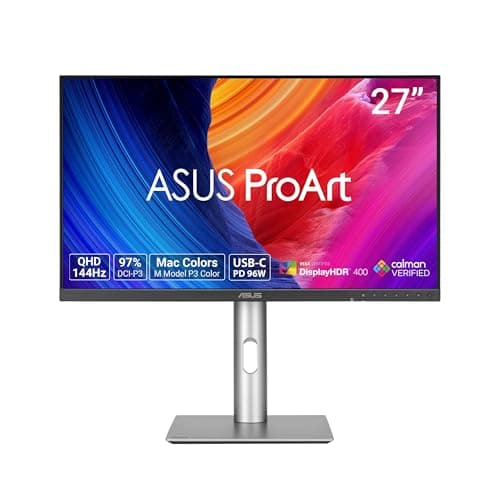 1. ASUS ProArt Display PA278CGRV A stated panel-defect term
| 3 yr zero bright dot | Not stated | 0–130 mm | 4.7 kg (10.36 lb) | |
| 2 | 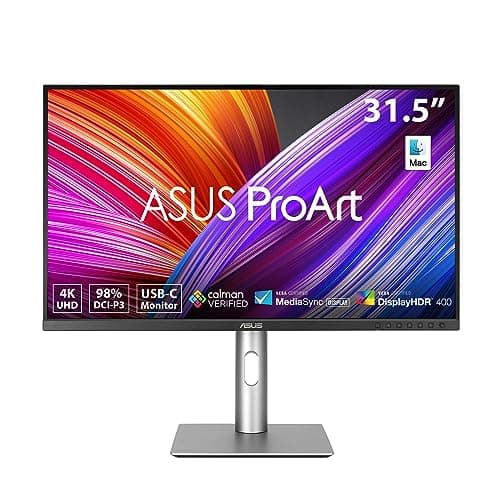 2. ASUS ProArt Display PA329CRV More screen, same panel promise
| 3 yr zero bright dot | Not stated | 0–130 mm | 6.7 kg (14.77 lb) | |
| 3 | 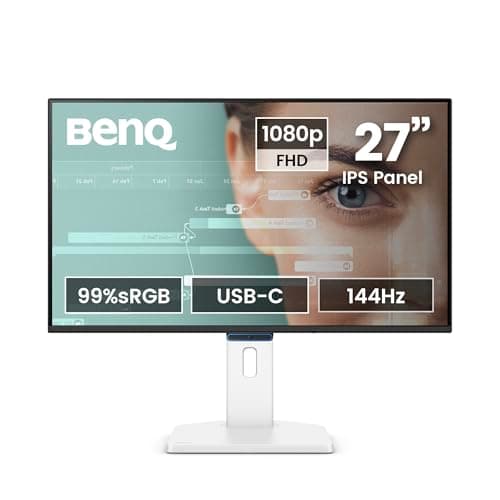 3. BenQ GW2790TC Budget pick — Dell's stand travel, not Dell's service
| — | No — "parts and labor only" | 150 mm | 4.2 kg |
For reference, not as a row: Dell publishes 150 mm of height travel for the U2724D and U2424H, a “weight (panel only - for VESA mount)” figure of 9.90 lb and 7.76 lb respectively, and 3-Year Advanced Exchange Service with Premium Panel Exchange on both product pages. We rank the U2724D first on the best monitors for a home office, where all three UltraSharps carry their own buy links; they are in this note so you can check our picks against them. Dell’s own line is not uniform on this. The U2725QE page lists “3 Years Limited Hardware and Advanced Exchange Service” and does notprint Premium Panel Exchange beside it — so the separate panel promise belongs to specific models, not to the badge. “Advance replacement” is the column people skip and the one that costs you a working week: it decides whether the replacement arrives before the faulty screen leaves. The ASUS pound figures are ASUS’s own, published in both units; BenQ publishes kilograms only, so any pound figure for it in our prose is our arithmetic and is labeled as ours. Head weight is the arm figure, not the shipping weight — it is what a VESA weight rating has to cover. No prices appear in our prose; the live figures and their “as of” date sit under the picks.
Prices and stock as of November 24, 2026, from Amazon’s API. They change; we show a live number or none at all. #ad — we earn a commission.
Buy the ASUS ProArt PA278CGRVif you want the thing the UltraSharp badge actually stands for: ASUS is the only maker on this page that publishes a separate promise about the panel — three years, zero bright dot — and it adds 96W USB-C power delivery, which Dell’s own spec sheet rules out on the 27-inch UltraSharp. Buy the ASUS ProArt PA329CRV instead if you were shopping UltraSharp for size: same published panel term, a 31.5-inch 4K panel, the same 96W port, at the cost of 60 Hz and the heaviest head here. And the budget pick is the BenQ GW2790TC, which matches Dell’s 150 mmof stand travel and publishes the lightest head of the three — while stating, on BenQ’s own warranty page, that its three years are parts and labor only (No advance replacement).
That is the page. What follows is why the panel promise is the only sensible thing to rank an UltraSharp alternative on.
The finding: you are not buying the panel, you are buying the paperwork
Search “UltraSharp alternative” and the comparisons you get are about resolution, refresh rate and color gamut. Those are the specs that differ least. Every monitor named on this page is an IPS panel from a tier-one maker at a normal office resolution; on the figures a maker will print about the glass, they are close enough that a spec sheet cannot separate them, and we have not measured any of them ourselves.
What genuinely separates the UltraSharp line is the sentence Dell writes underneath: 3-Year Advanced Exchange Service with Premium Panel Exchange. Two distinct promises are packed into that. Advanced exchange means the replacement ships before the faulty one goes back, so a dead screen costs you an afternoon of admin instead of a week without a monitor. Premium Panel Exchangeis a separate term covering the panel itself — the part that fails visibly, and the part most general warranties quietly ration with an undisclosed dead-pixel threshold.
So that is what we ranked on. Of the three alternatives we cover, two print a panel-specific term and one prints the opposite in plain words. That spread is the page.
One honest wrinkle, and it runs against the badge rather than for it: Dell’s own line is not consistent here. The U2724D and U2424H pages both carry Premium Panel Exchange. The U2725QE page — the most expensive UltraSharp in our registry — lists “3 Years Limited Hardware and Advanced Exchange Service” and does not print the panel term beside it. If the panel promise is why you are buying the badge, check the specific model’s own page rather than assuming the line carries it.
How we ranked them
1. The published panel-defect term. For the reason above. A stated zero-bright-dot or panel-exchange policy is a maker committing in advance on the failure you cannot predict and cannot argue your way out of afterwards. No published term is not a promise that the screen is fine; it is a gap you fill with hope.
2. How the replacement happens. Second because the term and the mechanism are different things. Three years of cover where the screen leaves your desk for a fortnight is not the same product as three years of cover where the replacement arrives first. Dell publishes the mechanism. BenQ publishes the mechanism and it is the slow one. ASUS publishes the term and not the mechanism, which is the honest middle of this page.
3. Stand travel.Third, and the only geometry figure in the ranking, because it is the one that decides whether the monitor fits your body rather than your taste. The spread here is narrow but real — 130 mm on both ASUS picks against 150 mmon the BenQ and the Dells — and it is also the one item on this list an arm can erase, which is why it sits third rather than first. The monitor height guide is how to find out whether 20 mm matters for you specifically.
What an UltraSharp alternative cannot be
Three things, so nobody buys one of these expecting them.
It cannot be the same port story unless it says so.The most misread spec in this whole comparison is the U2724D’s USB-C port, which Dell marks data only— no video, no charging. People then shop for an “UltraSharp alternative with USB-C” and compare it against a capability the Dell they were looking at does not have. Both ASUS picks genuinely do one-cable laptop work at a published 96W. The BenQ’s 20W does not. Inside Dell’s line that job belongs to the Thunderbolt model at up to 140W EPR.
It cannot be a verdict on image quality.Color accuracy, uniformity, backlight bleed and the panel lottery are precisely what published specifications do not settle, and we research from manufacturers’ documents rather than measuring screens. Where a maker publishes a gamut figure we print it — 100% sRGB and 97% or 98% DCI-P3 on the ASUS pair — and where none is published we leave the slot empty. A page that ranked these on “color accuracy” would be inventing the one number that needs an instrument.
It cannot be the resolution you did not pay for. The budget pick is 1080p at 27 inches. That is a real, visible step down in text sharpness from everything else named here, and it is the single most common regret in this price bracket. If sharp text is why you were shopping UltraSharp, take one of the QHD or 4K picks and spend less elsewhere in the setup.
Where the money is better spent
A monitor at your eye line on a cheap arm beats a better monitor on its own stand at the wrong height, every time, and the arithmetic is friendly: the budget pick here plus an arm from our under-$100 arm roundup typically lands below a single 27-inch UltraSharp. Check the head weight in the table above against the arm’s published range before you commit — the 31.5-inch ASUS at 6.7 kg is outside what most cheap arms state.
The same logic applies to the second screen. If you were buying one expensive monitor because it felt like the responsible choice, two mid-range ones on arms is usually the bigger change to how a day feels — monitors for dual setups covers what to match between them, and dual monitor ergonomics covers where to put them.
What we can’t tell you
We have not unboxed, calibrated or lived with any of these three. We cannot tell you how ASUS administers a zero-bright-dot claim when you actually file one, whether BenQ’s parts-and-labor service is quick in practice, how either ASUS stand feels at the top of its 130 mm, or whether a given unit arrives with a perfect panel. Those answers need years and a service queue, not a spec sheet. What this page is, is every number and every piece of warranty wording these makers publish, arranged on the promise the UltraSharp line is actually bought for, with the gaps left as gaps — our methodology is explicit about where published-spec evidence stops.
The picks, in detail
1. A stated panel-defect term
ASUS ProArt Display PA278CGRV
The only alternative we rank that prints a promise about the panel itself: ASUS publishes an LCD ZBD — zero bright dot — warranty at three years, the same length as Dell's cover. It also does the one thing the 27-inch UltraSharp will not, which is run a laptop down a single cable.
- Height adj
- 0–130 mm
- Panel wt
- 4.7 kg
- Warranty
- 3 yr ZBD
This is first because it answers the UltraSharp on the UltraSharp’s own ground. Dell’s distinguishing published claim is not the panel, the ports or the stand — it is that Dell prints a separate promise about the screen and ships the replacement before you return the old one. ASUS is the only other maker on this page that prints a separate promise about the screen: “LCD ZBD Warranty : Yes(3 yr)” on its own spec sheet, which is a zero-bright-dot term rather than a general hardware warranty with the panel folded into it.
Then it does something the 27-inch UltraSharp does not. Dell’s own port list for the U2724D reads “1 x USB-Type C upstream port (data only)”— no video, no laptop charging. ASUS publishes 96W USB-C power deliveryhere, so one cable carries the picture and the power. Inside Dell’s line that capability lives on the Thunderbolt model, which costs a great deal more than this.
The published gamut figures are plain too — 100% sRGB and 97% DCI-P3— along with “Flicker-free : Yes” and a 144 Hz maximum refresh rate. And ASUS states “Net Weight without Stand : 4.7 kg (10.36 lbs)” in both units unprompted, which is the figure a monitor arm’s weight range actually has to cover.
Two honest gaps, both published. The stand travels 0–130 mm, which is 20 mm short of the UltraSharp’s 150 mm — on a fixed high desk, or for a tall sitter, that is the gap between reaching your eye line and shimming the thing. And ASUS prints the term as a spec-sheet line rather than spelling out an advance-exchange service the way Dell does, so how a replacement reaches you is not stated. A zero-bright-dot promise with unstated logistics is still more than most of this category prints, but it is not the same sentence Dell writes.
Good
- ASUS publishes the gamut numbers plainly — “Color Space (sRGB) : 100%” and “Color Space (DCI-P3) : 97%” — which is more than most makers in this bracket print anywhere
- 96W USB-C power delivery: one cable to a laptop, at a fraction of the Thunderbolt Dell's price
- “Net Weight without Stand : 4.7 kg (10.36 lbs)” — published in both units, unprompted, which is exactly the number an arm needs
- “Flicker-free : Yes” and “Low Blue Light : Yes” as explicit spec-sheet lines rather than marketing prose, and a 144 Hz maximum refresh rate that a 60 Hz office panel cannot match
- The LCD ZBD warranty is published as three years — zero bright dot, which is a stated panel-defect promise rather than a general hardware term
Not so good
- Height adjustment is “0~130mm”, 20 mm less travel than the Dells and the BenQ. On a tall desk or for a tall sitter that is the difference between reaching your eye line and not
- Swivel is +30°/-30° against the Dells' ±45°, so it turns less far toward a second person or a second screen
- QHD at 27 inches, same pixel density as the U2724D — this is not the pick if you want 4K text
- ASUS publishes the three-year term as an “LCD ZBD Warranty” on the spec sheet rather than spelling out a full advance-exchange service the way Dell does. Read what your retailer's service actually includes before you count on it
- At 6.6 kg with the stand it is a solidly heavy 27-inch monitor, and the color-work positioning means you are paying something for gamut coverage you may never use for spreadsheets
Don’t buy it if: you are tall, or your desk is fixed and high. 130 mm of travel is the shortest here, and on a desk you cannot lower, the stand is the only adjustment you have. Either take one of the 150 mm picks or budget for an arm on day one.
Price as of November 24, 2026. #ad — we earn a commission.
2. More screen, same panel promise
ASUS ProArt Display PA329CRV
The same three-year zero-bright-dot term on a 31.5-inch 4K panel — more screen than any UltraSharp we rank, with the same 96W of USB-C power delivery. The costs are published: 60 Hz, 130 mm of travel, and the heaviest head on this page.
- Height adj
- 0–130 mm
- Panel wt
- 6.7 kg
- Warranty
- 3 yr ZBD
Second, and the pick if the reason you were looking at an UltraSharp was size rather than service. ASUS publishes the same “LCD ZBD Warranty : Yes(3 yr)” line here, on a 31.5″ panel at 3840 x 2160— four and a half inches of diagonal past the biggest UltraSharp in our registry, at a published 100% sRGB and 98% DCI-P3. USB-C power delivery is 96W again, so the single-cable laptop setup survives the size increase.
The trades are all on the spec sheet. Refresh is 60 Hz against the ASUS above at 144 Hz and the Dells at 120 Hz, so this is the pick for documents and images rather than motion. Height travel is 0–130 mm, the same 20 mm short of Dell. And the head is heavy: ASUS states 6.7 kg (14.77 lbs)without the stand, which is more than any UltraSharp panel-only figure Dell prints — the heaviest of those is 11.51 lb. Most cheap arms will still take it, but not with much room: the published ceilings on our arms under $100 run from 15.4 lb to 26.4 lb, so the cheapest counterbalanced ones are within a pound of this panel’s weight. Check the arm’s stated ceiling against the figure before you buy either.
A 31.5-inch 4K panel is also a desk-depth question before it is a monitor question. What size monitor for a home office has the viewing-distance arithmetic; a screen this size too close is a neck problem, not an upgrade.
Good
- 31.5 inches at 3840 x 2160 — one screen that holds two documents side by side legibly, which is the actual reason most people end up with two monitors
- “Color Space (sRGB) : 100%” and “Color Space (DCI-P3) : 98%”, published as figures, on a 4K panel
- 96W USB-C power delivery, so it docks a laptop down one cable like its 27-inch sibling
- “Net Weight without Stand : 6.7 kg (14.77 lbs)” — published, in both units, which on a 32-inch screen is the difference between choosing an arm confidently and guessing
- “Flicker-free : Yes” and “Low Blue Light : Yes (Hardware Solution)” on the spec sheet, plus the same published three-year zero-bright-dot warranty as the PA278CGRV
Not so good
- 60 Hz. Every other monitor on this page runs at 120 Hz or better, and on a screen this size the difference in pointer motion is the most visible thing about it
- 14.77 lbs of head lands at the very top of the narrowest arm range we have ranked (4.4–15.4 lb) and rules out anything rated below it. A 32-inch screen effectively picks your arm for you, which is an add-on cost the lighter picks here do not carry
- 130 mm of travel on a 31.5-inch panel means the bottom bezel sits high even at the lowest setting, because the panel itself is tall. Shorter sitters should measure before buying
- A 32-inch screen needs to sit further back to stay inside OSHA's 20–40 inch window and its 35-degree side limit. On a 24-inch-deep desk it is the wrong purchase no matter how good it is
- Heavier and pricier than the 27-inch picks, with no docking or refresh advantage over the cheaper PA278CGRV — the area is the whole argument
Don’t buy it if: your desk is less than about 30 inches deep, or you are buying for pointer-heavy work. A 32-inch panel too close is worse than a 27-inch panel at the right distance, and the 60 Hz refresh is the lowest on this page.
Price as of November 24, 2026. #ad — we earn a commission.
3. Budget pick — Dell's stand travel, not Dell's service
BenQ GW2790TC
Budget pick, and the clearest illustration of what the UltraSharp premium actually buys. BenQ matches Dell's 150 mm of stand travel and publishes the lightest head here, but its own warranty page says the three years are "parts and labor only (No advance replacement)" and it prints no panel-defect term at all.
- Height adj
- 150 mm
- Panel wt
- 4.2 kg
- Warranty
- 3 yr parts
This is the budget pick, and it is on the page because it matches the UltraSharp on the geometry while being honest about not matching it on the service. BenQ publishes “Height Adjustment : 150 mm”— exactly the figure the U2724D and U2424H state, and more than either ASUS above. It also publishes the lightest head on this page at 4.2 kg without base(roughly 9.3 lb by our own conversion — BenQ prints kilograms only, so the pound figure is ours, not theirs), which makes it the easiest of the three to put on an arm.
The eye-comfort paperwork is unusually complete for the money: TÜV Eye Comfort 3.0 and EyeSafe 2.0 certificates plus a flicker-free line, and 144 Hz on a 27-inch IPS panel. There is 20W of USB-C power delivery, which is enough for a tablet or a phone and not enough for a working laptop — read it as a convenience port, not a dock.
Now the part that decides this page’s ranking. BenQ’s spec page states no warranty period at all; its US warranty page states “Three (3) year from the purchase date by the original retail purchaser” and then “parts and labor only (No advance replacement)”. So the term is as long as Dell’s, and the mechanism is the opposite: your screen goes away and you wait. There is also no zero-bright-dot or panel-specific promise published anywhere we could find for it, which is the slot ASUS fills and Dell fills twice.
The other published gap is resolution. This is 1920 x 1080at 27 inches — a visibly coarser pixel grid than anything else named on this page. If text sharpness is the reason you were shopping UltraSharp, this is not the substitute; if stand travel and eye-comfort certificates were the reason, it is the cheapest way to get both. Monitors for eye strain is where its certificates are read against the rest of the field.
Good
- 150 mm of height adjustment at the cheapest price on this page — the spec that usually disappears first when a monitor gets cheap, and the one that decides whether it fits you
- Tilt runs -5˚ to 35˚, a wider forward-and-back range than any Dell here, plus 45˚/45˚ swivel and 90˚ pivot
- TÜV certificates listed explicitly on the spec page — Eye Comfort 3.0, EyeSafe 2.0 and Low Blue Light — alongside “Flicker-free Technology”, which for a budget panel is more disclosure than the category norm
- Three years of parts and labor, published on BenQ's own US warranty page, on a monitor that costs a fraction of the UltraSharps
- 4.2 kg without the base — roughly 9.3 lb by our conversion — so a mid-range arm handles it comfortably
Not so good
- 1920 x 1080 across 27 inches. That is the coarsest pixel grid on this page by a distance, and no feature list compensates: text is simply softer than on the QHD and 4K picks
- USB-C power delivery is 20W. That charges a phone, not a laptop — do not buy this expecting one-cable docking
- BenQ's warranty page states “parts and labor only (No advance replacement)”, so a failure means being without your screen while it is repaired, unlike Dell's advance-exchange service
- BenQ publishes the weight without the base in kilograms only on the US spec page, so the pound figure you need for an arm's rating is a conversion you (or we) have to do
- The spec page publishes no warranty period at all — you have to go to a separate warranty page to find the three-year term, which is a documentation gap even though the answer is a good one
Don’t buy it if: you read text all day and you can stretch. 1080p at 27 inches is the compromise in this monitor, and it is the one you will look at for eight hours. The U2424H gives you the same resolution on a smaller, sharper screen; the U2724D gives you a sharper one at the same size.
$179.99 −17%
Price as of November 24, 2026. #ad — we earn a commission.
Where these numbers came from
- BenQ GW2790TC Specifications — BenQ's own US spec page (source of the 27″ IPS panel, 1920x1080 at 144 Hz, the “Height Adjustment : 150 mm”, the -5˚–35˚ tilt, 45˚/45˚ swivel and 90˚ pivot, the 100x100 mm VESA wall mount, the 6.7 kg net weight and 4.2 kg net weight without base, the 20W USB-C power delivery, the TÜV Eye Comfort 3.0 / EyeSafe 2.0 / Low Blue Light certificates and Flicker-free Technology; the spec page states no warranty period) — read 2026-09-15
- BenQ GW2790TC Warranty — BenQ's own US warranty page (“Three (3) year from the purchase date by the original retail purchaser”, “parts and labor only (No advance replacement)”) — read 2026-09-15
Common questions
What is the Dell UltraSharp actually known for?
Three published things, and none of them is the panel specification people quote. First, stand travel: Dell states 150 mm(5.9″) on the U2724D and U2424H, which is among the longest in the category and the figure that decides whether the top of the screen can sit at or below your eye line. Second, the labeled panel-only weight — “weight (panel only - for VESA mount)”— published separately from the weight with the stand, which almost nothing else in the category bothers to do. Third, and the reason this page ranks what it ranks: service wording. Dell prints 3-Year Advanced Exchange Service with Premium Panel Exchange on those product pages — a replacement that ships before the faulty screen goes back, plus a separate term covering the panel itself. That is the UltraSharp premium in one sentence.
Is there a cheaper monitor as good as a Dell UltraSharp?
Not a question a spec sheet can settle, and we have not put any of these on a desk. What can be compared is what each maker publishes, and there the answer splits cleanly. On the panel promise, the ASUS ProArt PA278CGRVis the only alternative we rank that prints one at all — three years, zero bright dot — and it also beats the 27-inch UltraSharp on USB-C, which Dell marks data only. On geometry, the BenQ GW2790TCmatches Dell’s 150 mm of travel for far less, while publishing no panel term and stating plainly that there is no advance replacement. Nothing cheaper matches the UltraSharp on both the promise and the geometry, which is a fair description of what the premium buys.
What is a zero-bright-dot warranty, and does it matter?
It is a maker’s stated policy on stuck pixels. Most general hardware warranties allow a number of dead or bright sub-pixels before a screen counts as faulty, and the threshold is usually not published at all — which is how a monitor with a glowing dot in the middle of it can be “within specification”. ASUS publishes “LCD ZBD Warranty : Yes(3 yr)”on both ProArt spec sheets here, and Dell’s equivalent on the U2724D and U2424H pages is Premium Panel Exchange. Whether it matters depends entirely on luck: panel defects are a lottery nobody can predict from a spec sheet, which is exactly why a published policy is worth more than a published contrast ratio. Read what your own retailer handles before you count on either.
Which of these can run a laptop down one cable?
Both ASUS picks: ASUS publishes 96W USB-C power delivery on the PA278CGRV and the PA329CRV, which is enough for most working laptops plus the video signal. The BenQ publishes 20W, which is a phone or tablet port rather than a dock. Inside Dell’s own line the single-cable model is the Thunderbolt U2725QE, rated up to 140W EPR— the 27-inch U2724D is the one people get wrong, because its USB-C upstream port is marked data only and carries neither video nor power. Do you need an external monitor for a laptop is the wider version of that decision.
Should I buy an UltraSharp alternative or put the money into an arm?
Worth asking in this order, because the cheapest of these three plus an arm can cost less than the UltraSharp alone. The stand-travel column is the one an arm makes irrelevant: 130 mm versus 150 mm stops mattering the moment the head is on a counterbalanced arm with far more range than either. What an arm cannot fix is the panel promise, the resolution or the port list. So if the travel gap is your only objection to an alternative here, buy the monitor and read the best monitor arms — and check the head weight in the table above against the arm’s published range first.
Sources
Every figure on this page comes from one of these. If a manufacturer doesn’t publish a number, we print “—” rather than estimate it.
- ASUS ProArt Display PA278CGRV — ASUS's own US technical specification page (source of the 27″ IPS panel, 2560x1440 at a 144Hz maximum refresh rate, the “Color Space (sRGB) : 100%” and “Color Space (DCI-P3) : 97%” figures, the “Height Adjustment : 0~130mm”, the +23°/-5° tilt, +30°/-30° swivel and +90°/-90° pivot, the 100x100mm VESA pattern, the 6.6 kg (14.55 lbs) net weight and 4.7 kg (10.36 lbs) net weight without stand, the 96W USB-C power delivery, “Flicker-free : Yes”, “Low Blue Light : Yes”, and “LCD ZBD Warranty : Yes(3 yr)”) — read 2026-09-15
- ASUS ProArt Display PA329CRV — ASUS's own US technical specification page (source of the 31.5″ IPS panel, 3840x2160 at 60Hz, the “Color Space (sRGB) : 100%” and “Color Space (DCI-P3) : 98%” figures, the “Height Adjustment : 0~130mm”, the +23°/-5° tilt, +30°/-30° swivel and +90°/-90° pivot, the 100x100mm VESA pattern, the 9.9 kg (21.83 lbs) net weight and 6.7 kg (14.77 lbs) net weight without stand, the 96W USB-C power delivery, “Flicker-free : Yes”, “Low Blue Light : Yes (Hardware Solution)”, and “LCD ZBD Warranty : Yes(3 yr)”) — read 2026-09-15
- BenQ GW2790TC Specifications — BenQ's own US spec page (source of the 27″ IPS panel, 1920x1080 at 144 Hz, the “Height Adjustment : 150 mm”, the -5˚–35˚ tilt, 45˚/45˚ swivel and 90˚ pivot, the 100x100 mm VESA wall mount, the 6.7 kg net weight and 4.2 kg net weight without base, the 20W USB-C power delivery, the TÜV Eye Comfort 3.0 / EyeSafe 2.0 / Low Blue Light certificates and Flicker-free Technology; the spec page states no warranty period) — read 2026-09-15
- BenQ GW2790TC Warranty — BenQ's own US warranty page (“Three (3) year from the purchase date by the original retail purchaser”, “parts and labor only (No advance replacement)”) — read 2026-09-15
- Dell UltraSharp 27 Monitor — U2724D, Dell's own US product page (source of the 2560 x 1440 at 120 Hz IPS Black panel, the 150 mm maximum adjustable height, the -5°/+21° tilt, -45°/+45° swivel and -90°/+90° pivot, the 100 mm x 100 mm VESA pattern, the 9.90 lb “weight (panel only - for VESA mount)” and 14.46 lb weight with stand, the port list including “1 x USB-Type C upstream port (data only)”, the ambient light sensor, the TÜV 5-star eye comfort certification, and the 3-Year Advanced Exchange Service with Premium Panel Exchange) — read 2026-09-15
- Dell UltraSharp 27 4K Thunderbolt Hub Monitor — U2725QE, Dell's own US product page (source of the 3840 x 2160 at 120 Hz IPS Black panel, the 5.91″ maximum adjustable height, the -5° to 21° tilt, -45° to 45° swivel and -90° to 90° pivot, the 100 x 100 VESA pattern, the “Weight (Approximate)” 11.51 lb and “Weight with Stand (Approximate)” 15.56 lb figures, Thunderbolt power delivery “up to 140W EPR”, and the 3 Years Limited Hardware and Advanced Exchange Service) — read 2026-09-15
- Dell UltraSharp 24 Monitor — U2424H, Dell's own US product page (source of the 23.8″ viewing size, the 1920 x 1080 at 120 Hz IPS panel, the 150 mm maximum adjustable height, the -5°/+21° tilt, -45°/+45° swivel and -90°/+90° pivot, the 100 mm x 100 mm VESA pattern, the 7.76 lb panel-only weight and 11.86 lb weight with stand, the TÜV 4-star eye comfort certification, and the 3-Year Advanced Exchange Service with Premium Panel Exchange) — read 2026-09-15
Read next
Ergotron HX alternatives
Every head weight in the table above is well under 20 lb. If your next screen is a 30 lb-plus ultrawide instead, this is the arm class it needs.
The best monitors for a home office
The unbounded roundup, where all three UltraSharps are ranked against these alternatives on stand travel and panel-only weight.
The best home office monitors under $400
Two of the three picks here sit inside that band — read it if the ceiling matters more than the panel promise.
The best monitors for eye strain
Where the BenQ's TÜV and EyeSafe certificates are read against the rest of the field, certificate by certificate.
VESA and weight ratings explained
The head weights in the table above only mean something next to an arm's published range. This is how to read both.