The best monitor arms
We have not mounted a monitor on any of these. What we did was read four manufacturers' own spec sheets and find the number the category keeps quiet about: the weight a gas-spring arm needs before it will hold anything up at all.
By Stephen V.Last reviewed
Quick picks
Ranked, with the manufacturer’s own longevity figure next to each one. Tap a row to jump to the full write-up.
| # | Product | Best for | Longevity | Price |
|---|---|---|---|---|
| 1 | 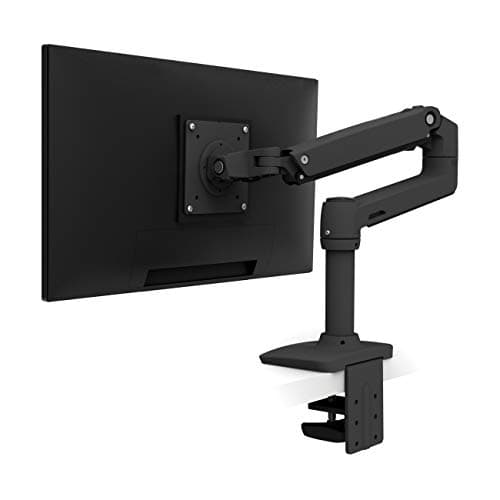 Ergotron LX Desk Mount Monitor Arm The widest usable weight window here — 7 to 25 lb — and ten years of warranty behind it. The 7 lb floor is the only thing to check. | Most monitors, most desks | 10 yrWarranty | $190.00Amazon $219.00 −13% |
| 2 | 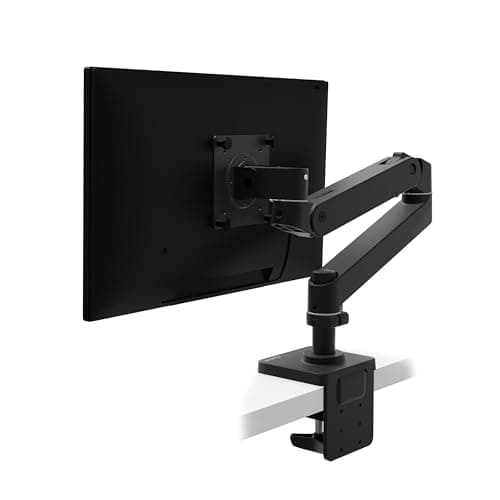 Ergotron LX Pro Desk Mount Monitor Arm Not the upgrade the name implies. It holds less at the top and more at the bottom — which makes it the better arm for a light monitor and the worse one for a heavy panel. | Light monitors | 10 yrWarranty | $189.00Amazon $199.00 −5% |
| 3 | 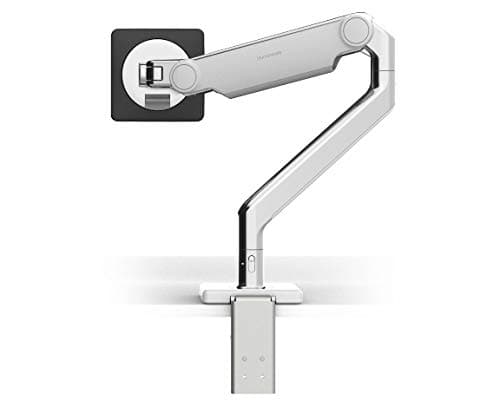 Humanscale M2.1 Fifteen years — the longest warranty here by five. But this model was replaced in January 2026, and the specs now shown on Humanscale's own page for it are the replacement's. | Buying once | 15 yrWarranty | |
| 4 | 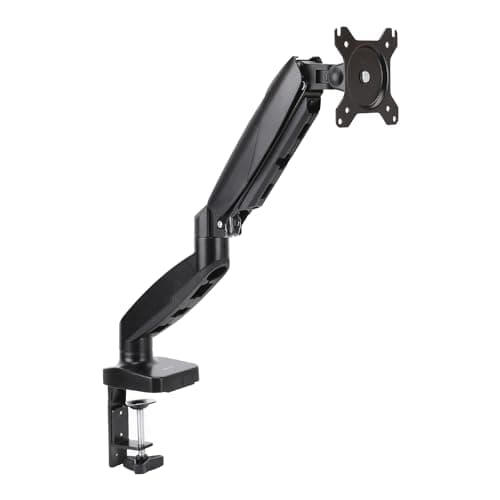 Amazon Basics Gas Spring Single Monitor Arm The cheapest way onto this page, with the narrowest weight window and a one-year warranty. The specs are trustworthy for an unusual reason. | Tight budgets | 1 yrWarranty |
Prices as of October 18, 2026, from Amazon’s API. They change; we show a live number or none at all.
Every monitor arm listing leads with the same number: how much it holds. Twenty-five pounds. Thirty-three pounds. Forty-two pounds. It is printed on the box, it is the first line of every listing, and for most buyers it is almost irrelevant — because the average monitor weighs about twelve pounds and nearly every arm sold clears that with room to spare.
The number that actually decides whether the arm works is the minimum. And almost nobody prints it.
Why the floor is the spec that matters
A gas-spring arm does not hold your monitor up. It pushes back against it, with a spring you tension to match the weight hanging off the end. When the two balance, the monitor floats and stays wherever you leave it. That is the whole trick, and it is a good one.
But it only works inside a window. Hang something too heavy on it and the spring loses: the arm sags, and no amount of tightening fixes it. Hang something too lightand the spring wins: the arm creeps upward on its own, or simply refuses to stay down where you put it. Owners describe this as the arm being “faulty” or “too stiff”. Usually it is neither. It is a monitor sitting below the arm’s published minimum, behaving exactly as physics says it should.
Across the four arms on this page the floor runs from 4 lb to 7 lb. That sounds trivial until you weigh a monitor with the stand off — a bare 24″ panel can come in around 5 or 6 lb, which lands it underneath the Ergotron LX’s 7 lb minimumand comfortably inside the LX Pro’s. Same brand, same series, opposite answers.
The extreme case is not even on this page. Ergotron’s HX — covered in the ultrawide roundup — has a 20 lb floor. It is an excellent arm that will simply not hold a normal monitor up. Nothing on its listing leads with that.
The "Pro" that holds less
Which brings us to the single most useful thing on this page. Ergotron sells the LX and the LX Pro. The names imply a ladder. The specs do not:
The LX is 7–25 lb. The LX Prois 4–22 lb. The Pro holds three pounds lessat the top and three pounds more at the bottom. Neither is better. They are different windows, and which one you want depends entirely on a number — your monitor’s weight — that most people have never looked up.
The number that changed under its own URL
The Humanscale M2.1 is the reason this page took as long as it did, and it is worth reading its entry in full.
Humanscale replaced the M2.1 with the M2 Pro in North America on 26 January 2026. They did not change the URL. Their own /m-21page now shows “up to 22 lbs” — which is the M2 Pro’s rating. The M2.1, which is what the ASIN sells, is rated to 15.5 lb.
Sit with that for a second, because it is a nastier trap than a wrong retailer listing. The number is first-party. It is current. It is on the manufacturer’s own product page for the exact model name you searched. And it is wrong by 42% for the thing in the box. There is no amount of “always check the manufacturer’s site” that saves you here — only checking which model the page is now describing.
Humanscale, to their credit, published the tell: green counterbalance indicator means M2.1, red means M2 Pro.
What we did, and what it can't tell you
We have not mounted a monitor on any of these arms. There is no lab, we have not loaded one to failure or cycled one ten thousand times, and we are not going to imply otherwise. What we did was read each manufacturer’s own spec sheet, capacity document, installation manual and warranty terms, pull the three numbers that decide the purchase, and cite every one. Where a manufacturer does not publish a number, we print “—”. Our methodology page sets out the procedure and its limits.
So this page cannot tell you whether an arm wobbles when you type, whether the clamp bites into a soft desktop, or whether the tension screw is a knuckle-skinner. Those need hands, and owner reviews will serve you better than we can. One honest note in that direction: Ergotron’s 10,000-cycle claim and the 20,000-cycle claim you will see on HUANUO’s dual arms are both internal tests of different things. They are not comparable, and lining them up in a table would be a lie told with true numbers.
How to actually use this
Weigh your monitor. Not the boxed weight, not the weight with the stand — the panel alone, which is what hangs off the arm. It is on the manufacturer’s spec page under “weight without stand”, and it takes a minute.
Then check it against both endsof the range. If it lands under 7 lb, the LX is out and the LX Pro is in. Over 22 lb and the Pro is out. Over 25 and everything on this page is out — go to the heavy-panel arms, and check their floors before you celebrate.
Then check the hole pattern, which is the other thing that decides fit and is widely misunderstood — VESA and weight ratings covers what the standard does and does not promise you.
And if you have one monitor on a fixed desk and no complaints about where it sits, consider not buying any of these. An arm solves a positioning problem. If you do not have one, it is an expensive way to add a clamp to your desk.
The picks, in detail
1. Most monitors, most desks
Ergotron LX Desk Mount Monitor Arm
The widest usable weight window here — 7 to 25 lb — and ten years of warranty behind it. The 7 lb floor is the only thing to check.
- Weight range
- 7–25 lb
- VESA
- MIS-D 75/100, ≤34"
- Warranty
- 10 yr
This is ranked first because it has the widest usable window, not because it is the cleverest object. Seven to twenty-five pounds covers more real monitors than anything else on this page, and Ergotron publishes both ends of it— which sounds like a low bar until you notice how much of this category prints only the maximum.
Ergotron calls the mechanism “Constant Force”. What that buys you is a monitor that stays where you put it across the arm’s 13″ of travel. The caveat is the 7 lb floor: this is the least accommodating of the three counterbalanced single arms here at the light end, and a stripped 24″ panel can genuinely fall below it.
One thing worth being straight about: the “10,000-cycle test” you will see quoted for the LX is Ergotron’s owntest. It is not an independent certification, and it does not correspond to any published standard. That is not an accusation — internal testing is normal and the number may be perfectly sound. It just is not the same kind of claim as a third-party mark, and nobody on this page has one of those.
Good
- 25 lb ceiling — the highest of any arm here, and enough for most 32" panels
- 10-year warranty, published on the product page rather than implied
- 13" of vertical travel
- Ergotron publishes both ends of the weight range, which most brands do not
- MIS-D covers both 75×75 and 100×100, the two patterns nearly every monitor uses
Not so good
- The 7 lb floor is the highest of the three counterbalanced single arms here — a light 24" panel may sit under it
- Ergotron's 10,000-cycle motion test is their own internal test, with no third-party standard cited
- No UL, ANSI or BIFMA claim of any kind — like every arm on this page
Don’t buy it if: your monitor weighs under about 7 lb. A bare 24" panel with the stand removed can land at 5–6 lb, and below the floor a gas-spring arm will not hold position — it drifts down. The LX Pro's 4 lb minimum exists for exactly this case.
$219.00 −13%
Price as of October 18, 2026. #ad — we earn a commission.
Where these numbers came from
2. Light monitors
Ergotron LX Pro Desk Mount Monitor Arm
Not the upgrade the name implies. It holds less at the top and more at the bottom — which makes it the better arm for a light monitor and the worse one for a heavy panel.
- Weight range
- 4–22 lb
- VESA
- MIS-D, ≤34"
- Warranty
- 10 yr
This is the most useful thing on the page, so it is worth stating plainly: the LX Pro is not a better LX. It is a differently ranged LX. The ceiling drops from 25 lb to 22. The floor drops from 7 lb to 4.
Which one is right for you depends entirely on which end of the range your monitor is near, and the model names tell you nothing about that. If you have a light 24″ panel that the standard LX would not hold up, the Pro is genuinely the arm you want and the 3 lb you lose at the top is irrelevant. If you have a heavy 32″, the “Pro” is the model that cannot hold it and the plain LX can.
It is also worth noticing what is missing: Ergotron publishes a cycle-test figure for the LX and does not publish one for the LX Pro. We do not know why, and we are not going to guess. It goes in the cons because a number that exists for the older model and not the newer one is a fair thing for a buyer to notice.
Good
- 4 lb minimum — the lowest floor of any counterbalanced arm here, by 1 lb
- Same 10-year warranty as the standard LX
- The right answer for a light panel that the standard LX would not hold up
Not so good
- 22 lb ceiling — 3 lb LESS than the cheaper, older LX, despite the "Pro"
- Ergotron publishes no cycle-test figure for this model, unlike the LX
- The name strongly implies a straight upgrade. It is not one.
Don’t buy it if: your monitor is over 22 lb. The plain LX holds 25 and generally costs less — this is the one case where the "Pro" is unambiguously the wrong purchase, and the model name actively works against you.
$199.00 −5%
Price as of October 18, 2026. #ad — we earn a commission.
Where these numbers came from
3. Buying once
Humanscale M2.1
Fifteen years — the longest warranty here by five. But this model was replaced in January 2026, and the specs now shown on Humanscale's own page for it are the replacement's.
- Weight range
- 5–15.5 lb
- VESA
- 75/100mm
- Warranty
- 15 yr
This is the most interesting entry on the page and the one most likely to catch you out, so it gets the most room.
The arm you are buying is not the arm the page describes. Humanscale replaced the M2.1 with the M2 Pro in North America on 26 January 2026, with the international rollout following in the second quarter. But the URL did not change. Humanscale’s own /m-21page now leads with M2 Pro material, including “up to 22 lbs” — and that figure is the M2 Pro’s. The ASIN this entry links is the M2.1, which is rated to 15.5 lb. The gap is 42%, which is Humanscale’s own arithmetic, not ours.
So there is a live trap sitting on a manufacturer’s own product page: the number is real, it is first-party, it is on the correct URL, and it is wrong for the thing you are about to buy. A roundup assembled by reading that page in a hurry would print 22 lb against this ASIN and never know.
The good news is that Humanscale published a clean way to tell them apart, and it costs nothing to check: a green counterbalance indicator is the legacy M2.1; a red one is the M2 Pro.If you end up with a green one and you bought it expecting 22 lb, the arm is not faulty — the listing was.
The minimum nobody can agree on
The second oddity is smaller and stranger. Humanscale publishes the M2.1’s minimum weight twice, in two 2024 documents, and the two do not match. The Monitor Arms Weight Capacity sheet says 5 – 15.5lbs (2.3 – 7kg). The desk-mount installation manual says 5.5-15.5 lbs. (2.5-7 kg). The metric figures disagree too.
Half a pound is not going to ruin anyone’s week, and we are not presenting this as a scandal. We print 5 lb because that is what the capacity document and the upgrade page both say, and we are telling you the manual says otherwise because averaging two published numbers into a third that nobody published is exactly the kind of quiet invention this site exists not to do.
The warranty is real, and stated
Fifteen years is the longest cover on this page by five, and it is worth checking how the claim is made. Humanscale’s terms name it directly — “M2.1, M8.1, M/Flex for M2.1 and M/Flex for M8.1 Monitor Arms”, fifteen years — rather than gesturing at a brand-wide promise. Notably, the same table gives the M2 Pro fifteen years too, so the replacement does not cost you anything there.
Good
- 15-year warranty — the longest here, and Humanscale names the M2.1 explicitly in its terms rather than covering it with a vague brand-wide promise
- Mechanical spring counterbalance rather than a gas cylinder
- A counterbalance indicator that lets you set tension before the monitor goes on
- Publishes separate, lower limits for curved screens (12.5 lb) and notebook holders (10.5 lb) — detail almost nobody else gives
Not so good
- SUPERSEDED: replaced by the M2 Pro in North America on 26 January 2026
- The "up to 22 lbs" now shown on Humanscale's own /m-21 page is the M2 Pro's figure, not this arm's
- Humanscale's own two documents disagree about the minimum — 5 lb in the capacity PDF, 5.5 lb in the installation manual
- 15.5 lb ceiling is the second-lowest here
- Humanscale does not publish a lift/travel figure for this arm
Don’t buy it if: you are buying from a listing that advertises 22 lb. That figure belongs to the M2 Pro, which is a different arm. If the counterbalance indicator is green, you have bought this one — 15.5 lb — regardless of what the listing said.
Price as of October 18, 2026. #ad — we earn a commission.
Where these numbers came from
- Humanscale M2.1 / M2 Pro product page — the URL now leads with M2 Pro figures — read 2026-07-16
- Humanscale Monitor Arms Weight Capacity (PDF, v20240301) — M2.1 at 5–15.5 lbs (2.3–7 kg) — read 2026-07-16
- Humanscale M2.1 Desk Mount installation manual (PDF) — states 5.5–15.5 lbs (2.5–7 kg) — read 2026-07-16
- Humanscale M/Class monitor arm upgrade page — M2 Pro replaces M2.1, NA launch 26 January 2026, green vs red indicator — read 2026-07-16
- Humanscale terms and conditions — warranty table naming M2.1 at 15 years — read 2026-07-16
4. Tight budgets
Amazon Basics Gas Spring Single Monitor Arm
The cheapest way onto this page, with the narrowest weight window and a one-year warranty. The specs are trustworthy for an unusual reason.
- Weight range
- 4.4–15.4 lb
- VESA
- 75/100, 15–27"
- Warranty
- 1 yr
There is a sourcing wrinkle here worth spelling out, because it cuts the opposite way to how it looks.
Everywhere else on this site, a spec that exists only on an Amazon listing gets treated with suspicion — a retailer describing someone else’s product is not the manufacturer speaking, and we have caught retailer listings contradicting manufacturers repeatedly. But Amazon is the brand owner of Amazon Basics. There is no separate manufacturer page being paraphrased. The listing isthe first-party spec sheet, and the 4.4–15.4 lb range on it is a manufacturer-published number in exactly the sense the Ergotron figures are.
Which is a useful reminder that “where did this number come from” is a better question than “what site is it on”. The answer here happens to be reassuring.
What it does not fix is the warranty. One year is the shortest on this page by a factor of ten, and a gas spring losing its lift over time is the realistic failure mode for this kind of arm — the exact thing you would want covered in year four.
Good
- Publishes both ends of the weight range — 4.4 to 15.4 lb — which several pricier brands do not
- 4.4 lb floor is the lowest of any counterbalanced arm here
- By a distance the cheapest arm on this page
Not so good
- 1-year warranty against 10 from Ergotron and 15 from Humanscale
- 15.4 lb ceiling and a 27" screen limit — the tightest envelope here
- No lift/travel figure published
- No cycle test, and no third-party standard claimed
Don’t buy it if: you plan to keep it. The arm itself may well outlast its cover, but one year against ten is the entire argument for spending more — and a gas spring that has sagged is exactly the failure a long warranty is for.
Price as of October 18, 2026. #ad — we earn a commission.
Where these numbers came from
The small stuff that finishes the job
Inexpensive parts that make the main purchase work properly. They are not picks and they are not ranked — each one is here because this page describes the job it does, and each carries the same published-spec treatment as everything else we link.
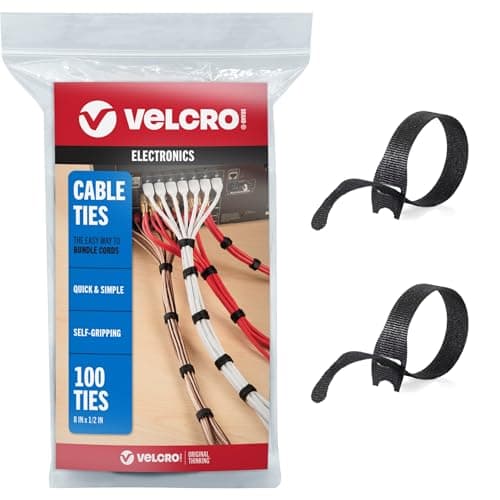
VELCRO Brand ONE-WRAP Cable Ties
An arm only looks like an upgrade once the display and power cables are bundled along it. Ties are the whole job, and they have to be re-openable when you re-aim the screen.
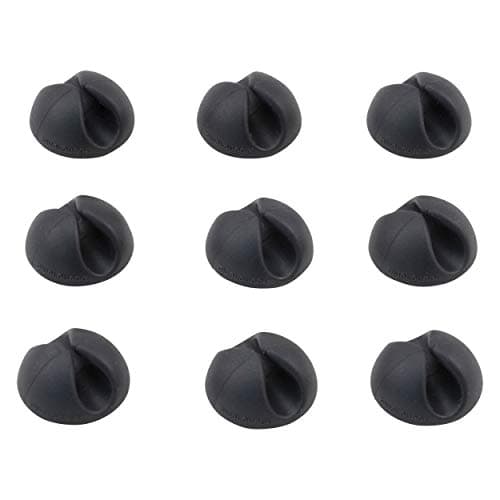
Bluelounge CableDrop Mini
For the cable that has to leave the arm and reach the desk — a dock lead or a laptop charger that gets unplugged daily.
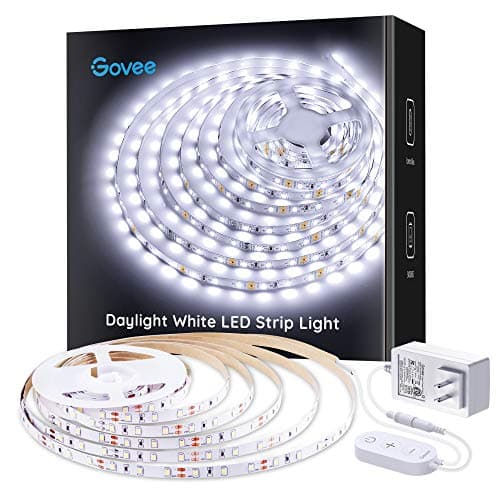
Govee Cool White LED Strip Lights 16.4ft, 6500K, Dimmable
An arm lets you push the screen back and reclaim depth; a strip behind it lifts the wall brightness so the panel is no longer the only light in a dim room.
$16.99Amazon$19.99 −15%
Prices as of October 18, 2026, from Amazon’s API. They change; we show a live number or none at all. Why these are affiliate links.
Common questions
Why does a monitor arm have a minimum weight?
Because a counterbalanced arm is not holding your monitor up — it is pushing back against it with a spring, and the two have to roughly cancel out. Below the minimum, the monitor is too light to overcome the spring, so the arm drifts upward or refuses to stay where you put it. Above the maximum, the spring loses and the arm sags. Both ends are real failure modes, and only one of them gets printed on the box. The mechanism guide explains why non-counterbalanced arms escape this entirely.
Is the Ergotron LX Pro better than the LX?
Not in general, no — and this is the clearest example on the site of a model name doing real damage. The LX Pro holds less at the top (22 lb vs 25) and more at the bottom (4 lb vs 7). If your monitor is light, the Pro is the right arm and the LX may not hold it up. If your monitor is heavy, the Pro is the one that cannot take it. Neither is an upgrade; they are different ranges wearing confusingly similar names.
How do I know if I'm getting an M2.1 or an M2 Pro?
Look at the counterbalance indicator: Humanscale states that green is the legacy M2.1 and red is the M2 Pro. This matters because Humanscale replaced the M2.1 in North America on 26 January 2026 without changing the URL, so their own /m-21page now shows the M2 Pro’s “up to 22 lbs” while the M2.1 the listing sells is rated 15.5 lb. If you bought expecting 22 lb and the indicator is green, the arm is fine — the listing was wrong.
Can I trust an Amazon Basics spec sheet?
In this one case, yes — and for a reason that does not generalize. Amazon isthe brand owner of Amazon Basics, so there is no manufacturer being paraphrased by a retailer. The listing is the first-party spec. That is a different situation from an Amazon page describing an Ergotron, where the manufacturer has its own document and the listing is a summary of it — and where, on this site, the manufacturer wins every time the two disagree.
Do any of these meet a safety standard?
Not one of them claims a third-party standard — no UL, no ANSI, no BIFMA. Ergotron cites its own 10,000-cycle motion test, which is internal. That is why there is no certification column here: filling one in would mean inventing it. VESA compliance is a fitstandard, not a safety or durability one — see what VESA actually guarantees.
Sources
Every figure on this page comes from one of these. If a manufacturer doesn’t publish a number, we print “—” rather than estimate it.
- Ergotron LX Desk Monitor Arm (45-241-026) product page — weight range, VESA, lift, warranty — read 2026-07-16
- Ergotron LX Desk Monitor Arm specification sheet (PDF) — read 2026-07-16
- Ergotron LX Pro Desk Mount Monitor Arm (45-682) product page — weight range, VESA, warranty — read 2026-07-16
- Humanscale M2.1 / M2 Pro product page — the URL now leads with M2 Pro figures — read 2026-07-16
- Humanscale Monitor Arms Weight Capacity (PDF, v20240301) — M2.1 at 5–15.5 lbs (2.3–7 kg) — read 2026-07-16
- Humanscale M2.1 Desk Mount installation manual (PDF) — states 5.5–15.5 lbs (2.5–7 kg) — read 2026-07-16
- Humanscale M/Class monitor arm upgrade page — M2 Pro replaces M2.1, NA launch 26 January 2026, green vs red indicator — read 2026-07-16
- Humanscale terms and conditions — warranty table naming M2.1 at 15 years — read 2026-07-16
- Amazon Basics Gas Spring Single Monitor Arm — Amazon is the brand owner, so this listing is the manufacturer's spec — read 2026-07-16
Read next
Ergotron LX vs LX Pro
The two arms at the top of this page, head to head â the âProâ publishes a ceiling three pounds lower.
The best monitors for a home office
The screen these arms have to hold. Each pick lists its panel-only weight, which is the figure to check against the ranges above.
Ergotron LX vs Amazon Basics monitor arm
The head-to-head between the arm ranked first here and the cheapest one on the site — and the published spec where the $30 arm wins.
How to choose a monitor arm
The decision framework behind this ranking — weight range, VESA, mount type and desk fit, in order.
Can a monitor arm hold a laptop?
If you want the arm to carry a laptop as well as a screen: the tray, the weight limit and the better option.
Do you need a monitor arm?
The honest gut-check before you buy one — a riser may be enough.
The best heavy-duty monitor arms
If your screen is a big, heavy ultrawide or 4K panel above about 20 lb, these arms are built for the weight — the ones here are not.
The best budget monitor arms
The sub-$45 tier for a normal monitor, ranked on the same weight-floor thesis — and which cheap arms actually publish their minimum.
How to install a monitor arm
Once you've picked one: the clamp-or-grommet decision, the VESA plate, cable routing and setting it to eye level.
How much does a monitor weigh?
Before you match a panel to an arm's range, find its weight without the stand — real figures by size.
Monitor arm vs monitor stand
Not sure you need an arm at all? Compare it with a fixed riser first.
The best monitor stands
The cheaper fixed-riser alternative, ranked on how far it lifts the screen.
VESA and weight ratings explained
Will this arm actually fit your monitor? Hole pattern and weight decide it — not screen size.
Gas spring vs mechanical counterbalance
Why counterbalanced arms have a minimum weight at all, and which ones don't.
Best arms for an ultrawide
If your monitor is over 25 lb, nothing on this page will hold it.
Monitor height guide
Where the screen should end up once the arm is on the desk.
Black Friday & Cyber Monday home office deals
Whether waiting for November has any documented payoff on a monitor arm. Short answer: not that we could find.
The best splurge home office gifts
The arm is the safest big gift on the site — one number to check.