The best monitor wall mounts
A wall mount frees the entire desk, and it is the only kind of monitor mount whose most important specification belongs to your house rather than the product. Here are four, ranked on what their makers actually publish.
By Stephen V.Last reviewed
Quick picks
Ranked, with the manufacturer’s own longevity figure next to each one. Tap a row to jump to the full write-up.
| # | Product | Best for | Longevity | Price |
|---|---|---|---|---|
| 1 | 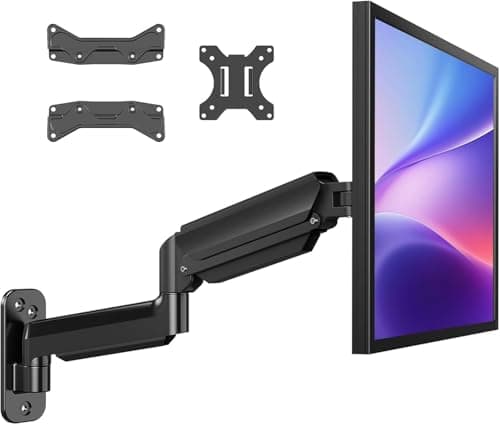 HUANUO Single Monitor Wall Mount (WSS4) The widest published weight window here, the only one that takes a 200 × 200 pattern, and the only maker on this page that tells you what kind of wall it needs. It is also the cheapest. | Most walls, most monitors | Up to 5 yrWarranty | |
| 2 | 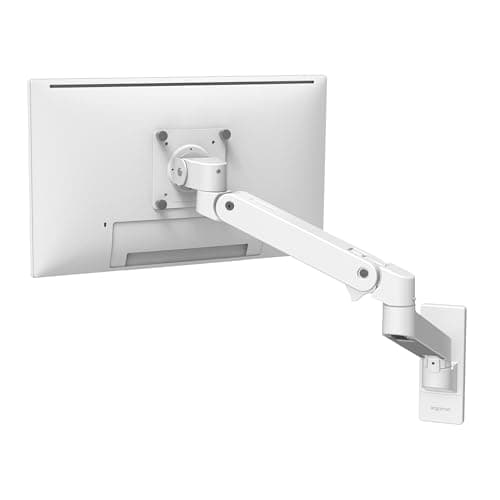 Ergotron LX Pro Single Monitor Wall Mount The lowest weight floor here, the longest reach, and ten years of unqualified warranty — and the only mount on this page whose specs we could not read on the maker's own website. | Light monitors and long horizons | 10 yrWarranty | |
| 3 | 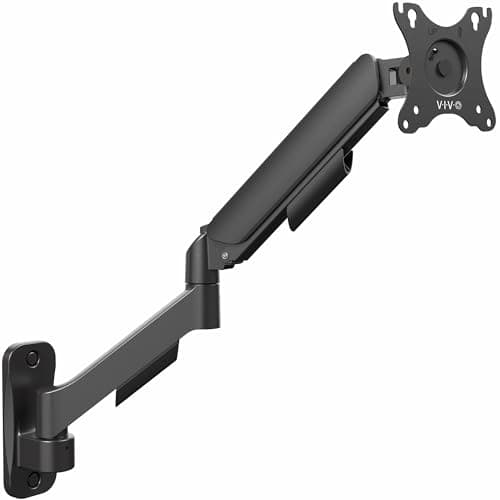 VIVO Single Monitor Counterbalance Wall Mount (MOUNT-V001G) Takes the smallest screens on this page and folds nearly flat, but it has the lowest ceiling and the shortest warranty. The mount for a small monitor on a shallow wall. | Small screens and tight walls | 3 yrWarranty | |
| 4 | 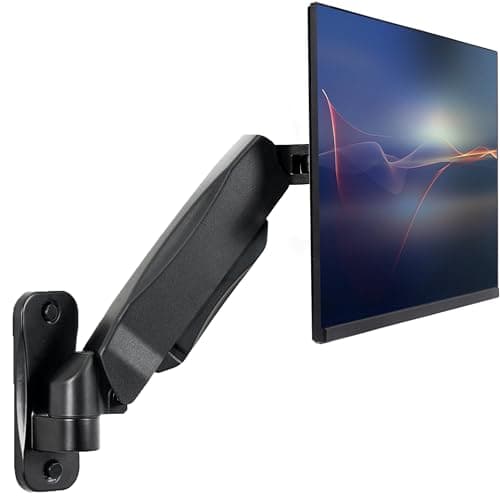 VIVO Pneumatic Single Monitor Wall Mount (MOUNT-V001A) The same weight window as the V001G with more height travel and far less reach. This is the one to buy when the stud is in the wrong place vertically. | When the stud sits too low | 3 yrWarranty |
Prices as of October 18, 2026, from Amazon’s API. They change; we show a live number or none at all.
A monitor wall mount does one thing no desk arm can: it takes the monitor’s entire load off your desk and puts it on the building. No clamp, no grommet hole, no arm base eating the back six inches of the desktop. If you have a shallow desk, or a desk with no clampable edge, or you simply want the surface empty, this is the mount that does it.
It also has a failure mode nothing else on this site shares. Get a desk arm wrong and you unbolt it. Get a wall mount wrong and you have holes in your wall and, in the worst case, a monitor on the floor.
The spec that decides this is the wall, not the mount
Every number in the table below describes the bracket. Not one of them describes what it is bolted to — and that is the part that carries the load. A mount rated for 26.4 lb is rated for 26.4 lb when correctly fixed. Fixed into bare plasterboard, the rating is a description of the metal, not a promise about your wall.
So the first thing we looked for was not weight capacity. It was whether the maker says what kind of wall its mount is for. Exactly one of the four does: HUANUO publishes “wood studs and solid concrete walls” and the sentence “Do not mount to drywall alone.” Ergotron and both VIVOs ship anchors and hardware and say nothing about the substrate where the specifications are.
That single sentence is why the cheapest mount here is ranked first. We cannot tell you whether your wall is up to the job — that is a question about your studs and your fixings, and answering it for a wall we have never seen would be exactly the kind of confident guess this site exists to avoid. What we can do is notice which manufacturer treats it as part of the specification.
Both ends of the weight range, again
Every mount here is gas-spring or counterbalanced, so each one has a weight flooras well as a ceiling. Below the floor, the spring is pushing against weight that is not there and the screen creeps upward instead of staying put — you lose the single feature that separates one of these from a fixed bracket.
Credit where it is due: all four makers publish both numbers, which is better than the desk-arm category manages. The floors are 4 lb (Ergotron), 4.4 lb (both VIVOs) and 6.6 lb (HUANUO). The ceilings run 19.8 to 26.4 lb. A stripped 24″ panel can sit close to that 6.6 lb line, so weigh yours — and note that removing the stand is what makes a monitor light enough to fall under a floor it cleared with the stand on.
You cannot slide a wall mount sideways
This is the practical difference nobody mentions until they are holding a drill. A desk arm goes wherever the clamp fits. A wall mount goes where the stud is, and the stud does not move.
Which makes two published ranges load-bearing in a way they never are on a desk arm: extension (how far the screen comes off the wall, since the wall is usually further from your eyes than a desk edge) and height adjustment(how much you can correct for a stud that sits too low or too high). The four mounts here split cleanly on exactly that trade: the Ergotron reaches up to 25″, the VIVO V001G folds to 3″ and reaches 20.5″, and the VIVO V001A gives up almost all of its reach to buy nearly a foot of vertical travel.
The order of operations is: find the stud, measure where your eyes sit, then pick the mount whose published range covers the gap between them. Doing it the other way round is how people end up shimming a bracket.
Where the screen should end up
OSHA’s computer-workstation guidance is the target, and it is geometry rather than advice from us: the top of the monitor “at or slightly below eye level”, the center “15 to 20 degrees below horizontal eye level”, and a preferred viewing distance “between 20 and 40 inches” from eye to screen.
A wall mount can hit that band perfectly. It just cannot re-hit it later from a different posture, which is the honest limitation of the whole category and the reason we keep pointing sit-stand desk owners at the comparison page.
What we can’t tell you
We have not hung any of these on a wall. We cannot tell you how the HUANUO’s gas spring feels after a year, whether the Ergotron’s finish marks, or how any of them behave on a wall that is not quite plumb. Those need hands, and a wall.
What we can do is read four spec sheets properly and report that one maker documents the substrate its product needs, that another will not let anyone read its specifications at all, and that two mounts sold at the same price by the same brand are built for opposite problems. See our methodology for exactly what that is worth.
The picks, in detail
1. Most walls, most monitors
HUANUO Single Monitor Wall Mount (WSS4)
The widest published weight window here, the only one that takes a 200 × 200 pattern, and the only maker on this page that tells you what kind of wall it needs. It is also the cheapest.
- Weight range
- 6.6–26.4 lb
- VESA
- 75/100/200, 22–35"
- Warranty
- Up to 5 yr
This is ranked first for a reason that has nothing to do with the arm. Read HUANUO’s own specification and you find the sentence the other three do not print: “Do not mount to drywall alone.” It names wood studs and solid concrete as the wall types it is designed for.
Every mount on this page needs that. Only this one says so where the specs are. That matters more here than on a desk arm, because a desk clamp fails onto the desk and a wall bracket fails onto whatever is underneath it — and because “holds 26.4 lb” is a claim about the bracket, not about your wall.
The rest of the numbers happen to line up behind that. The 6.6 to 26.4 lb window is the widest here at both ends. It is the only mount on the page that accepts a 200 × 200 pattern, which is what you find on larger and older panels that the 100 × 100-only brackets simply cannot bolt to. It folds to 3.15″ and reaches 18.31″.
The honest deduction: “up to 5 years” is not a five-year warranty. It is a phrase that permits a five-year warranty. Ergotron writes “ten years” with no qualifier, and a flat number you can hold someone to beats a hedged one you cannot.
Good
- 26.4 lb ceiling — the highest here, and enough for most 32" and many 34" panels
- The only mount on this page that accepts 200 × 200 and 100 × 200, which is where large and older panels live
- States its wall requirement in its own specification: wood studs or solid concrete, and "Do not mount to drywall alone"
- Folds to 3.15" (8 cm) from the wall and reaches out to 18.31" (46.5 cm)
- Publishes both ends of the weight range — 6.6 lb floor as well as the 26.4 lb ceiling
Not so good
- The warranty is published as "up to 5 years", and "up to" is a ceiling rather than a term — Ergotron's flat ten years is the stronger promise even though the number is only twice as big
- 22" screen minimum: the smallest panel here that any maker will admit to supporting is VIVO's 17", not this
- Claims no third-party standard — no UL, ANSI or BIFMA mark, and no published cycle count
- The height figure is published as a bare "11.81"/30cm" range with no stated starting point above the bracket
Don’t buy it if: your monitor is under 22 inches or under 6.6 lb. Below a gas-spring arm's floor the screen does not stay where you put it — it creeps upward, because the spring is still pushing against weight that is no longer there. A stripped 24" panel can land near that line; weigh yours before you drill anything.
Price as of October 18, 2026. #ad — we earn a commission.
2. Light monitors and long horizons
Ergotron LX Pro Single Monitor Wall Mount
The lowest weight floor here, the longest reach, and ten years of unqualified warranty — and the only mount on this page whose specs we could not read on the maker's own website.
- Weight range
- 4–22 lb
- VESA
- MIS-D 75/100, ≤34"
- Warranty
- 10 yr
The case for this one is the 4 lb floor and the ten-year term, and both are real. Four pounds is low enough that a modern 24″ panel with its stand removed sits comfortably above it — the failure mode the HUANUO’s 6.6 lb floor can walk into. And Ergotron’s ten-year warranty on LX products is written as a term, not as a ceiling.
The case against it is not the product. It is what we can see of it. Ergotron blocks automated access to its own website on every path we have tried, including the CDN that hosts its spec PDFs. Our Phase 0 research recorded the LX and LX Pro deskmounts; the wall mount is a different part number and was never captured. So the numbers above come from an Ergotron specialist retailer’s spec table.
That is a weaker source than a manufacturer page and we are not going to pretend it is not. It is the same call this site made for the Ergotron HX, and the same reason the LX Pro is second rather than first: on a page whose entire premise is “check our work”, a mount whose maker will not let anyone read the specs cannot outrank one that publishes them plainly.
Good
- 4 lb floor — the lowest here, and the only one a stripped, lightweight 24" panel is safely above
- Ten years, stated flatly, with no "up to"
- Reaches up to 25" from the wall, the longest extension on this page
- 13" of vertical travel once it is on the wall
- MIS-D covers both 75 × 75 and 100 × 100, the two patterns nearly every monitor uses
Not so good
- ergotron.com returns HTTP 403 to automated access on every path, so these figures come from a specialist retailer's spec table rather than the manufacturer's own page — we say so rather than pretending otherwise
- 22 lb ceiling, below the HUANUO's 26.4 lb, on a mount that costs roughly eight times as much
- No 200 × 200 support, so a large panel with the wider pattern will not bolt to it
- Like every mount here, it claims no third-party standard — no UL, ANSI or BIFMA mark
Don’t buy it if: your monitor is heavier than 22 lb, or price is the deciding factor. This is the buy-for-life option and the warranty backs that up, but it is a large multiple of the HUANUO's price for a mount that holds less weight and fits fewer patterns.
Price as of October 18, 2026. #ad — we earn a commission.
Where these numbers came from
3. Small screens and tight walls
VIVO Single Monitor Counterbalance Wall Mount (MOUNT-V001G)
Takes the smallest screens on this page and folds nearly flat, but it has the lowest ceiling and the shortest warranty. The mount for a small monitor on a shallow wall.
- Weight range
- 4.4–19.8 lb
- VESA
- 75/100, 17–32"
- Warranty
- 3 yr
Good
- 17" screen minimum — the smallest any maker here will support
- Extension range of 3" to 20.5": it folds nearly flat to the wall and still reaches out further than the HUANUO
- ±90° tilt, the widest tilt range on this page
- Publishes both ends of the weight range
- 6.25" to 16" of height adjustment, stated as an actual range rather than a bare span
Not so good
- 19.8 lb ceiling — the lowest here, and under many 32" panels
- VESA stops at 100 × 100; there is no 200 × 200 option
- Three years is the shortest warranty on the page
- VIVO's page lists the mounting hardware in the box but does not state what kind of wall the mount requires — you have to know to ask
Don’t buy it if: your monitor is over 19.8 lb or uses a 200 × 200 pattern. Both are common on 32" screens, and neither is something you discover comfortably while holding a monitor against a wall.
Price as of October 18, 2026. #ad — we earn a commission.
Where these numbers came from
4. When the stud sits too low
VIVO Pneumatic Single Monitor Wall Mount (MOUNT-V001A)
The same weight window as the V001G with more height travel and far less reach. This is the one to buy when the stud is in the wrong place vertically.
- Weight range
- 4.4–19.8 lb
- VESA
- 75/100, 17–32"
- Warranty
- 3 yr
The two VIVOs look like the same mount at the same price and they are not. The V001G moves in and out — 3″ to 20.5″. This one moves up and down — 3″ to 14.75″, with barely three inches of reach.
Which one you want is decided by your wall, not your preference. A stud finder does not negotiate: the stud is where it is, and if the only usable one puts the bracket well below where the screen needs to sit, the height range is the spec that saves the installation. If the stud is at a sensible height and the problem is that the desk is deep, the V001G’s reach is the one that matters.
Good
- 3" to 14.75" of height adjustment — nearly a foot of vertical travel, the most on this page
- Same 4.4 lb floor and 17" screen minimum as the V001G
- Pneumatic rather than a tensioned spring, so height changes are one-handed
- Publishes both ends of the weight range
Not so good
- Extension is only 8.75" to 11.5" — under 3" of travel in and out, by far the least here
- It cannot fold flat: at its shortest it still stands 8.75" off the wall
- Tilt is +90°/-45°, half the downward range of the V001G
- Same 19.8 lb ceiling, same 100 × 100 limit and same three-year warranty as the V001G
Don’t buy it if: you want the screen tucked close to the wall when you push it back, or pulled well forward when you lean in. This mount barely moves in that axis. Buy it for the height range or do not buy it.
Price as of October 18, 2026. #ad — we earn a commission.
Where these numbers came from
Common questions
Can I mount a monitor on drywall?
Not on drywall alone, and this is the one point on this page worth being blunt about. HUANUO is the only maker here that states it in its own specification — the mount is for “wood studs and solid concrete walls”, and “Do not mount to drywall alone.” The other three ship anchors in the box and leave you to work it out. Whether yourspecific wall can safely carry a monitor is a building question about your studs, your fixings and your plaster, and we are not qualified to answer it for you. Find the stud, or read the bracket’s own installation instructions and follow them — they are the only load guidance anyone here is qualified to give.
How high should a wall-mounted monitor be?
OSHA’s computer-workstation guidance puts “the top of the monitor…at or slightly below eye level”, with the center of the screen “normally…located 15 to 20 degrees below horizontal eye level” and a preferred viewing distance “between 20 and 40 inches.”The catch specific to wall mounts is that you have to hit that band from a fixed anchor point. Sit in your chair first, measure where your eyes actually are, and check that number against the mount’s published height range before you drill. Our monitor height guide walks through the measurement.
Do wall mounts work with a standing desk?
No, and it is the clearest reason to buy a desk-clamp arm instead. The desk rises; the wall does not. A wall-mounted screen stays at one height while your eyes travel eight to twelve inches, so it is right for sitting or right for standing and wrong for the other. If your desk moves, read monitor arm vs wall mount before you spend anything — this is the split that decides it.
Why does a wall mount have a minimum weight?
Because every mount here is gas-spring or counterbalanced, and a spring set for a heavier screen than you hung on it will push the arm upward on its own. Below the floor the monitor does not stay where you put it, which is the entire feature you paid for. All four makers on this page publish the floor as well as the ceiling — a lot of this category prints only the maximum. Ergotron’s 4 lb is the lowest here; HUANUO’s 6.6 lb is the highest floor and the one most likely to catch a light 24″ panel out. If you are not sure what yours weighs, we have a page on how much monitors actually weigh.
What if my monitor is 200 × 200 VESA?
Then only the HUANUO on this page will bolt to it. It publishes 75 × 75, 100 × 100, 100 × 200 and 200 × 200; the Ergotron and both VIVOs stop at 100 × 100. The wider patterns turn up on larger and older panels, and it is the single most common way a wall-mount purchase goes wrong — the weight is fine, the screen size is fine, and the holes do not line up. Measure the hole spacing on the back of your monitor before ordering, and read VESA and weight ratings if the pattern names mean nothing to you.
Why is the cheapest mount ranked first?
Because it publishes the most and hides the least. The HUANUO has the widest weight window at both ends, the only 200 × 200 support here, and the only wall requirement printed where the specifications are. The Ergotron has the better warranty and the lower floor, and if it were possible to read its specifications on Ergotron’s own site it would be a much closer call — ergotron.com returns an error to automated access on every path, so its figures here come from a retailer. We rank on what is documented and checkable, which is not always the same as what is expensive. See our methodology for what that does and does not buy you.
Sources
Every figure on this page comes from one of these. If a manufacturer doesn’t publish a number, we print “—” rather than estimate it.
- HUANUO WSS4 single monitor wall mount product page — 22–35" screens, 6.6–26.4 lbs, VESA 75x75/100x100/100x200/200x200, 18.31" max extension, 3.15" folded, wood studs or solid concrete ("Do not mount to drywall alone"), warranty up to 5 years — read 2026-08-10
- Ergotron LX Pro Single Monitor Wall Mount 45-683-290 specification table (ErgoDirect, an Ergotron specialist retailer) — 4 to 22 lbs, up to 34", VESA MIS-D 100/75, 13" lift, extension ≤25", ten-year warranty. Cited from a retailer because ergotron.com returns HTTP 403 to all automated access — read 2026-08-10
- VIVO MOUNT-V001G product page — 17" to 32" screens, 4.4 to 19.8 lbs, VESA 75x75 and 100x100, extension 3" to 20.5", height adjustment 6.25" to 16", +90°/-90° tilt, 3 year warranty — read 2026-08-10
- VIVO MOUNT-V001A product page — 17" to 32" screens, 4.4 to 19.8 lbs, VESA 75x75 and 100x100, arm extension 8.75" to 11.5", height adjustment 3" to 14.75", +90°/-45° tilt, 3 year warranty — read 2026-08-10
- OSHA — Computer Workstations eTool, Monitors — "The top of the monitor should be at or slightly below eye level"; the center "should normally be located 15 to 20 degrees below horizontal eye level"; "The preferred viewing distance is between 20 and 40 inches (50 and 100 cm) from the eye to the front surface of the computer screen" — read 2026-08-10
Read next
Monitor arm vs wall mount
Read this first if you have not committed. A wall mount is permanent and cannot follow a sit-stand desk.
VESA and weight ratings explained
What MIS-D means, why 200 × 200 exists, and how to measure your monitor's hole pattern before you order.
How much does a monitor weigh?
The number that decides whether your screen clears the mount's floor — and typical weights by size.
Mounting a monitor without VESA holes
If the back of your screen has no bolt pattern at all, none of these mounts fit it directly.
Monitor height guide
Where the screen should end up, per OSHA — measure this before you drill, not after.
The best single monitor arms
If the desk-clamp arm is the better answer for your room, this is where we rank those.
How to install a monitor arm
The install steps, including the order of operations that keeps you from holding a screen one-handed.