What desktop fits a standing desk frame?
Buying the legs is the easy half. The top is where this goes wrong, and it goes wrong in a specific way: of the five frames we rank, three publish a width the legs can be set to, two publish a maximum top size instead, and not one publishes how thick a top it will take.
By Stephen V.Last reviewed
Quick picks
Ranked, with the manufacturer’s own longevity figure next to each one. Tap a row to jump to the full write-up.
| # | Product | Best for | Longevity | Price |
|---|---|---|---|---|
| 1 | 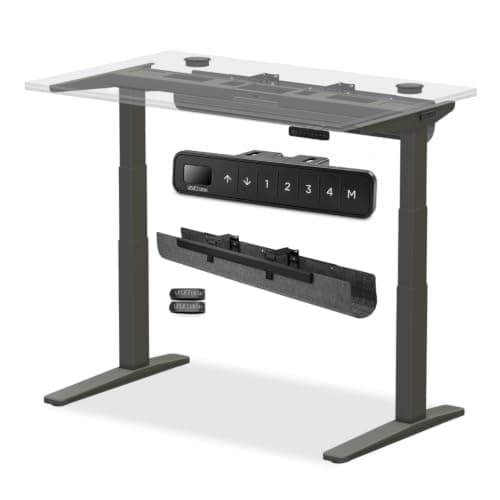 UPLIFT V3 2-Leg Standing Desk Frame (C-Frame, No Desktop) Publishes the most useful set of top-fitting figures of any frame we rank: a 41.3–72.2" width adjustment, two foot lengths tied to desktop depth, and a 355 lb lifting capacity stated as including the desktop. It also publishes no maximum thickness, like everyone else. | The clearest published fitting figures | 15 yrWarranty | |
| 2 | 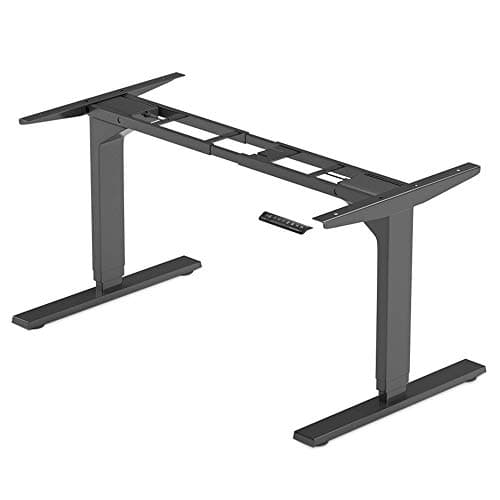 Progressive Automations FLT-02 Solo Ryzer Frame The widest published width adjustment of any frame we rank — 43.0 to 72.4 inches — with a warranty stated as 96 months in its own specification table. The frame to check first if the top you want is wide. | The widest published span | 8 yrWarranty | |
| 3 | 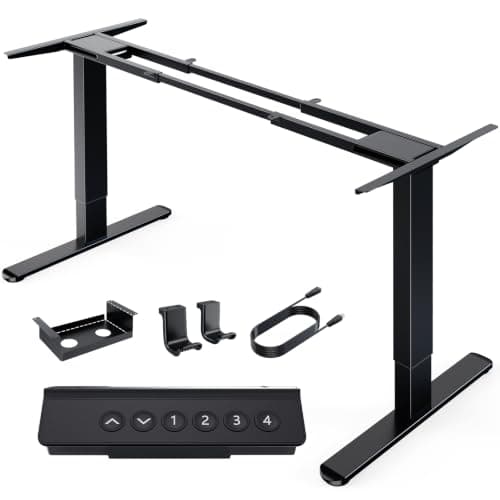 HUANUO Dual Motor Electric Standing Desk Frame (265 lb) The only frame we rank that publishes a maximum desktop size rather than a width adjustment — up to 90 by 31.5 inches, the largest published top compatibility on the page. A different kind of figure, and worth knowing which kind you are reading. | A published maximum desktop size | Up to 5 yrWarranty | |
| 4 | 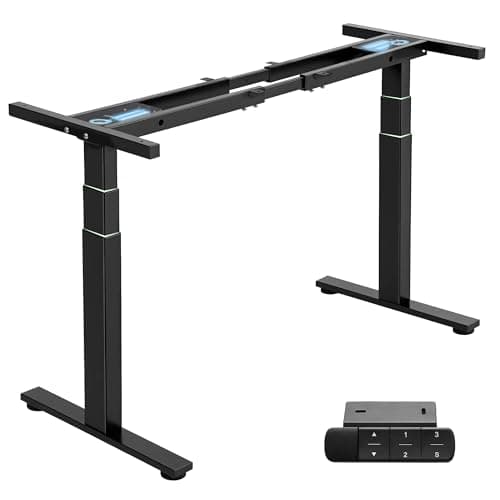 TOPSKY DF04.01 3-Stage Dual Motor Standing Desk Frame A 43–67" width adjustment that explicitly includes both side brackets — the narrowest ceiling of the three frames here that publish a span, and the one most likely to rule out a top you already own. | Checking the narrowest ceiling first | 5 yrWarranty |
Prices as of October 18, 2026, from Amazon’s API. They change; we show a live number or none at all.
The short answer: check the frame’s published width adjustment against your top’s width, check the depth against the feet the frame ships with, and subtract the top’s weight from the capacity — UPLIFT states its 355 lb as including the desktop. Then accept that thickness is unknowable from the spec sheets, because not one of the five frames we rank publishes a maximum, and handle it with fastener length and seated-height arithmetic instead.
The two kinds of figure, and why they get confused
Frame makers answer “what top fits” in two incompatible units, and the first job is working out which one you are reading.
A width adjustment range is the span the legs can be set to. UPLIFT publishes 41.3–72.2″, TOPSKY 43–67″ including both side brackets, and Progressive Automations 43.0–72.4″. It tells you nothing about depth and nothing about the maximum size of top the frame will carry gracefully — a 90-inch top can sit on legs set to 70 inches, with a lot of unsupported overhang at each end.
A maximum desktop size is a top dimension the maker says the frame suits. HUANUO publishes up to 90″ × 31.5″, VIVO up to 77″ × 43″. That includes depth, which is more useful, but it does not tell you the span the legs will actually set to.
Neither figure converts into the other, and nothing on a frame spec sheet lets you derive one from the other. So the first thing to establish about any frame is which of the two it publishes, and then check the dimension it is actually telling you about.
Check 1: width against the published span
The ranges above are not close enough to assume. A 70-inch top fits an UPLIFT 2-leg frame and a Progressive Automations frame and does not fit a TOPSKY, whose span stops at 67 inches including the side brackets. That is the single most common way the frame route fails.
Two subtleties. TOPSKY’s figure is honest about including the brackets, which not every maker is — so compare like with like rather than assuming a bare-leg measurement. And UPLIFT’s 72.2″ applies to the 2-leg C-frame specifically; a wider desk means stepping up to its 3-leg or 4-leg frame, which is a different and pricier product.
Check 2: depth, and the foot length you order with it
Depth is mostly a room-and-eyesight decision rather than a frame constraint — our depth guide works it from viewing distance — with one exception that catches people out.
UPLIFT sells two foot lengths: 24″ short feet for a 24″-deep desktop and 27.5″ standard feet otherwise. Feet that are too long for a shallow top stick out past the front edge and get kicked; feet too short for a deep top reduce the desk’s front-to-back stability at full height. This decision is made at the point you order the frame, so the depth of your top has to be settled first.
Check 3: weight, out of the same budget as your monitors
UPLIFT’s 355 lb is a lifting capacity stated as including the desktop. Read every frame’s capacity that way unless its maker says otherwise, because it changes the arithmetic: the top is not a free object sitting below the rating, it is the first thing spending it.
This is the hidden cost of the material everybody wants. A solid hardwood slab is the most appealing reason to buy a frame and it is also the heaviest option, the one that eats the most capacity, and the one that adds the most to your seated height. A laminate or plywood top spends almost none of the budget. Wood vs laminate desk tops has the trade in full, and how much weight a standing desk can hold covers what these ratings do and do not promise.
Check 4: thickness, which nobody will tell you
We looked at all five frames. Not one publishes a maximum top thickness. That absence is documented on our frames roundup and it is the most significant gap in this category’s paperwork, because thickness affects two things at once.
The fasteners. A frame ships with screws sized for a typical laminate or plywood panel. A thicker top needs longer ones, and the rule that matters is that they must still stop short of the finished surface — a screw that breaks through the top of a slab you have just paid for is unrecoverable. Measure, then choose a length with margin, then drill a pilot hole.
The height. Every inch of thickness is an inch added to the frame’s published floor. UPLIFT’s 21.6″ is the lowest in our coverage and the entire reason a shorter user would pay for it; a 1.75″ slab gives a meaningful fraction of that advantage back. Run your own number through the desk height calculator and decide how much of the margin you can afford to spend on a thick top.
What to look at on the underside
One last check that no spec sheet covers: whether your intended top can hold a screw at all. Three materials cause trouble.
Hollow-core doors look like the perfect cheap slab and are mostly air with a thin skin and a frame around the edges; there is nothing for the brackets to bite into except at the perimeter. Veneered particleboard holds a screw once and then crumbles if you remove it, so get the position right the first time. Glass and stone are not candidates at all for a frame that mounts by screwing upward into the top.
Also check what is already there. A reclaimed top with old hardware, filled holes or a cable grommet in the wrong place can still be used, but the existing holes constrain where the new brackets go — and you want the brackets at the frame’s positions, not at the old desk’s.
What we can’t tell you
We have not mounted these frames to a range of desktops, and we do not sell tops, so there is no “we tried it and it held” here. Every figure above is the manufacturer’s own, published, cited and dated, per our methodology.
And the thickness answer genuinely does not exist in the published record. We would rather say that plainly than print a number that looks authoritative — a “most frames take up to 1.5 inches” claim would be an invention, and on the one decision where you are drilling into something expensive, an invented figure is worse than no figure. Measure your fasteners, keep them short of the surface, and subtract the thickness from the floor height before you buy the slab.
The picks, in detail
1. The clearest published fitting figures
UPLIFT V3 2-Leg Standing Desk Frame (C-Frame, No Desktop)
Publishes the most useful set of top-fitting figures of any frame we rank: a 41.3–72.2" width adjustment, two foot lengths tied to desktop depth, and a 355 lb lifting capacity stated as including the desktop. It also publishes no maximum thickness, like everyone else.
- Height range
- 21.6–47.7" (23.8–49.9" w/ feet)
- Weight capacity
- 355 lb
- Warranty
- 15 yr
If you are matching a top to a frame, this is the sheet that answers the most of your questions. The width adjustment is 41.3–72.2″, the lifting capacity is 355 lb — stated as including the desktop — and the height range is 21.6–47.7″ bare frame, with 23.8–49.9″ on foot spacers.
It is also the only frame here whose feet come in two lengths, and getting that wrong is a real ordering mistake: 24″ short feet for a 24″-deep desktop, 27.5″ standard feet otherwise. Decide the depth of your top before you order the frame, not after.
Two ceilings to respect. The 2-leg C-frame’s width adjustment stops at 72.2″, and a wider top needs UPLIFT’s 3-leg or 4-leg frame instead. And like every frame in this category it publishes no maximum top thickness, so a thick slab is your judgment call — and it eats into that 21.6″ floor.
Good
- 21.6″ is the lowest floor of any frame on this page — a full two inches under the next-lowest — and floor height is the spec that actually decides whether a DIY desk fits a shorter body
- 355 lb lifting capacity, the highest here by 55 lb over the next frame and 135 lb over the lightest
- UPLIFT states a flat 15-year warranty on the spec sheet itself, not buried in a separate policy document you have to go find
- 2″-per-second travel and under 48 dB noise, both published figures, not estimates
- Meets ANSI/BIFMA X5.5-2021 for structural safety and the G1-2013 ergonomic height guideline — printed on UPLIFT's own PDF, not our claim about their product
Not so good
- The most expensive frame on this page, before you've bought any desktop at all
- 21.6–47.7″ is the bare frame; add a top of any thickness and the finished surface sits above that number, and UPLIFT does not publish a with-desktop figure
- Two foot lengths exist — 24″ short feet for a 24″-deep desktop, 27.5″ standard feet otherwise — and ordering the wrong one for your desktop's depth is a real mistake to check before you buy
- The 2-leg C-frame's own width adjustment tops out at 72.2″; a wider desktop needs UPLIFT's pricier 3-leg or 4-leg frame instead
Don’t buy it if: you are over about 5'10" with no plans to ever share the desk, or you are not prepared to also shop for and mount a desktop yourself. You would be paying UPLIFT's premium for a low floor you will never use, and if you want one box that arrives finished, a complete desk is the simpler purchase.
Price as of October 18, 2026. #ad — we earn a commission.
Where these numbers came from
- UPLIFT V3 Standing Desk Frame specification sheet (PDF, SP-FV3-200C-1.1) — UPLIFT’s own spec sheet for the FV3-200 C-frame (source of the "21.6″ - 47.7″" / "23.8″ - 49.9″ (with foot spacers)" height range, "355 lbs" lifting capacity, "2″ per second" travel speed, "<48 dB" noise level, "41.3″ - 72.2″ width adjustment", the ANSI/BIFMA X5.5-2021 and G1-2013 statement, and "15 year warranty on all UPLIFT Desk products") — read 2026-07-26
- UPLIFT Desk warranty page (corroborating the spec sheet’s own warranty line: "Enjoy peace of mind with a 15-year warranty included on nearly every product we sell.") — read 2026-07-26
2. The widest published span
Progressive Automations FLT-02 Solo Ryzer Frame
The widest published width adjustment of any frame we rank — 43.0 to 72.4 inches — with a warranty stated as 96 months in its own specification table. The frame to check first if the top you want is wide.
- Height range
- 23.6–49.1" (no tabletop)
- Weight capacity
- 270 lb
- Warranty
- 8 yr
When the top is the fixed part of the equation, width adjustment is the figure that decides everything, and this publishes the widest range in our coverage: 43.0″ to 72.4″, marginally wider than UPLIFT’s 72.2″ ceiling.
It also states its warranty as 96 months in the specification table rather than as marketing language, and publishes a bare-frame height range of 23.6–49.1″ explicitly labelled without tabletop — which is exactly the clarity this category usually lacks.
The trade is capacity: 270 lb, the lowest of the three wide-span frames here, and a figure that matters more on this page than elsewhere because a long, thick top is itself heavy before you put a single monitor on it.
Good
- 23.6″ floor, tying the TOPSKY and beaten only by the UPLIFT among the frames on this page
- 43.0–72.4″ frame width, the widest published range here — wider even than UPLIFT's 41.3–72.2″
- A warranty stated as "96 months" directly in the spec table, which converts to a clean 8 years rather than a rounder-sounding but vaguer figure
- 1.57″-per-second travel and under 45 dB noise — the quietest published number on this page
- Progressive Automations builds the linear actuators itself, per its own product literature, rather than reselling a generic imported motor the way some budget frames do
Not so good
- 270 lb capacity is the middle of the field — 85 lb below UPLIFT, and 30 lb below the TOPSKY it otherwise matches on floor height, which is why it ranks third rather than second
- "96 months" is the same number as 8 years; worth converting in your head before you compare it against the other frames' warranties, which are all stated in years
- Progressive Automations sells mostly through its own site and resellers rather than a retail storefront, so it carries less brand recognition than UPLIFT or VIVO
- 23.6–49.1″ is explicitly labeled as the frame without a tabletop on Progressive Automations' own page; your finished height sits above it
Don’t buy it if: capacity matters more to you than floor height or warranty length. At 270 lb it is outclassed by UPLIFT's 355, and if you're mounting a heavy monitor-arm setup on a substantial desktop, that gap is worth checking before you order.
Price as of October 18, 2026. #ad — we earn a commission.
3. A published maximum desktop size
HUANUO Dual Motor Electric Standing Desk Frame (265 lb)
The only frame we rank that publishes a maximum desktop size rather than a width adjustment — up to 90 by 31.5 inches, the largest published top compatibility on the page. A different kind of figure, and worth knowing which kind you are reading.
- Height range
- 28.3–47.2"
- Weight capacity
- 265 lb
- Warranty
- Up to 5 yr
HUANUO answers the desktop question in the opposite units from UPLIFT and Progressive Automations. Instead of a width the legs can be set to, it publishes a top size the frame is rated to fit: up to 90″ × 31.5″, the largest published desktop compatibility in our coverage.
For somebody who already owns a big top, that is the more directly useful figure — it includes depth, which a width-adjustment range says nothing about. It is also the cheapest route onto a dual-motor frame at all, with a published 265 lb capacity.
Two caveats, both documented. Its height range starts at 28.3″, which is effectively fixed-desk height and the reason it ranks below the frames with real seated travel. And its warranty line reads “Up to 5-Years” without saying which parts that ceiling covers — not the same claim as TOPSKY’s flat five.
Good
- By far the least expensive frame on this page, and still dual-motor rather than the single-motor design many budget frames cut to at this price
- 265 lb capacity beats the VIVO below it, and sits within 5 lb of the Progressive Automations frame at a fraction of the cost
- Automotive-grade steel, T-shaped legs is HUANUO's own stated material claim, and the frame is rated to fit desktops up to 90″ × 31.5″ — the largest published desktop compatibility on this page
- Dual motor construction rather than the single-motor design that most frames at this price point ship with
Not so good
- 28.3″ is the second-highest floor on this page — 6.7″ above UPLIFT's — which rules it out for a lot of shorter buyers before price even enters the decision
- "Up to 5-Years Warranty" is HUANUO's own phrase; the page does not say whether that ceiling applies to the frame, the motor, or only some components, which is exactly the ambiguity TOPSKY's flat, unqualified "5 YEAR" avoids
- HUANUO does not publish a noise or travel-speed figure on this product page the way TOPSKY, Progressive Automations and UPLIFT all do on theirs
- 265 lb sits in the middle of the field — a real, published number, but not a reason to choose this frame over a pricier one if you plan to load it heavily
Don’t buy it if: you are under about 5'6" and plan to actually sit at the desk. A 28.3″ floor is close to a standard fixed-desk height, and no amount of savings fixes a frame that will not come down to you.
Price as of October 18, 2026. #ad — we earn a commission.
Where these numbers came from
4. Checking the narrowest ceiling first
TOPSKY DF04.01 3-Stage Dual Motor Standing Desk Frame
A 43–67" width adjustment that explicitly includes both side brackets — the narrowest ceiling of the three frames here that publish a span, and the one most likely to rule out a top you already own.
- Height range
- 23.6–49.2"
- Weight capacity
- 300 lb
- Warranty
- 5 yr
This is on the page as the cautionary measurement. TOPSKY publishes 43″–67″ and says the figure includes both side brackets, which is both honest and the tightest top-end span of any frame we rank that publishes one at all.
A 72″ desktop fits an UPLIFT or a Progressive Automations frame and does not fit this one. That is the whole lesson of the width column: these ranges are not close enough to each other to assume, and a five-inch difference at the top end decides whole categories of desktop.
Everything else about it is strong for the money — a 23.6″ floor that genuinely suits a shorter seated user, 300 lb capacity, and a flat 5-year warranty with no “up to” attached. Check the width first and the rest second.
Good
- 23.6″ floor ties for the second-lowest here — two inches above UPLIFT's, and low enough to clear a lot of the range that made the frame above it the top pick
- 300 lb capacity, the second-highest on this page, ahead of every frame here except UPLIFT
- A 3-stage dual-motor leg design, which TOPSKY's own page credits for the wider height range over the 2-stage designs common at this price
- A flat 5-year warranty printed directly on the product page, with no split between frame and electronics to interpret
- 1.37″-per-second travel and under 50 dB noise, both published
Not so good
- The 5-year warranty is a third of UPLIFT's 15, on a frame that otherwise competes with it closely on floor height and capacity
- 43–67″ frame width, including the side brackets, is narrower than the Progressive Automations frame below it, so a very wide desktop is worth measuring against that ceiling first
- TOPSKY is a smaller, less established name than UPLIFT or VIVO, and its page carries no independent BIFMA or ANSI statement the way UPLIFT's does
- 23.6–49.2″ is, again, the bare frame — the finished number moves once a top is bolted on
Don’t buy it if: you want the widest possible desktop or a warranty measured in decades rather than years. The frame width tops out at 67″ including brackets, and 5 years is an honest number but nowhere near UPLIFT's 15.
Price as of October 18, 2026. #ad — we earn a commission.
Where these numbers came from
Common questions
How thick can a standing desk top be?
Nobody publishes an answer. We checked all five frames we rank — UPLIFT, TOPSKY, Progressive Automations, HUANUO and VIVO — and not one states a maximum top thickness on its own spec page. So this is the one dimension you cannot check, and the practical approach is to work it from two directions instead. First, mounting hardware: the screws supplied with a frame are sized for a typical laminate or plywood top, and a thick slab needs longer fasteners that must still stop short of the finished surface. Second, height: every inch of thickness is an inch added to your seated height, and on a frame whose selling point is a 21.6″ floor that is the expensive inch to give away.
How wide a desktop can I use?
Whatever falls inside the frame’s published width adjustment — and the three frames that publish one are not close to each other. UPLIFT: 41.3–72.2″. TOPSKY: 43–67″, including both side brackets. Progressive Automations: 43.0–72.4″. A 70-inch top fits two of those three and not the other. Note also that UPLIFT’s 72.2″ is the ceiling for the 2-leg C-frame specifically; a wider desk needs its 3-leg or 4-leg frame. And HUANUO and VIVO do not publish a span at all — they publish a maximum top size, which is a different figure.
What depth should the top be?
Driven by your room and your monitor distance rather than by the frame, with one important exception. UPLIFT sells two foot lengths — 24″ short feet for a 24″-deep desktop and 27.5″ standard feet otherwise — so the depth decision has to be made before you order the frame, not after it arrives. On the frames that publish a maximum top size, depth is part of it: HUANUO states up to 31.5″, VIVO up to 43″. For the depth you actually want, how deep a desk should be works it from viewing distance.
Does the weight of the desktop count against the frame's capacity?
On at least one frame, explicitly yes. UPLIFT’s 355 lb is a lifting capacity stated as including the desktop, which means a heavy slab spends part of the budget before you put anything on it. Treat every capacity figure that way unless the maker says otherwise, because a solid hardwood top is not a rounding error. The practical consequence is that the frame route’s most attractive material is also the one that costs you the most capacity and the most seated height — worth knowing before you fall for a slab.
Can I reuse the top from my old desk?
Often, and it is the best reason to buy a frame at all. Run four checks. Width against the frame’s published adjustment range. Depth against the foot length you are ordering. Weight against the capacity, remembering it may include the top. And underside condition: existing hardware, a hollow core, or a veneered particleboard panel that will not hold a screw are the three things that stop a reclaimed top working. A hollow-core door is the classic failure — it looks ideal and has nothing solid for the frame to bite into except at its edges.
Should I just buy a complete desk instead?
For most people, yes — and the comparison is cleaner than it looks, because UPLIFT sells the same V3 frame with and without a top and publishes identical height, capacity and warranty figures for both. Standing desk frame vs complete desk sets that out. The frame route earns its keep when you already own a surface, need a dimension nobody sells finished, or want a material no complete desk offers.
Sources
Every figure on this page comes from one of these. If a manufacturer doesn’t publish a number, we print “—” rather than estimate it.
- UPLIFT V3 Standing Desk Frame specification sheet (PDF, SP-FV3-200C-1.1) — UPLIFT’s own spec sheet for the FV3-200 C-frame (source of the "21.6″ - 47.7″" / "23.8″ - 49.9″ (with foot spacers)" height range, "355 lbs" lifting capacity, "2″ per second" travel speed, "<48 dB" noise level, "41.3″ - 72.2″ width adjustment", the ANSI/BIFMA X5.5-2021 and G1-2013 statement, and "15 year warranty on all UPLIFT Desk products") — read 2026-07-26
- UPLIFT Desk warranty page (corroborating the spec sheet’s own warranty line: "Enjoy peace of mind with a 15-year warranty included on nearly every product we sell.") — read 2026-07-26
- Progressive Automations FLT-02 "Solo Ryzer Frame" — Progressive Automations’ own product page (source of the "Frame Height: 23.6″ - 49.1″" without-tabletop range, "270 lbs" capacity, dual motor configuration, "The dual motor system facilitates height adjustments at 1.57″/sec", "Operating noise is maintained below 45dB", the "43.0″ to 72.4″" width range, and "Warranty: 96 months" stated in the product specifications table) — read 2026-07-26
- HUANUO Dual Motor Electric Standing Desk Frame — HUANUO’s own product page (source of the "28.3″ to 47.2″" height range, "265 lbs" load capacity, the automotive-grade-steel T-shaped-leg construction claim, the up-to-90″×31.5″ desktop compatibility, and the "Up to 5-Years Warranty" line, which the page does not split between frame and electronics) — read 2026-07-26
- TOPSKY DF04.01 3-Stage Dual Motor Standing Desk Frame — TOPSKY’s own product page (source of the "23.6′′- 49.2′′/60cm-125cm" height range, "300lbs/136kg" load capacity, "3-Stage Dual Motor" configuration, "1.37′′/second(3.5cm/s)" adjustment speed, "43′′/108.8cm - 67′′/170cm(including both side brackets)" frame width, "noise less than 50db while lifting up and down", and the flat "5 YEAR" warranty) — read 2026-07-26
Read next
The best standing desk frames
All five frames ranked on floor height, capacity and warranty — and where every width and capacity figure on this page is cited.
Standing desk frame vs complete desk
The prior decision: UPLIFT publishes identical specs for both routes, so what you are choosing is who picks the top.
How deep should a desk be?
Set the depth from viewing distance before you order a frame — on the UPLIFT it also decides which feet you need.
How high should a standing desk be?
Every inch of top thickness is added to the frame's published floor. This is the number it is added to.
Wood vs laminate desk tops
The material decision the frame route hands you, including the weight difference that spends your capacity.
How much weight can a standing desk hold?
What a published capacity figure does and does not include — the top is part of it more often than people expect.