Cable raceway vs cable tray
These are not rivals so much as two halves of the same job. The tray gathers the mess under the desktop; the raceway hides the single drop from the desk down to the wall outlet.
By Stephen V.Last reviewed
The first thing to fix is the framing. A cable raceway and an under-desk cable tray get shelved next to each other and cross-shopped as if you have to pick one, but they are not really competitors. They solve different halves of the same problem. The tray corrals the tangle where it starts — the knot of cables, hubs, and the power strip living under the desktop. The raceway hides the part the tray cannot touch: the visible run that leaves the desk and travels along a wall, a baseboard, or down a desk leg to reach the outlet. Ask which is better and the honest answer is usually “both, for different stretches.”
So this comparison is less a head-to-head and more a map of who owns which section of the journey a cable takes from your monitor to the wall. Once you can see that, the choice stops being either/or and becomes a question of how much of your run is out in the open. Where the whole taxonomy of these tools fits together — trays, sleeves, clips, and channels — is laid out in trays vs sleeves vs clips; this page zooms in on the two that people most often confuse.
What each one actually is
- Cable raceway.A slim, rigid channel — plastic or metal — with a removable snap-on cover. It mounts flat against a surface and swallows a length of cable so a run that would otherwise be on show becomes a clean, paintable line along a wall, skirting board, or the leg of a desk.
- Under-desk cable tray. A shallow cradle or wire basket that fixes to the underside of the desktop. It does not follow a run; it holds a mass— the power strip, coiled slack, adapters, and the bundle of leads — up off the floor and out of sight beneath the top.
- The dividing line. A tray is a place to put the tangle. A raceway is a way to route a stretch of it out of view. One is a container; the other is a covered path.
The tray corrals the mess at the desk
Start with the tray because it is where nearly every desk’s problem begins. Most cable chaos is concentrated in one place: the underside of the desktop, where the power strip, the charger bricks, the dock, and a dozen leads all converge. Left loose, that mass either sags into view below the desk edge or ends up piled on the floor, where it collects dust and gets kicked. A tray fixes the mass in place, a few inches under the top, so the strip and the slack live in a defined pocket instead of hanging in space.
The tray’s great virtue is that it lets you keep the power strip on the desk rather than on the floor— the single highest-value move in cable management, because it turns ten long floor-bound runs into ten short ones that never leave the underside of the top. That is the whole argument of how to hide desk cables, and the tray is the hardware that makes it tidy. What a tray does notdo is hide the one cable that still has to leave the desk and reach the wall. That is the raceway’s job.
The raceway hides the drop to the wall
After the tray has done its work, a well-managed desk ideally has just one lead leaving it: the power strip’s cord heading for the outlet. But if the outlet is not directly behind the desk — if the cord has to cross a stretch of wall, run along a baseboard, or descend an exposed desk leg — that single cable is now the most visible thing in the setup, precisely because everything else is hidden. This is where a raceway earns its place. It takes that lonely run and encloses it in a straight channel you can paint to match the wall, so the eye stops catching on it.
A raceway is also the right tool for a desk in the open. When the desk floats away from the wall, the descent to the floor and the trek to a distant outlet are fully exposed, and a channel down the leg plus a low run to the wall is often the only thing that makes it look intentional. That harder scenario has its own page in desk in the middle of a room, but the principle is the same: the raceway hides the journey, not the pile.
Install: adhesive vs screwed
Both formats come in stick-on and screw-down versions, and the install choice matters more than the format choice for whether the thing stays put. Adhesive is fast, damage-free, and renter-friendly: peel, press onto a clean surface, done. It is genuinely fine for a light raceway carrying a few thin cables on a smooth, cool, dust-free wall. Its weakness is load and heat — adhesive creeps under sustained weight and lets go as a room warms, so a heavy bundle, a metal tray, or anything a moving desk tugs on will eventually peel a stuck mount off the surface, usually at the least convenient moment.
Screws are the opposite trade: they mark the surface but they do not care about weight, warmth, or time. For a load-bearing tray full of a power strip and slack, or a raceway on a leg that a standing desk lifts, screwed mounting is the honest answer. The compromise many people land on is sensible: stick the light channel, screw the tray. If you genuinely cannot make holes — a rental, a glass surface, a veneer you will not risk — then commit to the adhesive-only path deliberately and keep the loads light, which is exactly what cable management without drilling is for.
Capacity: a channel routes, a basket holds
The two have very different appetites. A raceway is sized by the cross-section of its channel, and it is happiest with a modest, flat ribbon of cables running the same direction; force too fat a bundle under the cover and it bulges, refuses to close, or squeezes the cables in a way you do not want. We are not going to quote a cable count, because it depends entirely on the channel you buy and the thickness of your leads — but the mental model is “a handful of cables going one way,” not “the whole mess.”
A tray has the opposite temperament. It is a basket, so it is happy holding a chunky, multidirectional pile — a power strip, three adapters, and a loop of surplus cable can all sit in it at once. When you have real bulk to hide, the tray is where it goes; the raceway is for the slim run that leaves the tray behind. If you are weighing which tray actually holds what without sagging, the ranked field is in the best under-desk cable management.
Looks: a painted line vs an invisible pocket
Visually they aim at different outcomes. A raceway is meant to be seen but ignored— it turns a chaotic dangle into a single crisp line, and because you can paint most plastic raceways to match the wall or trim, a good install reads as part of the architecture rather than an add-on. Done badly, though, a raceway is more obvious than the cable it hides: a beige channel stuck crookedly across a white wall draws the eye straight to it. Straight runs and right angles are its friends; diagonal shortcuts are where it looks amateur.
A tray aims for the opposite — total invisibility. Mounted under the top, a tray and everything in it simply never enters your field of view from a normal sitting or standing position. There is nothing to paint and nothing to align to a wall, because no one sees it. That makes the tray the more forgiving of the two to install well: it does not have to look good, it just has to stay up and out of sight.
The standing-desk question
This is where the two formats genuinely diverge, and it is worth deciding on purpose. A tray is fixed to the underside of the desktop, so it travels with the desk: when the top rises, the strip, the slack, and the whole bundle rise with it, and their spatial relationship never changes. A raceway, by contrast, is fixed to something that does not move — a wall or a baseboard — so it stays behind when the desk goes up.
That difference is fine as long as you respect it. Any cable that runs from the moving desk into a fixed raceway has to stretch as the desk climbs, so it needs a generous service loop of slack — enough that the desk reaches full height with room to spare, never dragging the cord tight or, worse, pulling it out. Get the slack wrong and every trip to standing height yanks on a cable; get it right and you never think about it again. OSHA’s flexible-cord guidance is the backstop here: keep cords from being pinched or stretched to the point of damage, and retire any lead whose insulation is compromised. On a sit-stand desk the pragmatic split is to let the tray carry everything that moves and reserve the raceway for cables that stay put. The full moving-desk method is in standing desk cable management.
Why you usually want both
Put the two together and the reason they are not really rivals becomes obvious. The tray owns the desk: strip, slack, hubs, the bulk. The raceway owns the gap between the desk and the wall: the single tidy run that leaves the tray behind. A desk pushed flush against a wall with an outlet right behind it may need only the tray, because there is no exposed run to hide. A desk in the open, or one whose outlet is across the room, needs the raceway too, because the run is the whole problem. Most setups fall somewhere between and use a small amount of each.
And that is the calm way to buy: not “raceway or tray” as a personality choice, but “how much of my run is hidden by the desk itself, and how much is still out in the open.” Corral the mass under the top with a tray, hide whatever run remains with a raceway, leave slack anywhere the desk moves, and keep the cords healthy where OSHA’s guidance says to. Do that and the setup that looks clean on day one still looks clean after three years — which is the only test this site cares about.
The small stuff that finishes the job
Inexpensive parts that make the main purchase work properly. They are not picks and they are not ranked — each one is here because this page describes the job it does, and each carries the same published-spec treatment as everything else we link.

D-Line 30×15 mm on-wall cable raceway (1D3015W)
If the raceway is the half you need: a half-round 30 x 15 mm channel with a click-lock lid, self-adhesive or screw-fixed, and paintable so it disappears into the wall.
$14.99Amazon$22.79 −34%
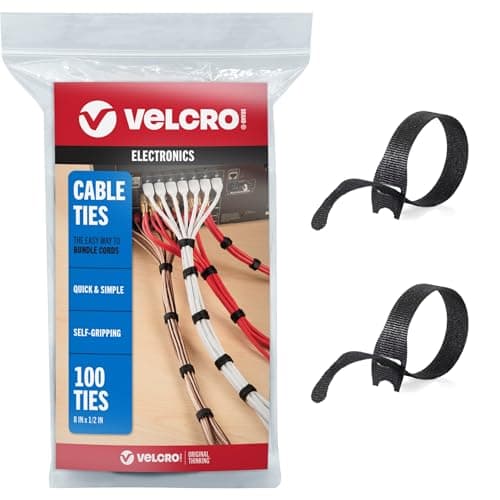
VELCRO Brand ONE-WRAP Cable Ties
Whichever half you pick, bundle the run before you enclose it. A raceway packed with loose cables is a raceway you open again in a fortnight.
Prices as of Sep 14, 2026, from Amazon’s API. They change; we show a live number or none at all. Why these are affiliate links.
Common questions
What is the difference between a cable raceway and a cable tray?
A raceway is a slim channel with a snap-on cover that hides a run— along a baseboard, up a wall, or down a desk leg — so a visible stretch of cable disappears into a clean line. An under-desk tray (or wire basket) is a shallow cradle fixed beneath the desktop that gathers a bundle of cables and a power strip out of sight under the top. The tray corrals the tangle at the desk; the raceway hides the drop from desk to outlet. They do different jobs, which is why people often use both.
Do I need both a raceway and a tray?
Often, yes — and that is not upselling, it is that they cover different stretches. The tray handles everything above and just under the desktop: the strip, the hubs, the coiled slack. The raceway handles the part the tray cannot reach, the visible descent from the desk edge to a wall outlet a few feet away. If your desk sits flush against a wall with the outlet directly behind it, you may only need the tray. The more of the run that is out in the open, the more a raceway earns its place. The full method that uses both is in how to hide desk cables.
Can I use a cable raceway on a standing desk?
Only with care. A raceway is fixed — screwed or stuck to a wall or baseboard — so it does not travel with the top when the desk rises. A tray, mounted under the desktop, moves with the desk. If a fixed raceway carries any cable that also feeds the moving desk, you must leave a generous service loop of slack so the desk can reach full height without dragging the cord tight. On a sit-stand setup the tray is usually the safer half and the raceway is best reserved for cables that stay put. See standing desk cable management.
Do adhesive raceways and trays hold, or do I need screws?
For a light channel carrying a few thin cables, a good adhesive backing holds fine on a clean, smooth, room-temperature surface. For a heavier bundle, a metal tray, or anything a moving desk tugs on, screws win — adhesive creeps and lets go under sustained load and warmth. The honest rule: stick the light stuff, screw the load-bearing stuff. If you cannot make holes at all, the adhesive-only versions of both are covered in cable management without drilling.
Is it safe to run power cords inside a raceway?
It is fine to route a cord through a channel, but a raceway does not change the rules for the cord itself. OSHA’s guidance on flexible cords is to keep them from being pinched, crushed, or abraded and to retire any cord whose insulation is damaged. So do not force a fat bundle under a cover that squeezes it, do not trap a cord in a pinch point where the cover clamps down, and never bury a frayed lead out of sight where you cannot see it getting worse. A raceway should hide a healthy cord, not conceal a failing one.
Sources
Every figure on this page comes from one of these. If a manufacturer doesn’t publish a number, we print “—” rather than estimate it.
- OSHA — Flexible cords / electrical safety — flexible cords must not be pinched, crushed, run through pinch points, or otherwise damaged, and a cord with damaged insulation should be taken out of service (paraphrased) — read 2026-07-31
- OSHA — Computer Workstations eTool, Workstation environment — arranging the workstation so cords and equipment do not create trip hazards or clutter underfoot (paraphrased) — read 2026-07-31
Read next
How to hide cables on the floor
Crossing a floor safely when the desk is not against a wall.
Trays vs sleeves vs clips
The wider taxonomy of tools this pair sits inside — where trays, sleeves, and clips each fit before you buy any of them.
The best under-desk cable management
The ranked under-desk tray and holder field, once you have decided the tray is the half you need.
How to hide desk cables
The step-by-step method that uses both parts in the right order, so you buy after you have seen the route.
Cable management without drilling
Adhesive-only versions of both if you rent or cannot screw into the desk or wall.